



Om onze apps en configuraties te gebruiken moet je je eerst aanmelden voor een ExpressVPN-account.
In deze handleiding lees je hoe je je ExpressVPN-abonnement verlengt.
Abonnementen die zijn gekocht met bepaalde betaalwijzen, zoals een creditcard, PayPal, Apple Pay, Google Pay, in-app-aankopen via Apple en in-app-aankopen via Google Play, worden standaard automatisch verlengd.
Ga naar…
Abonnementen die zijn gekocht met een creditcard, PayPal, Apple Pay of Google Pay
Abonnementen die zijn gekocht met cryptovaluta (via BitPay)
Abonnementen via in-app-aankopen van Apple
Abonnementen via in-app-aankopen in de Google Play Store
Hoe werkt automatisch verlengen?
Abonnementen die zijn gekocht met een creditcard, PayPal, Apple Pay of Google Pay
Abonnementen die zijn gekocht met een creditcard, PayPal, Apple Pay of Google Pay worden standaard automatisch verlengd wanneer het huidige abonnement afloopt. Als je automatisch verlengen eerder hebt uitgeschakeld, kun je dit weer inschakelen in je accountdashboard.
Een bestaand abonnement verlengen
Als je automatisch verlengen eerder hebt uitgeschakeld en je abonnement bijna afloopt, kun je je abonnement handmatig verlengen. Volg hiervoor deze stappen:
- Ga naar de pagina My subscription (Mijn abonnement). Meld je als daarom wordt gevraagd, aan bij je ExpressVPN-account.
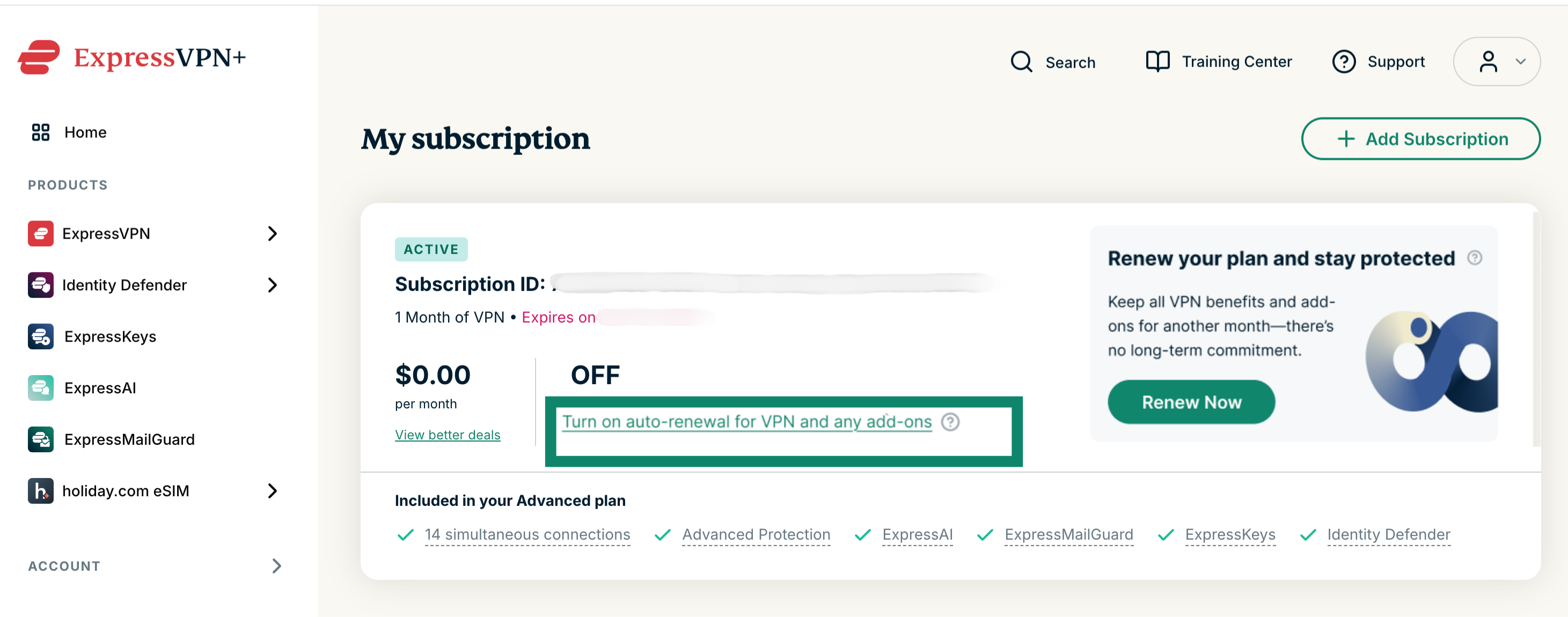
Je bestaande abonnement verlengen: Selecteer Turn on auto-renewal for VPN and any add-ons (Automatisch verlengen inschakelen voor VPN en eventuele add-ons) en voer je bijgewerkte betaalgegevens in.
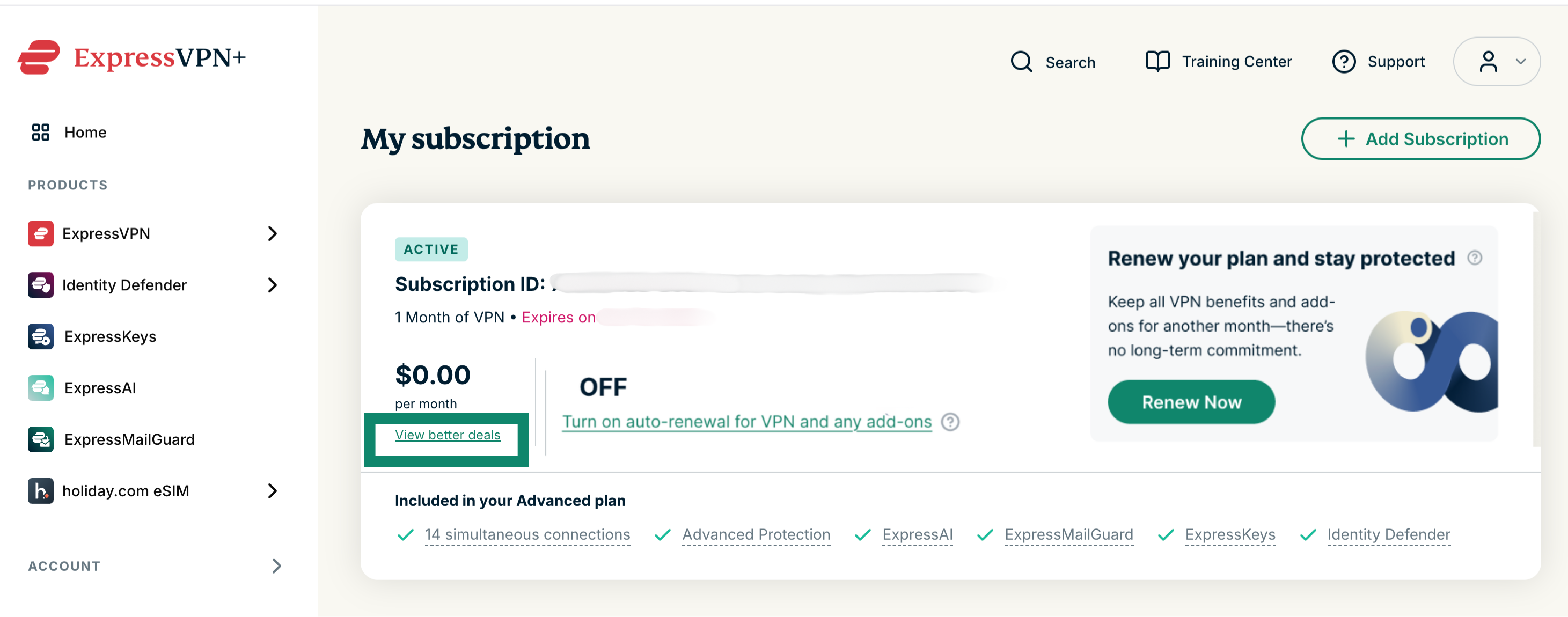
Een ander abonnement kiezen: Selecteer View better deals (Betere aanbiedingen bekijken) en kies een nieuw abonnement en een nieuwe betaalwijze.
Een verlopen abonnement verlengen
Als je abonnement is verlopen, kun je het als volgt verlengen:
- Ga naar de pagina My subscription (Mijn abonnement). Meld je als daarom wordt gevraagd, aan bij je ExpressVPN-account.
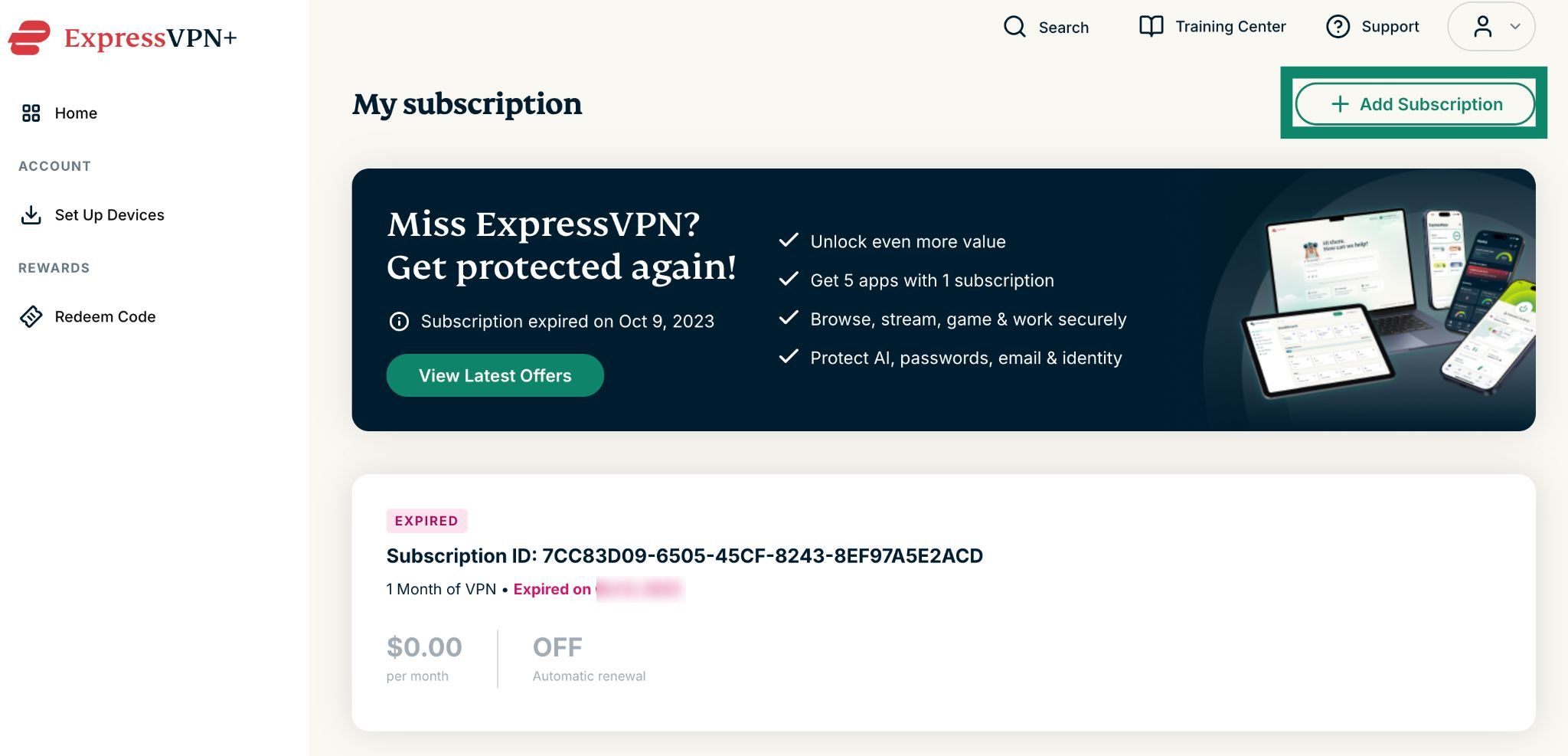
- Selecteer Add Subscription (Abonnement toevoegen).


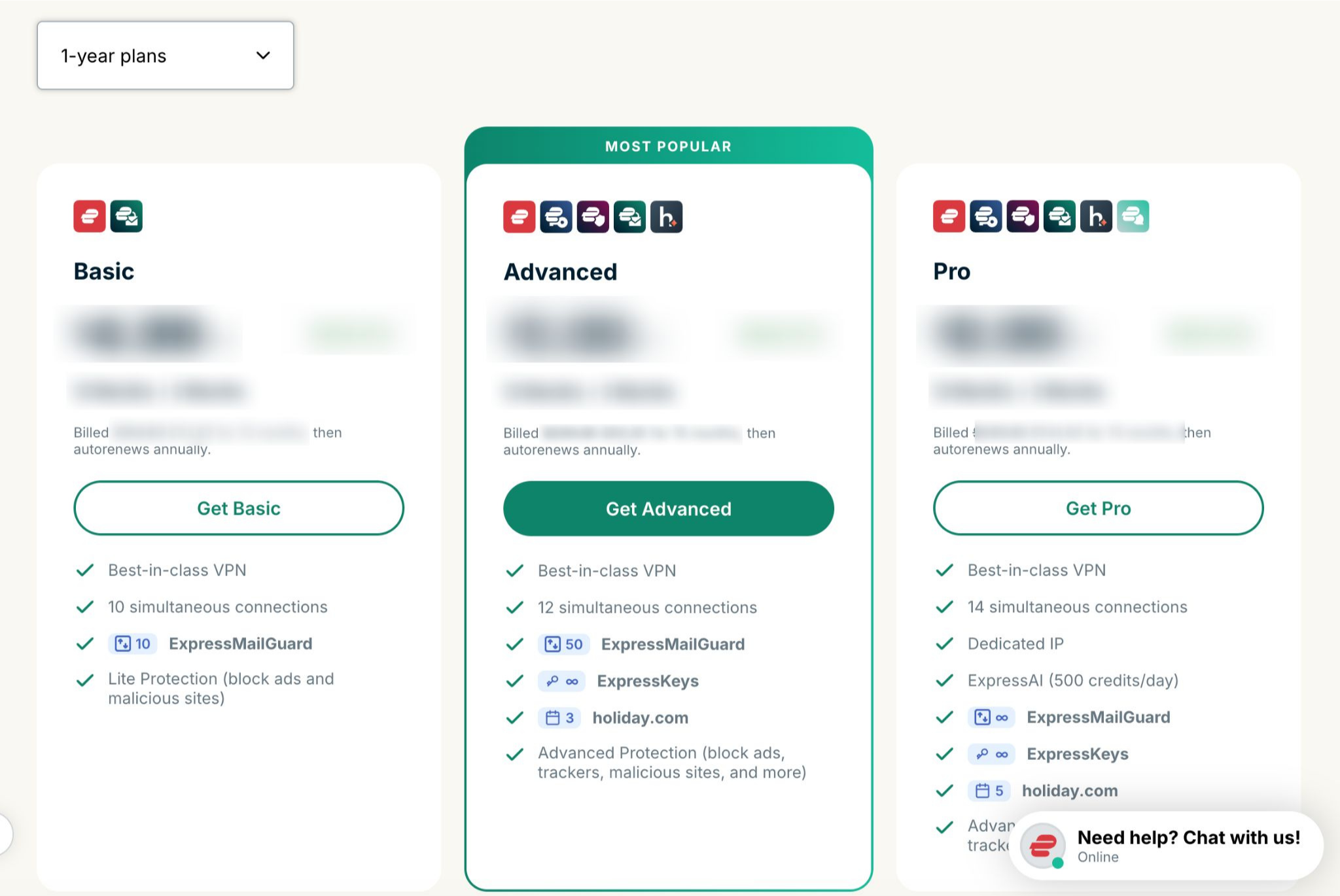
- Kies je gewenste abonnement.


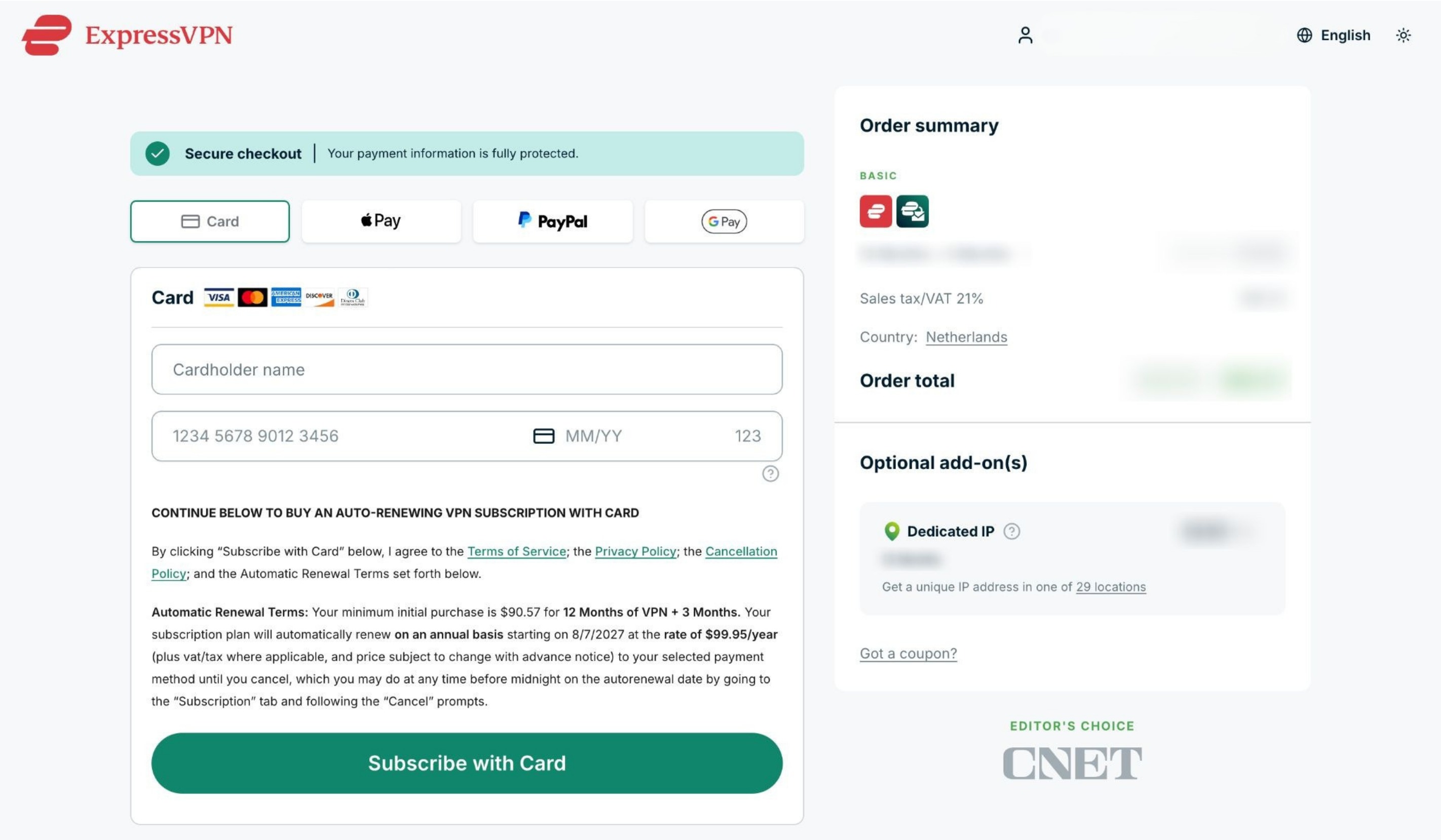
- Kies een betaalwijze, voer je betaalgegevens in en selecteer Subscribe with [payment method of your choice] (Abonneren met [betaalwijze van je keuze]).


Hulp nodig? Neem contact op met de helpdesk van ExpressVPN voor directe ondersteuning.
Abonnementen die zijn gekocht met cryptovaluta (via BitPay)
ExpressVPN ondersteunt cryptovaluta (ook via BitPay) niet langer als betaalwijze.
Abonnementen die eerder met cryptovaluta (via BitPay) zijn gekocht, worden niet automatisch verlengd.
Een bestaand abonnement verlengen
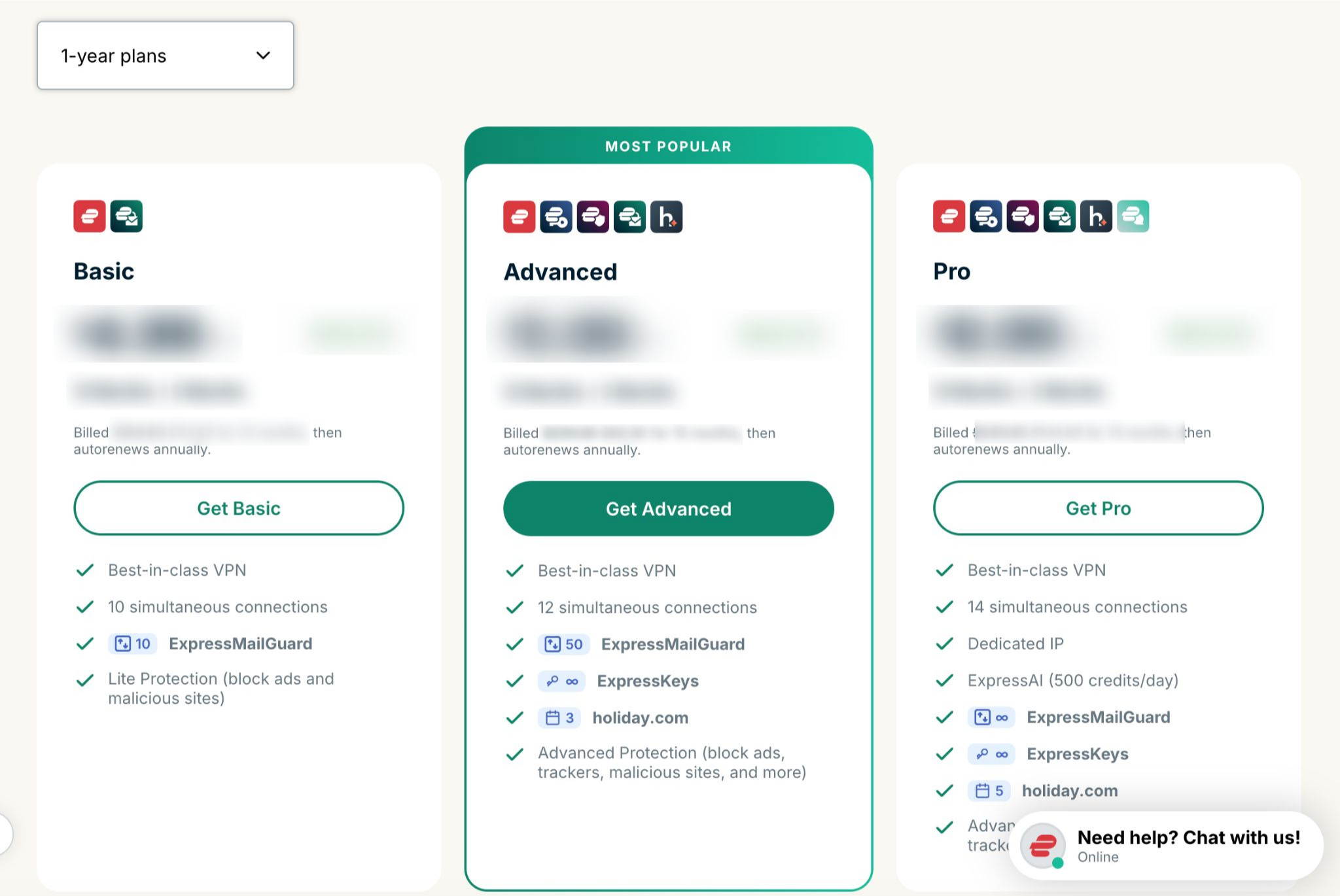
Als je abonnement bijna afloopt, kun je het handmatig verlengen met een andere betaalwijze. Volg hiervoor deze stappen:
- Ga naar de pagina My subscription (Mijn abonnement). Meld je als daarom wordt gevraagd, aan bij je ExpressVPN-account.
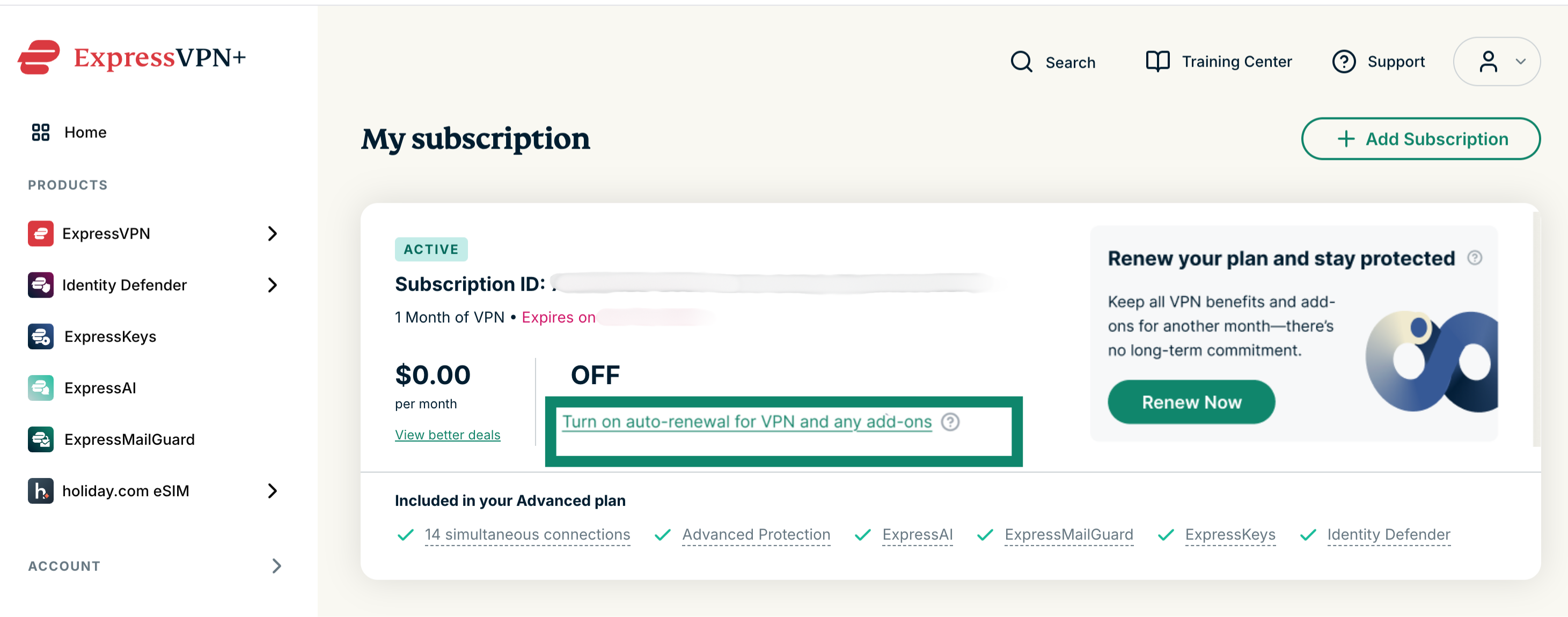
Je bestaande abonnement verlengen: Selecteer Turn on auto-renewal for VPN and any add-ons (Automatisch verlengen inschakelen voor VPN en eventuele add-ons) en voer je bijgewerkte betaalgegevens in.
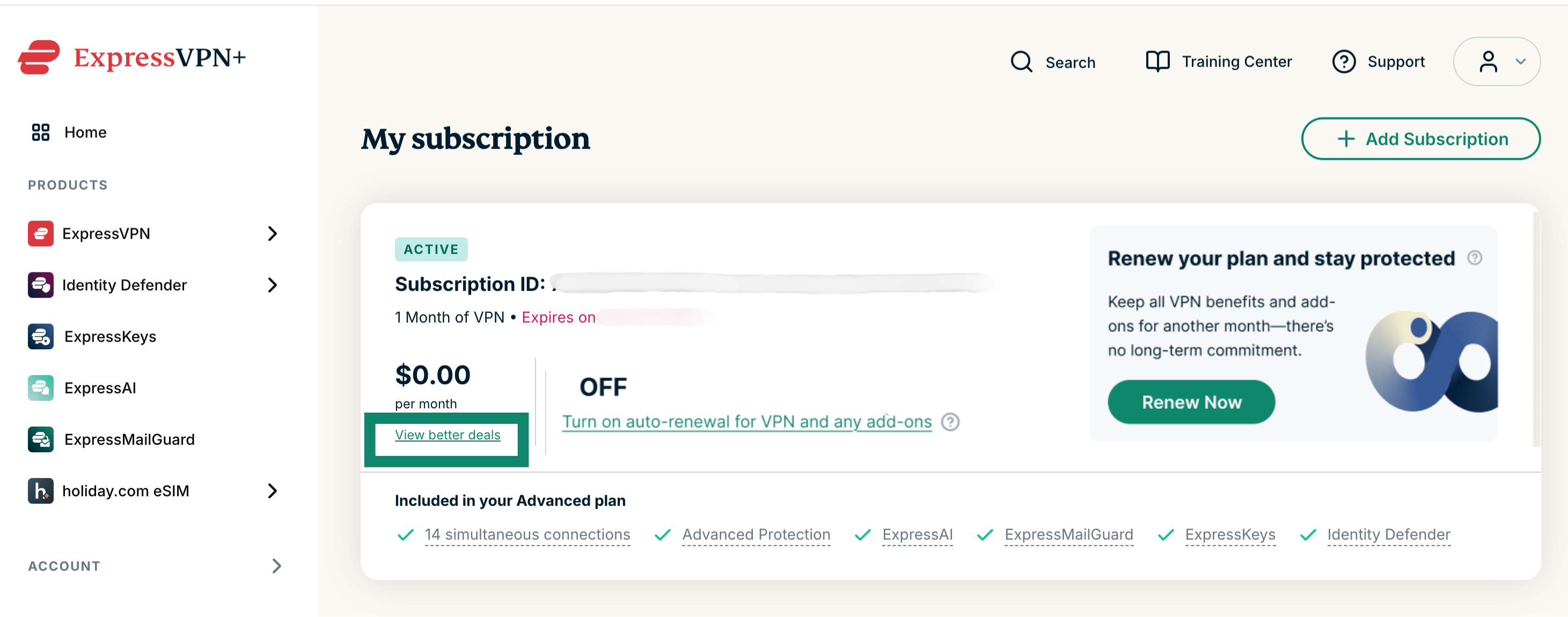
Een ander abonnement kiezen: Selecteer View better deals (Betere aanbiedingen bekijken) en kies een nieuw abonnement en een nieuwe betaalwijze.
Een verlopen abonnement verlengen
Als je abonnement is verlopen, kun je het als volgt verlengen:
- Ga naar de pagina My subscription (Mijn abonnement). Meld je als daarom wordt gevraagd, aan bij je ExpressVPN-account.
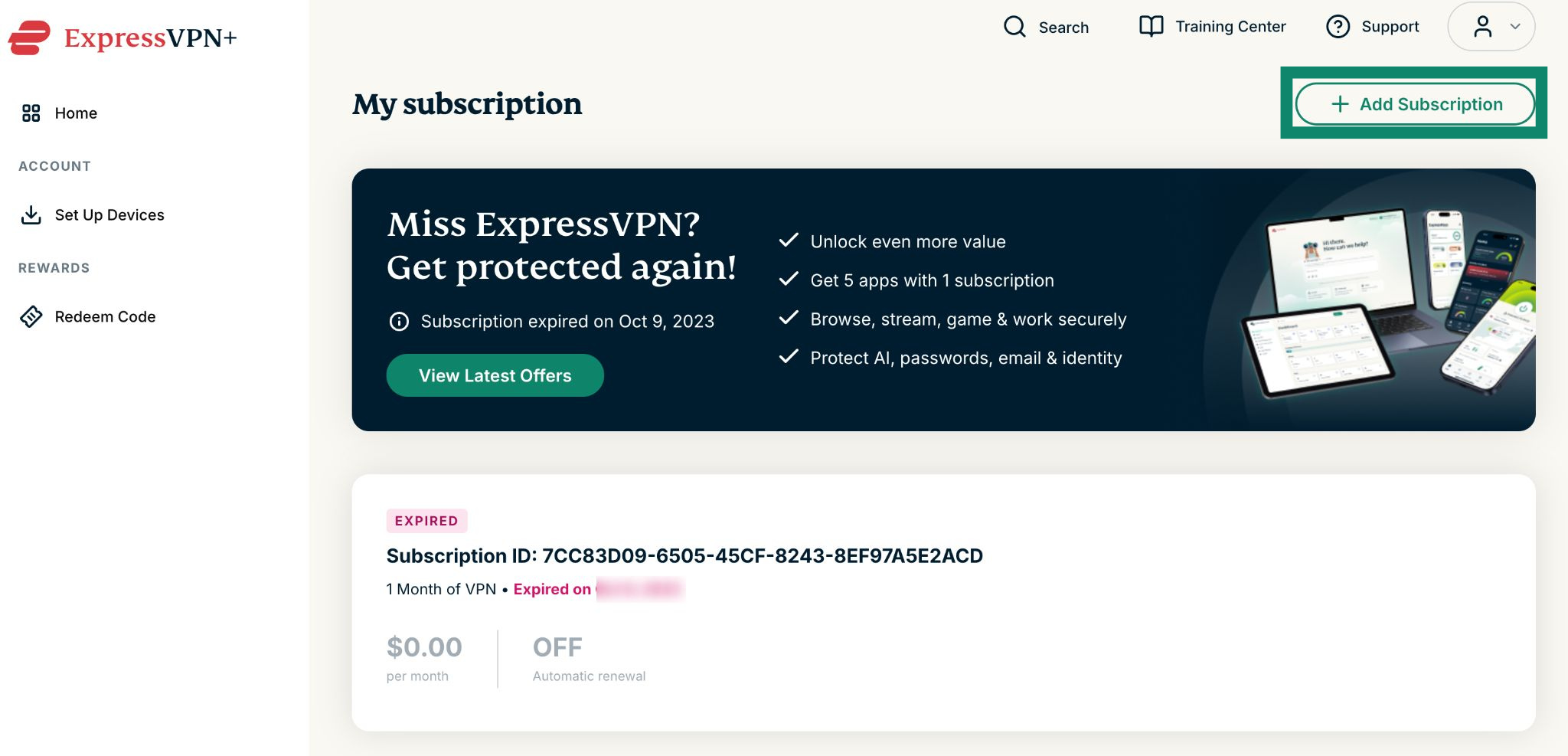
- Selecteer Add Subscription (Abonnement toevoegen).

- Kies je gewenste abonnement.

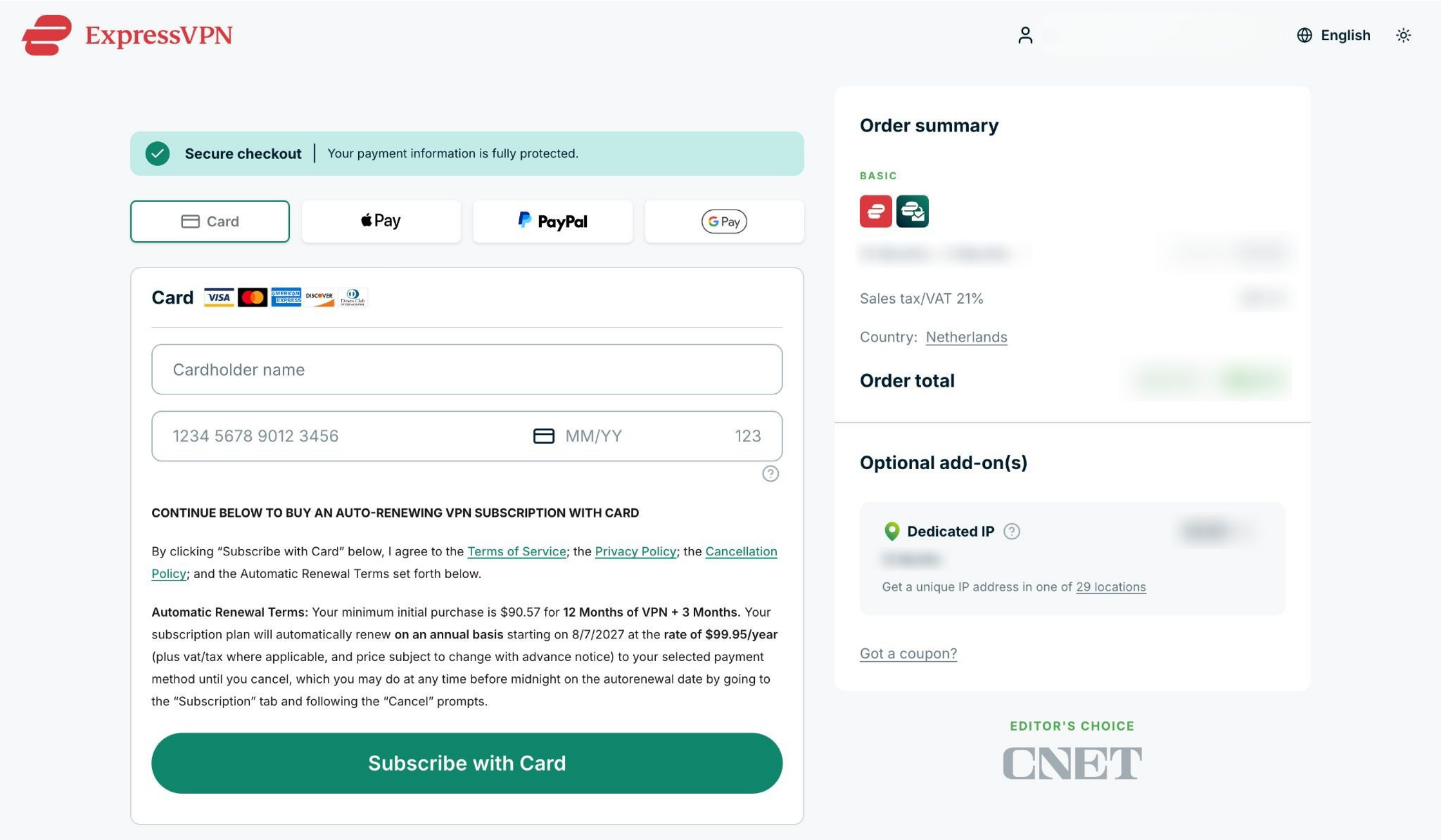
- Kies een betaalwijze, voer je betaalgegevens in en selecteer Subscribe with [payment method] (Abonneren met [betaalwijze van je keuze]).

Hulp nodig? Neem contact op met de helpdesk van ExpressVPN voor directe ondersteuning.
Abonnementen via in-app-aankopen van Apple
Abonnementen die via de App Store zijn gekocht, worden automatisch verlengd nadat je huidige abonnement is afgelopen.
Als je je abonnement hebt opgezegd, maar nog actief is
Volg deze stappen om het te verlengen:
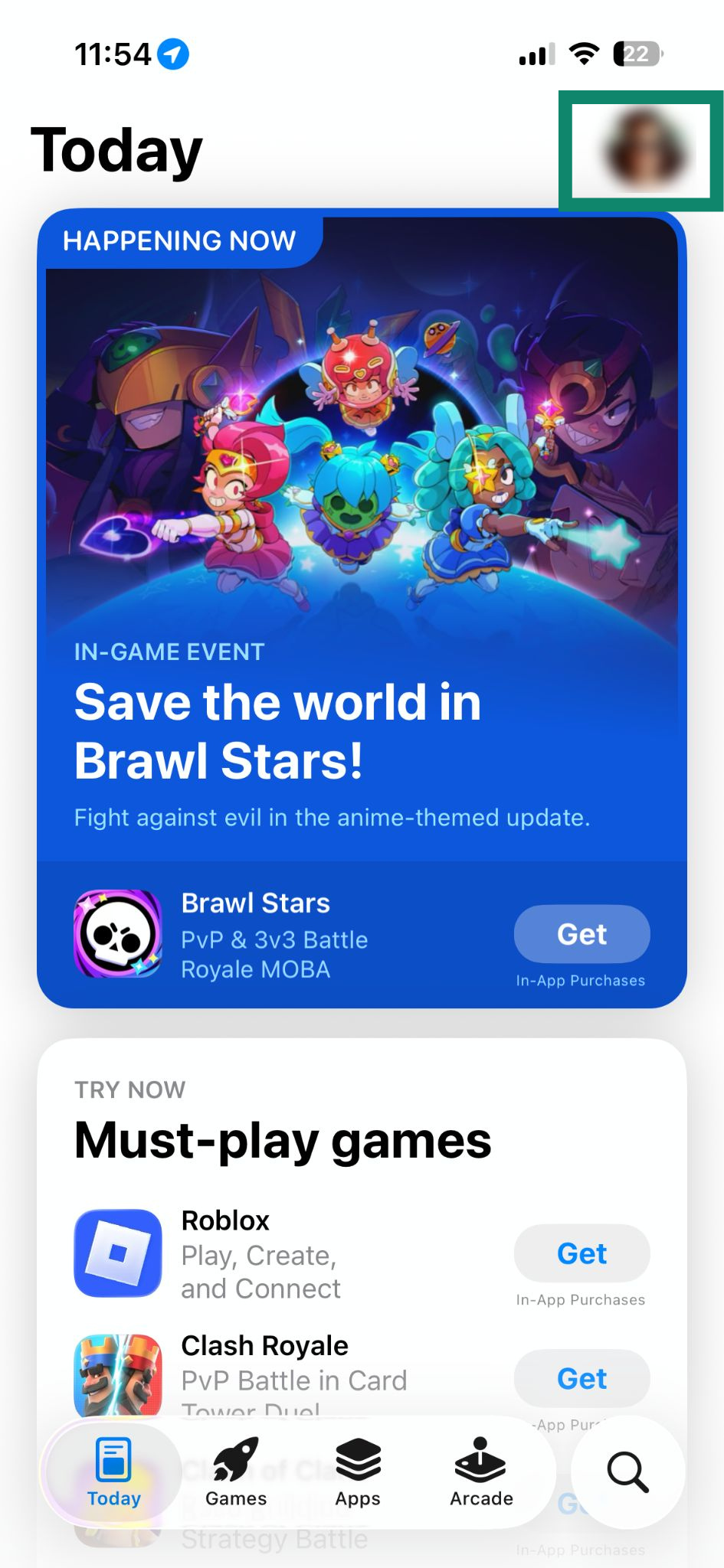
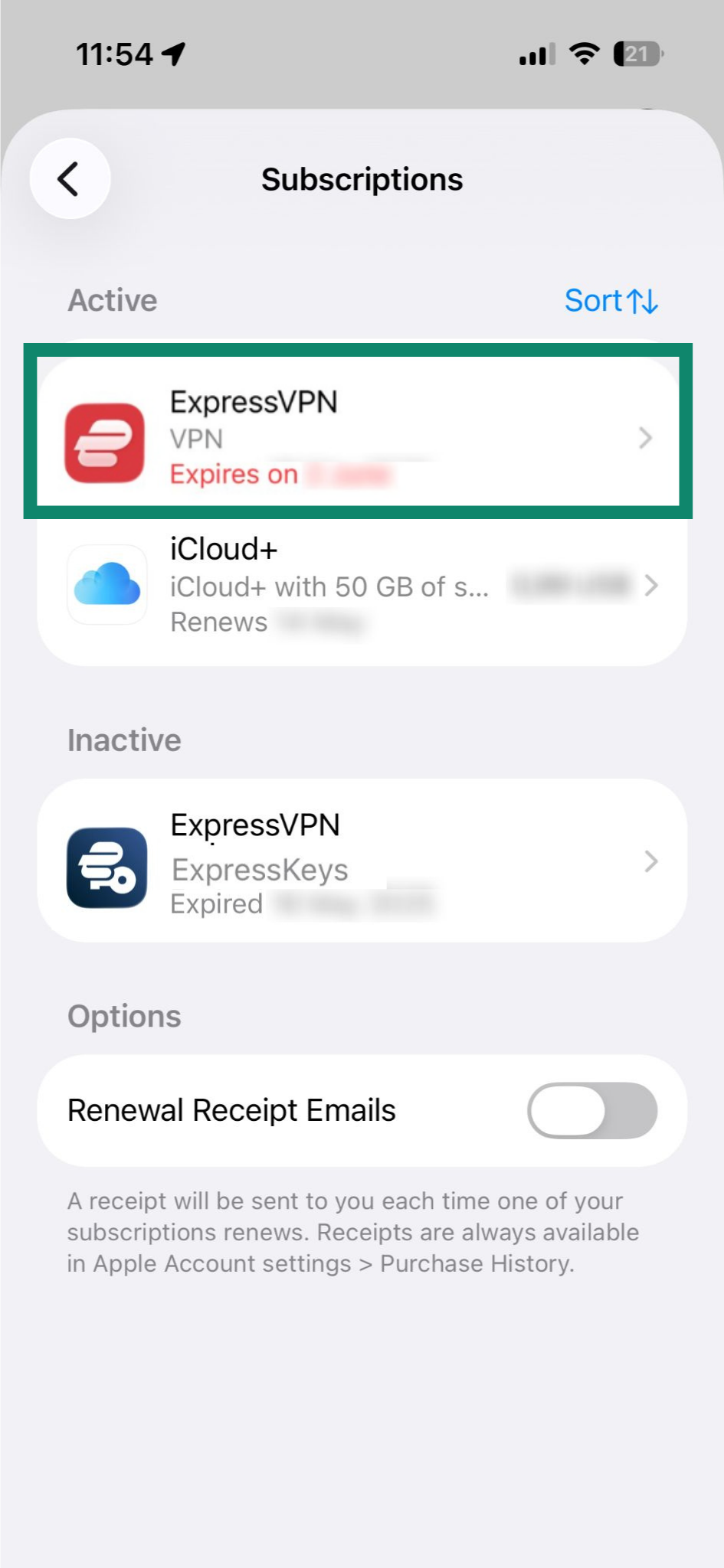
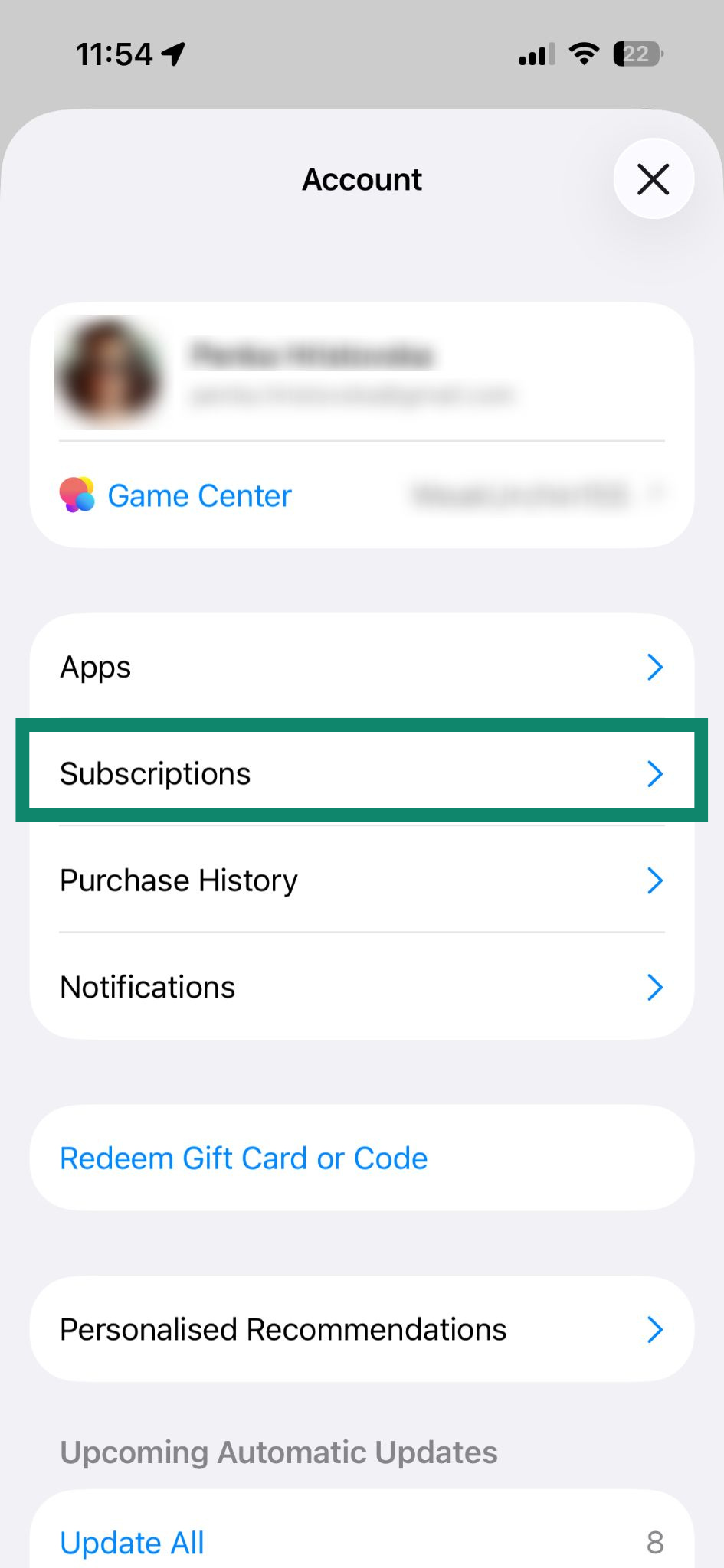
- Open de App Store en tik op je profile icon (profielpictogram).


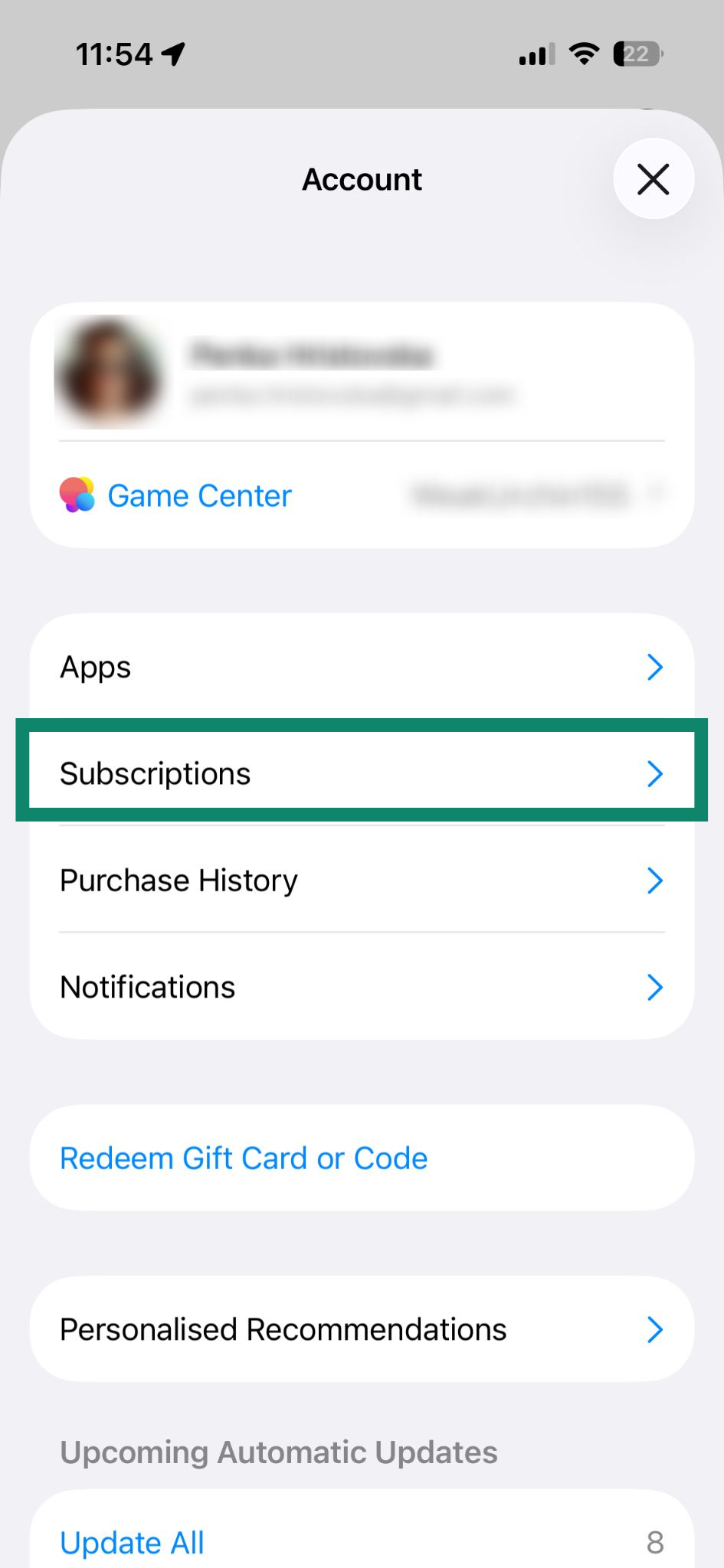
- Selecteer Subscriptions (Abonnementen).

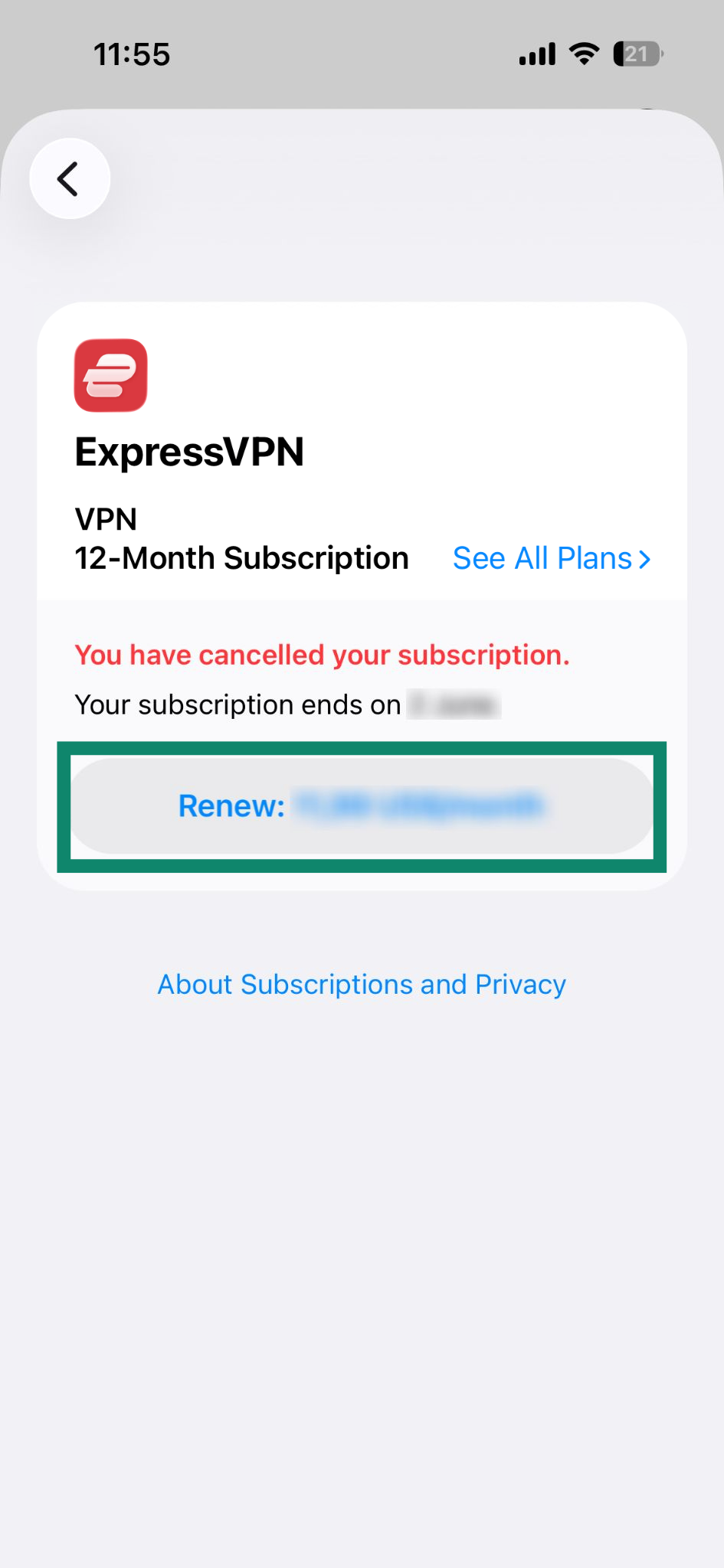
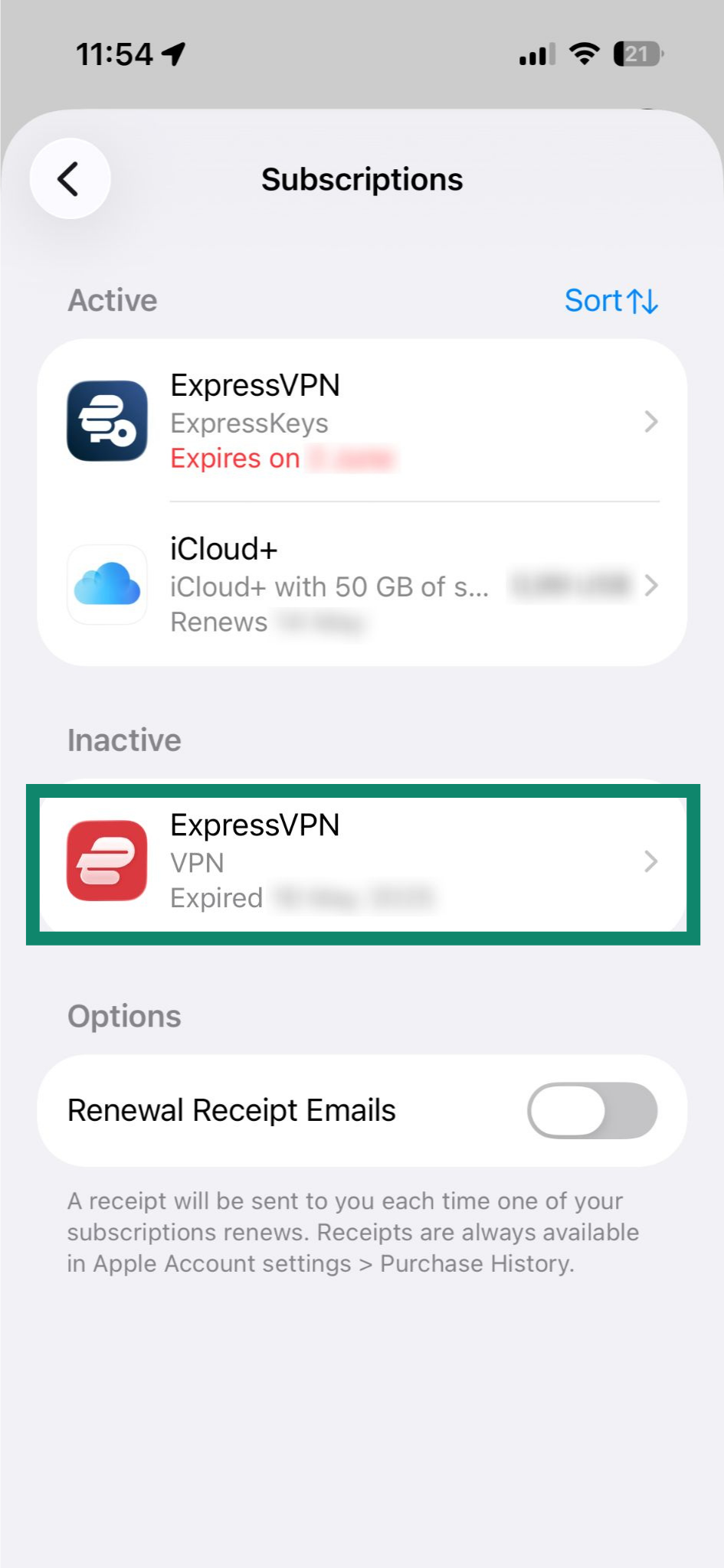
- Selecteer je huidige ExpressVPN-abonnement onder Active (Actief).

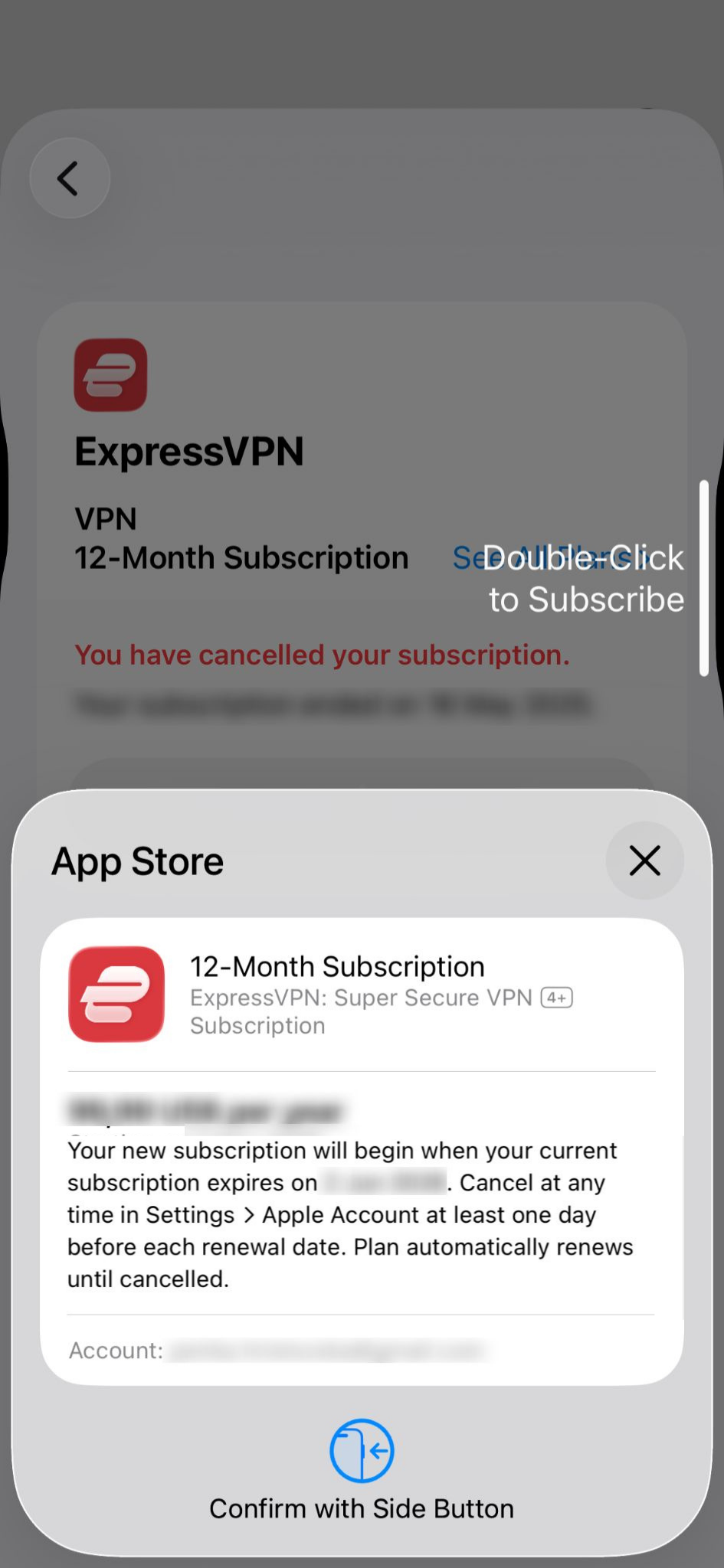
- Selecteer Renew: [current price of the subscription] (Verlengen: [huidige prijs van het abonnement]).

- Bevestig de aankoop met Face ID of Touch ID.

Als je abonnement is verlopen
Je kunt je opnieuw abonneren door deze stappen te volgen:
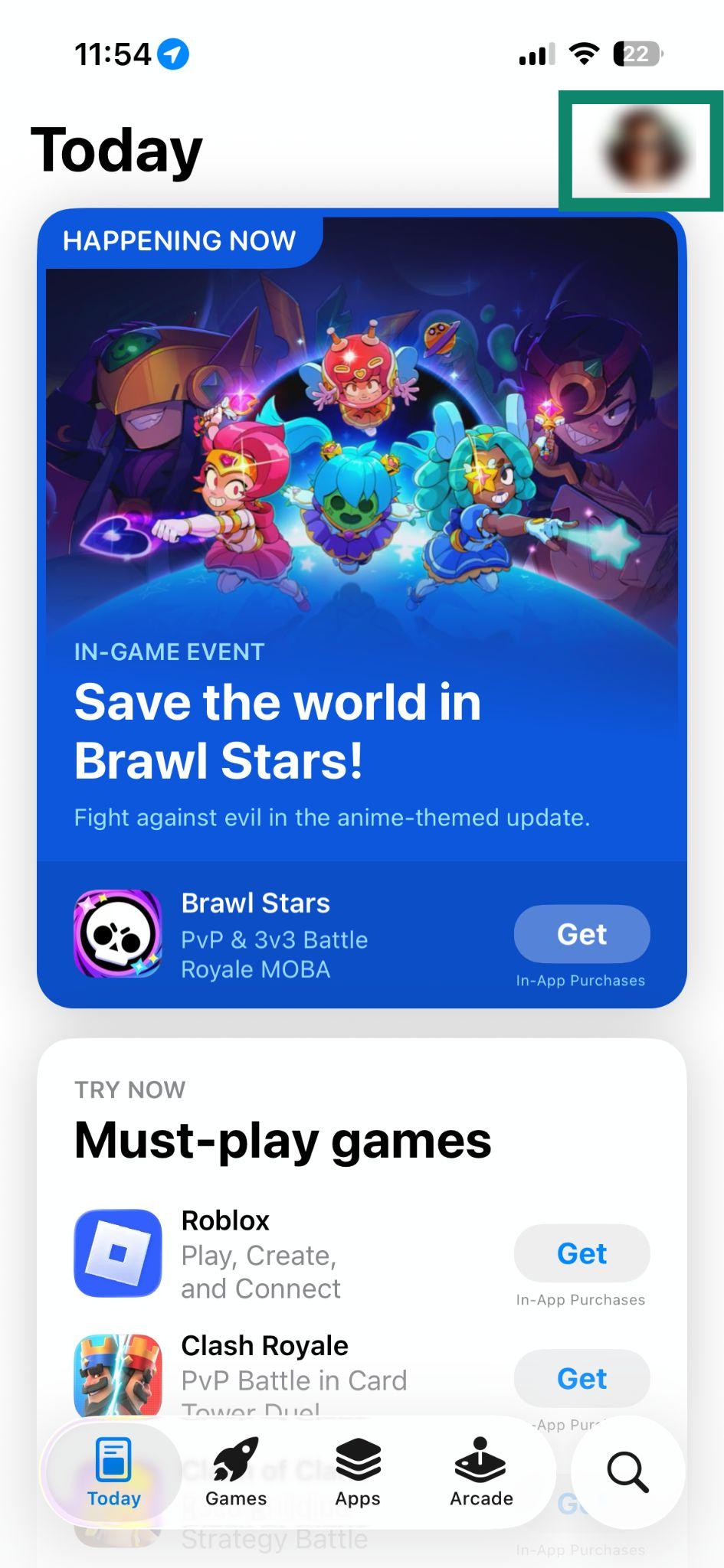
- Open de App Store en tik op je profile icon (profielpictogram).

- Selecteer Subscriptions (Abonnementen).

- Selecteer je huidige ExpressVPN-abonnement onder Inactive (Inactief).

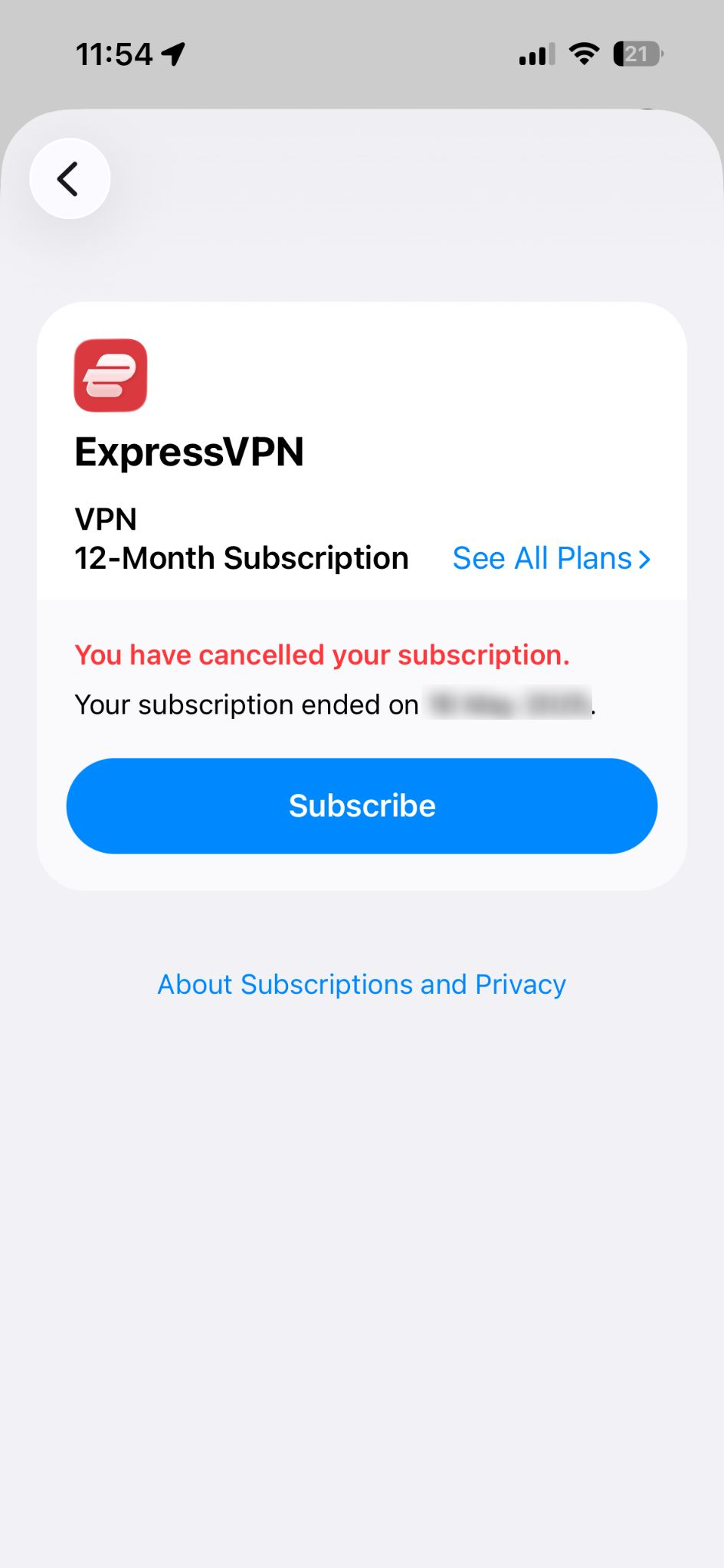
- Selecteer Subscribe (Abonneren).

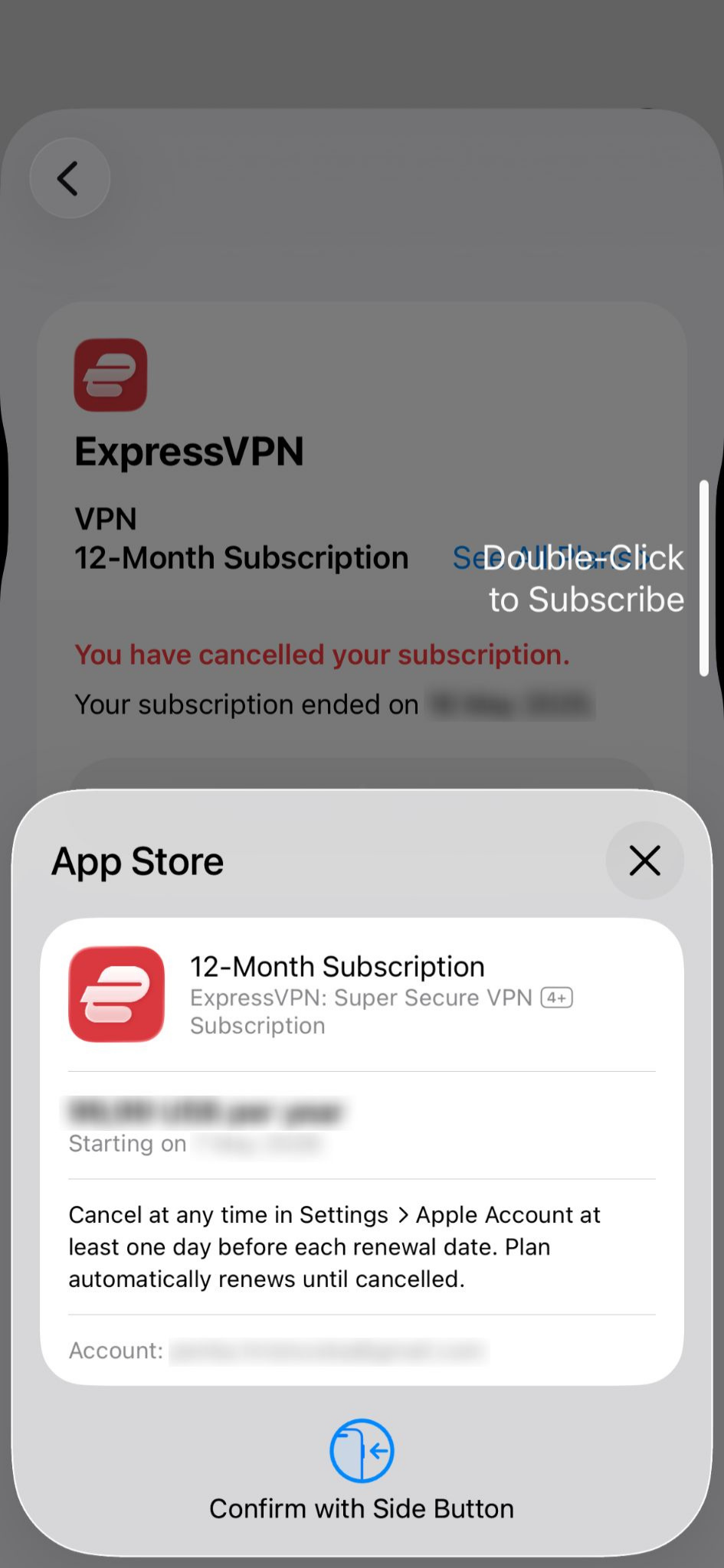
- Bevestig de aankoop met Face ID of Touch ID.

Meer informatie over abonnementen via in-app-aankopen van de App Store.
Hulp nodig? Neem contact op met de helpdesk van ExpressVPN voor directe ondersteuning.
Abonnementen via in-app-aankopen in de Google Play Store
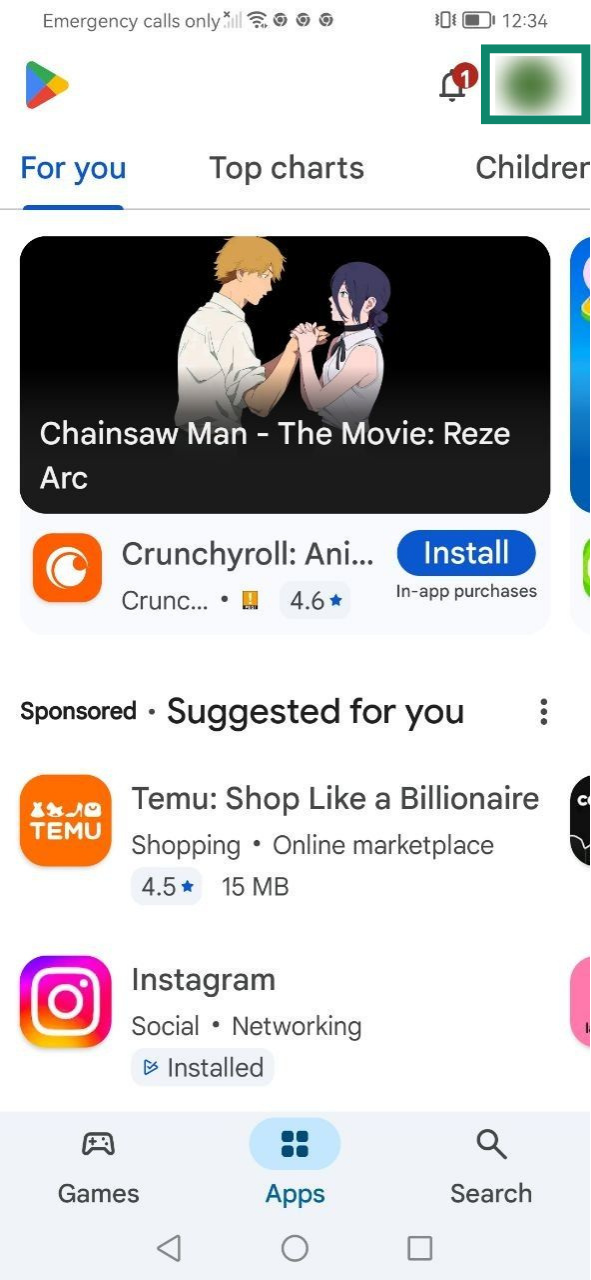
Abonnementen die via de Google Play Store zijn gekocht, worden automatisch verlengd nadat je huidige abonnement is afgelopen. Als je je abonnement hebt opgezegd of als het is verlopen, volg je deze stappen om het te verlengen:
- Open de Google Play Store en selecteer je profile icon (profielpictogram).

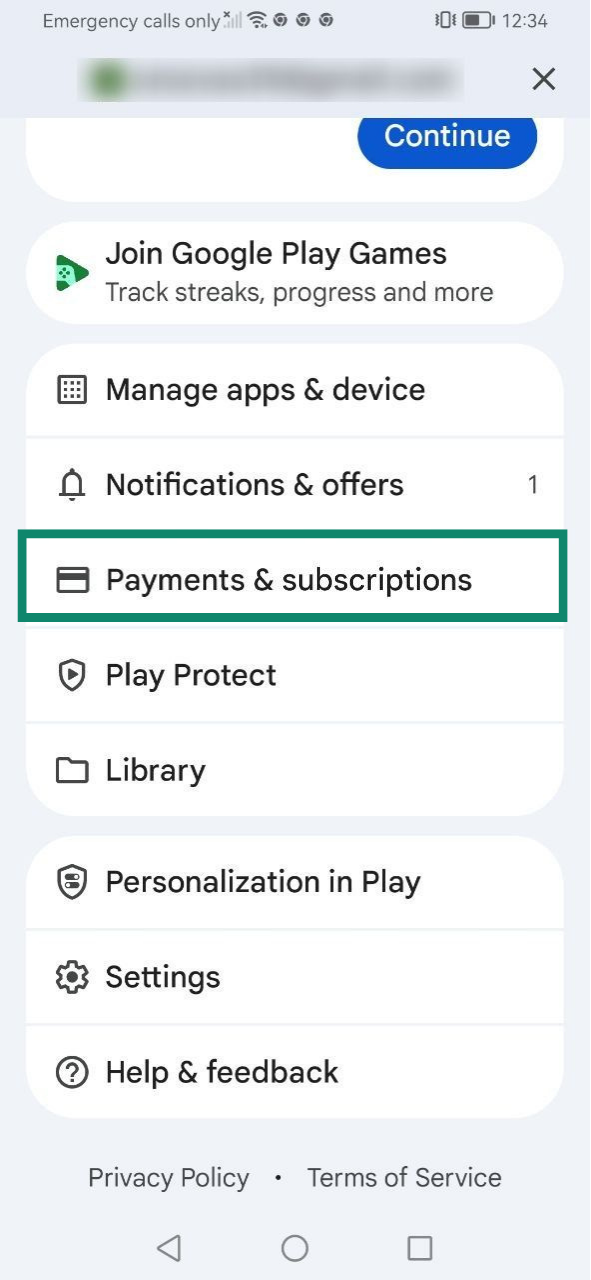
- Selecteer Payments & subscriptions (Betalingen en abonnementen).

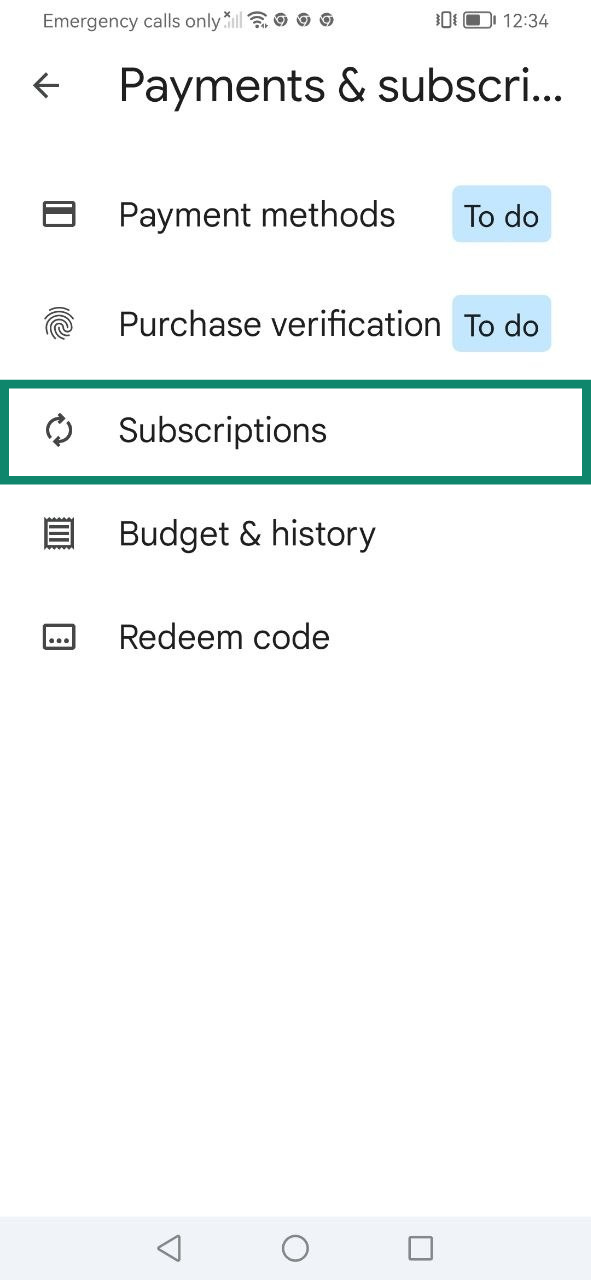
- Selecteer Subscriptions (Abonnementen).

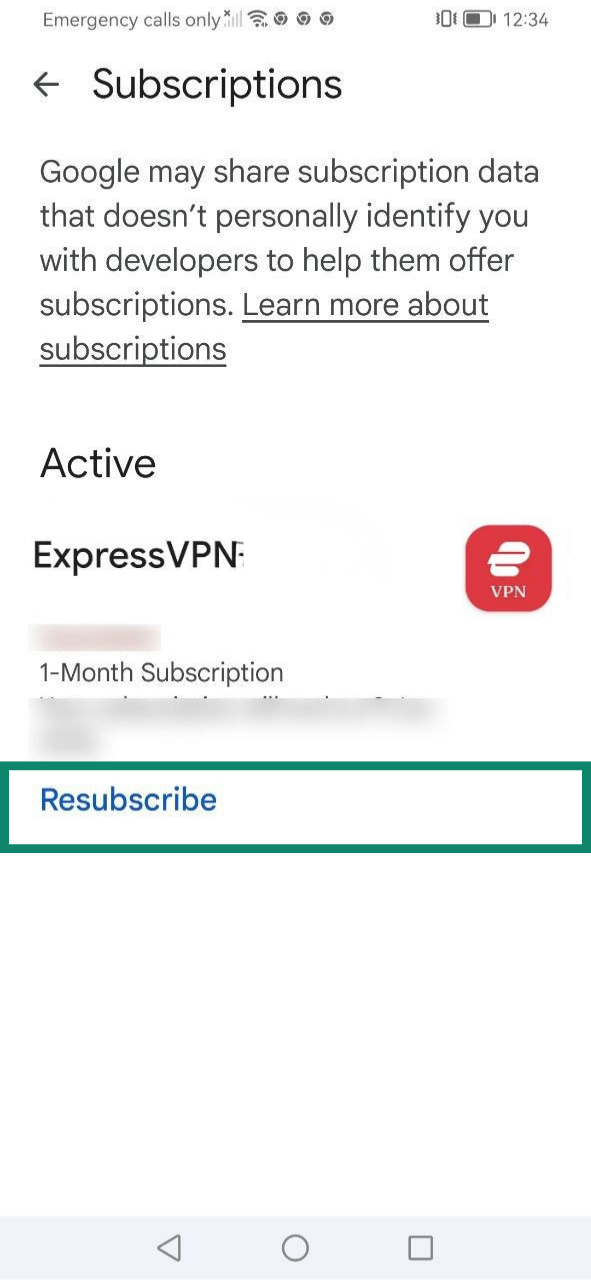
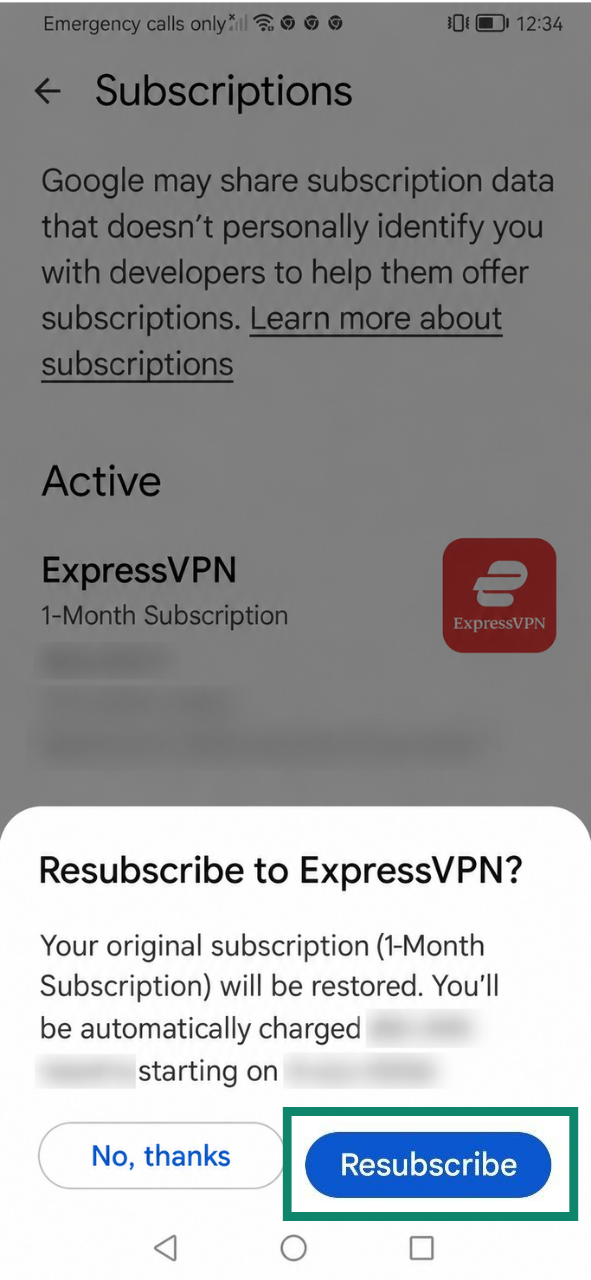
- Selecteer Resubscribe (Opnieuw abonneren) bij je ExpressVPN-abonnement.

- Selecteer nogmaals Resubscribe (Opnieuw abonneren) om te bevestigen.

Meer informatie over abonnementen via in-app-aankopen in de Play Store.
Hulp nodig? Neem contact op met de helpdesk van ExpressVPN voor directe ondersteuning.
Zo werkt automatisch verlengen
Automatisch verlengen betekent dat een abonnement aan het einde van de huidige abonnementsperiode automatisch wordt verlengd. Automatisch verlengen is standaard ingeschakeld voor ondersteunde betaalwijzen, zoals creditcards, PayPal, Apple Pay en Google Pay.
Als automatisch verlengen is ingeschakeld voor je huidige abonnement, wordt het abonnement opnieuw in rekening gebracht wanneer het verloopt, tenzij je het vóór middernacht op de verlengingsdatum opzegt. Volg hiervoor de stappen in onze handleiding voor het opzeggen van je ExpressVPN-abonnement.
Als automatisch verlengen is uitgeschakeld, kun je de diensten die aan je ExpressVPN-abonnement zijn gekoppeld blijven gebruiken tot het einde van je huidige abonnementsperiode. Daarna wordt je toegang opgeschort totdat je het abonnement handmatig verlengt.
De status van automatisch verlengen van je abonnement controleren
Zo controleer je of automatisch verlengen is in- of uitgeschakeld:
- Ga naar de pagina My subscription (Mijn abonnement). Meld je als daarom wordt gevraagd, aan bij je ExpressVPN-account.
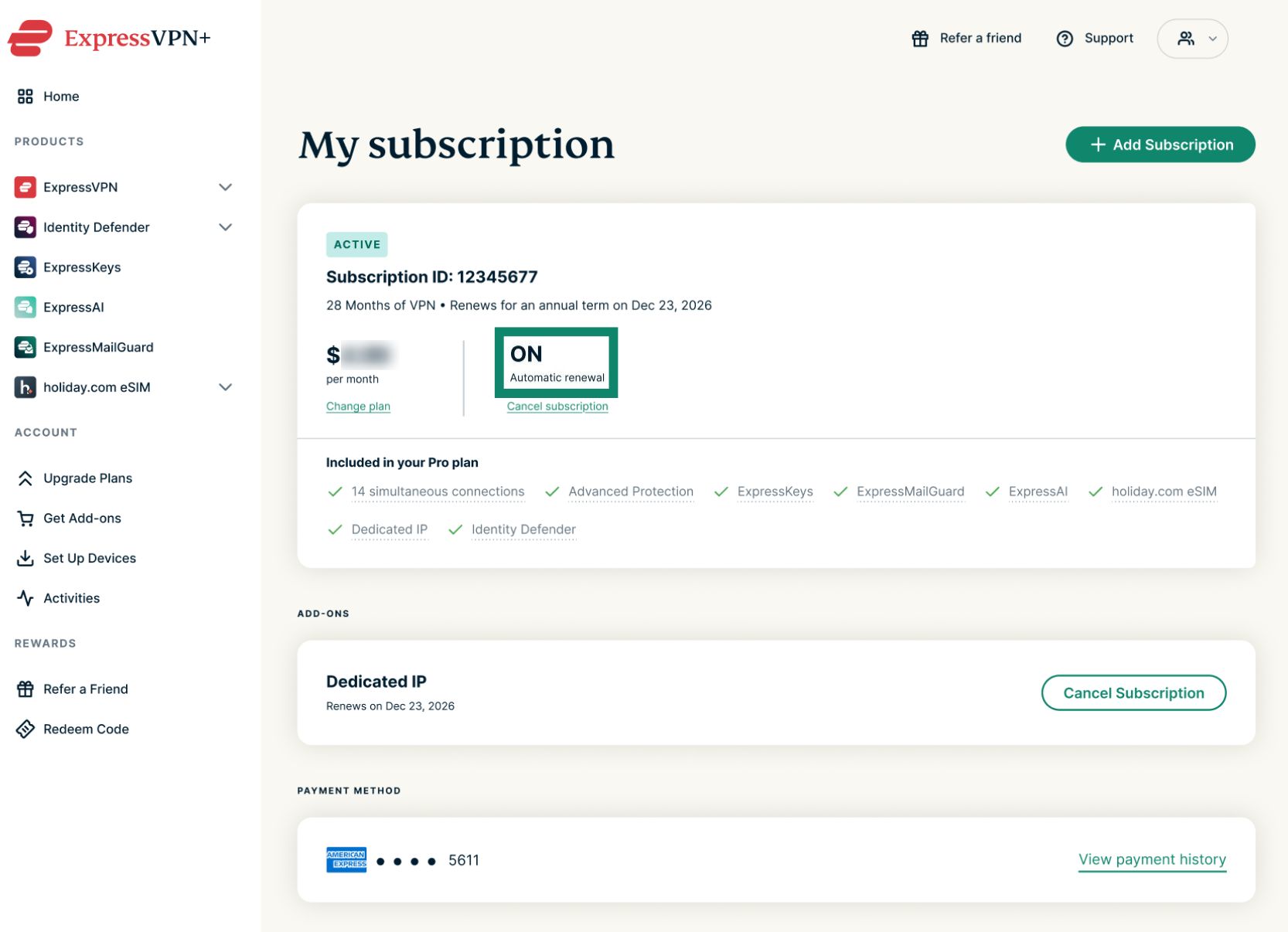
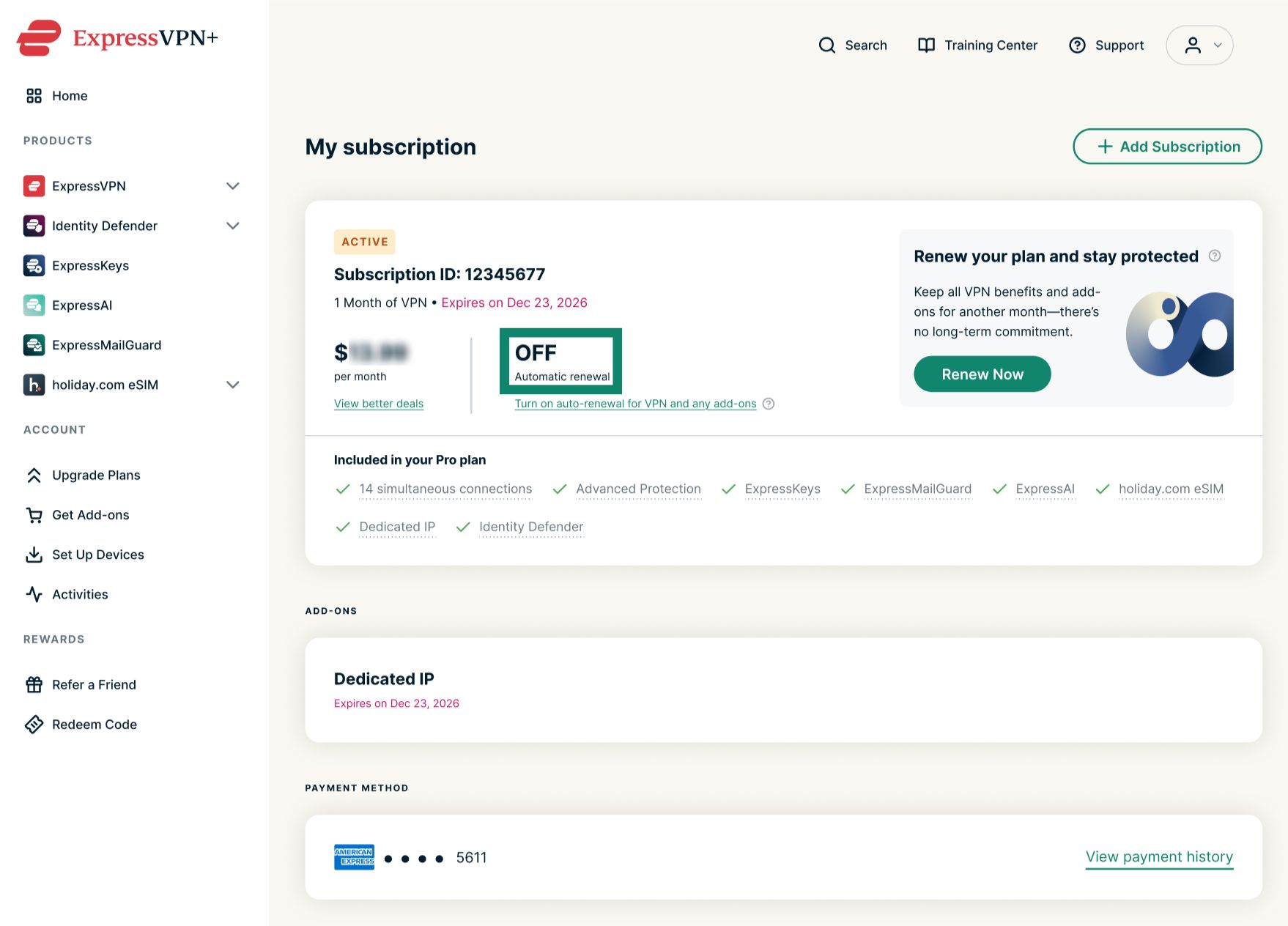
- Controleer de status bij Automatic renewal (Automatisch verlengen).
- ON (AAN) betekent dat automatisch verlengen is ingeschakeld voor je abonnement.


- OFF (UIT) betekent dat automatisch verlengen is uitgeschakeld voor je abonnement.


- ON (AAN) betekent dat automatisch verlengen is ingeschakeld voor je abonnement.
Aankomende automatische verlengingen controleren
Als automatisch verlengen is ingeschakeld voor je abonnement, kun je aankomende afschrijvingen controleren aan de hand van de tekst onder Subscription ID (Abonnements-ID).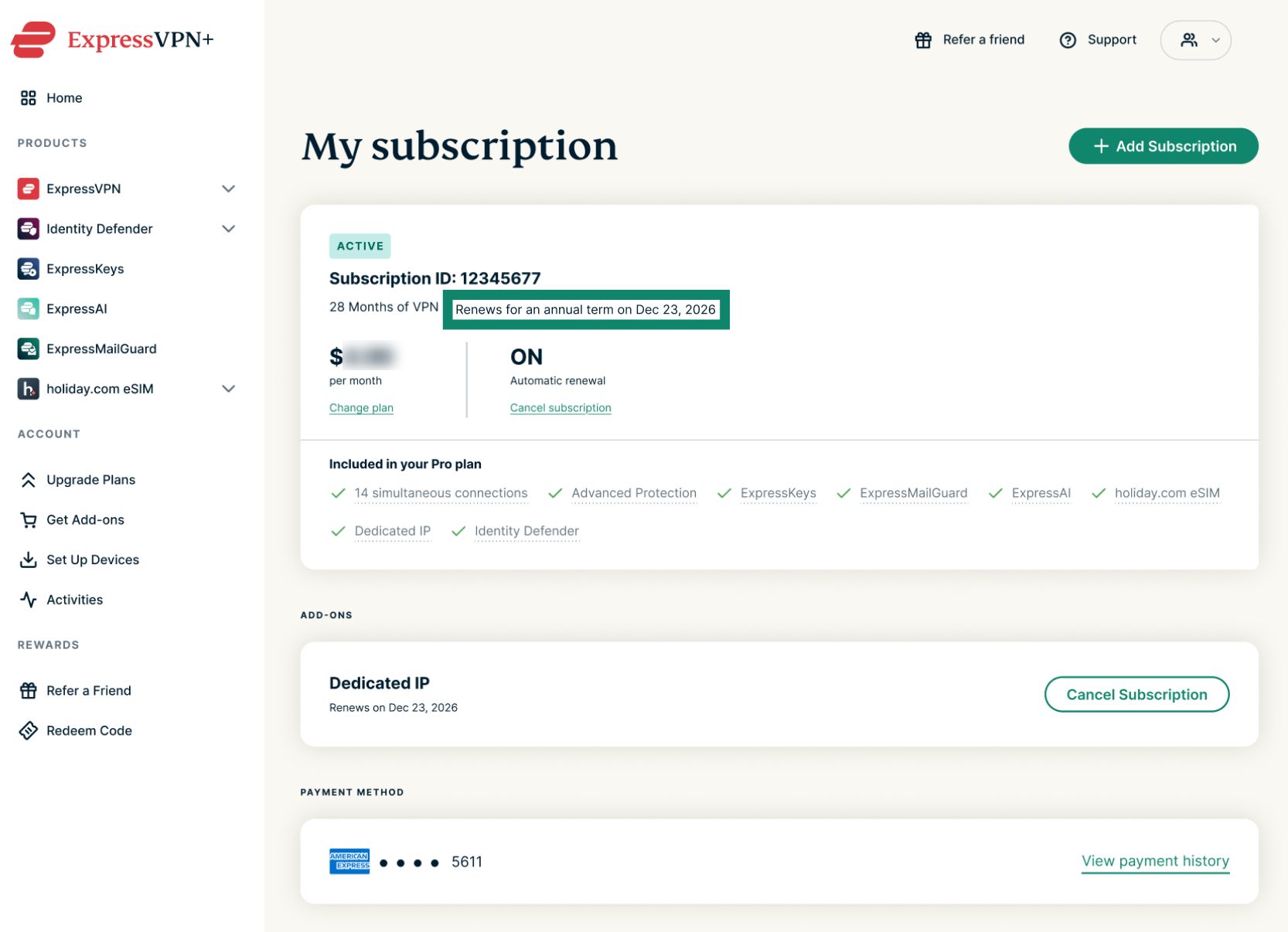
Je abonnement wordt op de aangegeven verlengingsdatum automatisch via je betaalwijze in rekening gebracht. Daarna worden abonnementen automatisch verlengd totdat je het abonnement opzegt. Maandabonnementen worden elke maand automatisch op dezelfde datum verlengd, jaarabonnementen worden eenmaal per jaar automatisch op dezelfde datum verlengd en aanbiedingen van 2 jaar worden na afloop van de eerste periode van 2 jaar jaarlijks automatisch verlengd.
Hulp nodig? Neem contact op met de helpdesk van ExpressVPN voor directe ondersteuning.