



For at bruge vores apps og konfigurationer skal du først tilmelde dig en ExpressVPN-konto.
Denne vejledning viser dig, hvordan du fornyer dit ExpressVPN-abonnement.
Abonnementer, der er købt med visse betalingsmetoder, såsom kreditkort, PayPal, Apple Pay, Google Pay, køb i appen på Apple og køb i appen via Google Play, fornyes automatisk som standard.
Gå til…
Abonnementer, der er købt med et kreditkort, PayPal, Apple Pay eller Google Pay
Abonnementer, der er købt med kryptovalutaer (via BitPay)
Abonnementer via køb i appen på Apple
Abonnementer via køb i appen i Google Play Butik
Hvordan fungerer automatisk fornyelse?
Abonnementer, der er købt med et kreditkort, PayPal, Apple Pay eller Google Pay
Som standard fornyes abonnementer, der er købt med et kreditkort, PayPal, Apple Pay eller Google Pay, automatisk, når det nuværende abonnement udløber. Hvis du tidligere har deaktiveret automatisk fornyelse, kan du aktivere det på din kontos dashboard.
Forny et eksisterende abonnement
Hvis du tidligere har deaktiveret automatisk fornyelse, og dit abonnement er ved at udløbe, kan du manuelt forny dit abonnement ved at følge disse trin:
- Gå til Mit abonnement. Hvis du bliver bedt om det, skal du logge ind på din ExpressVPN-konto.
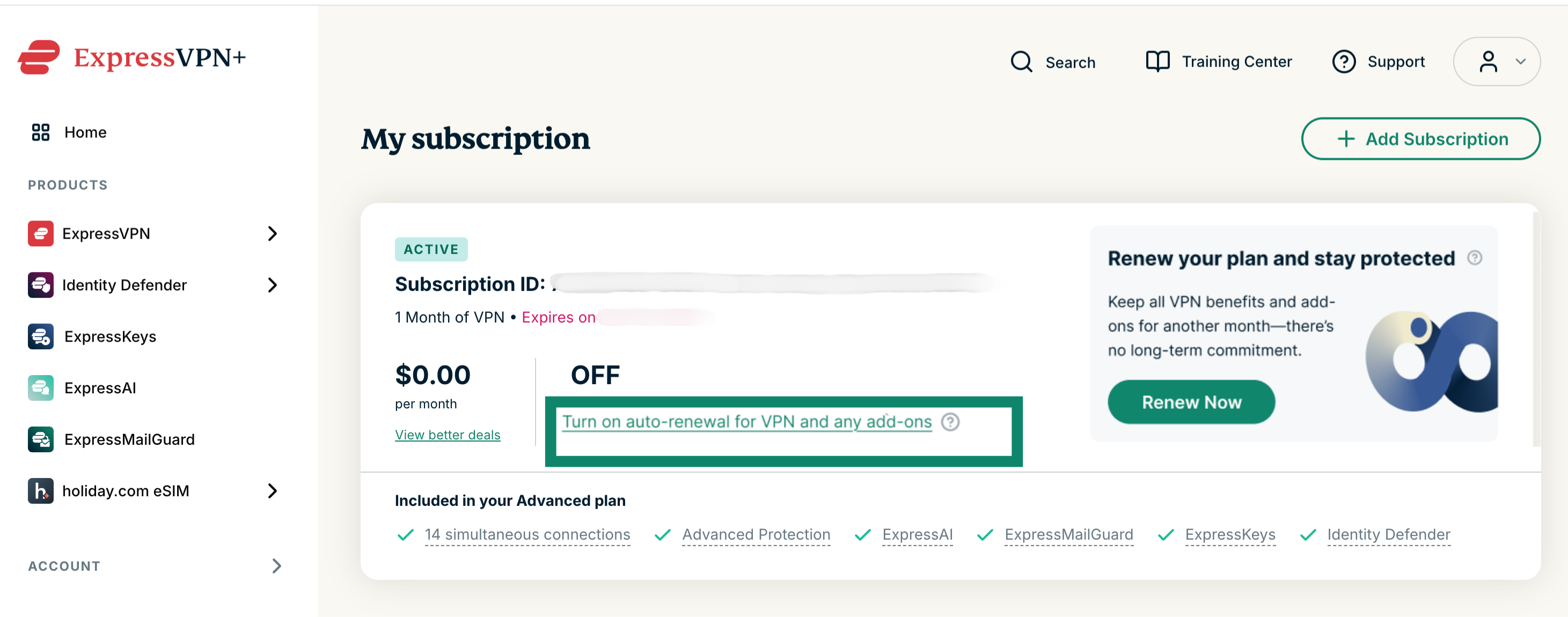
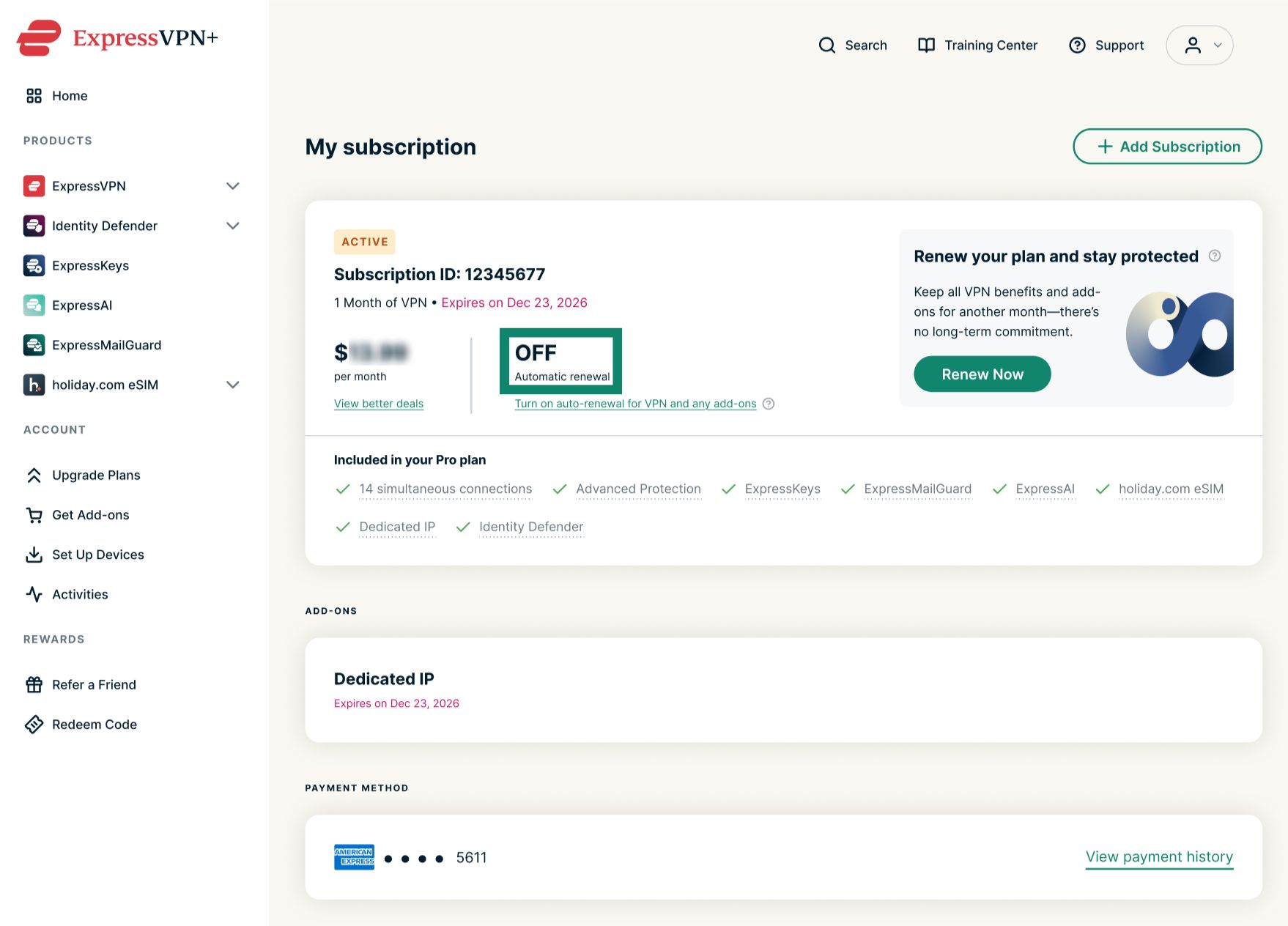
Sådan fornyer du dit eksisterende abonnement: Vælg Turn on auto-renewal for VPN and any add-ons (Aktivér automatisk fornyelse af VPN og eventuelle tilføjelser), og angiv dine betalingsoplysninger.
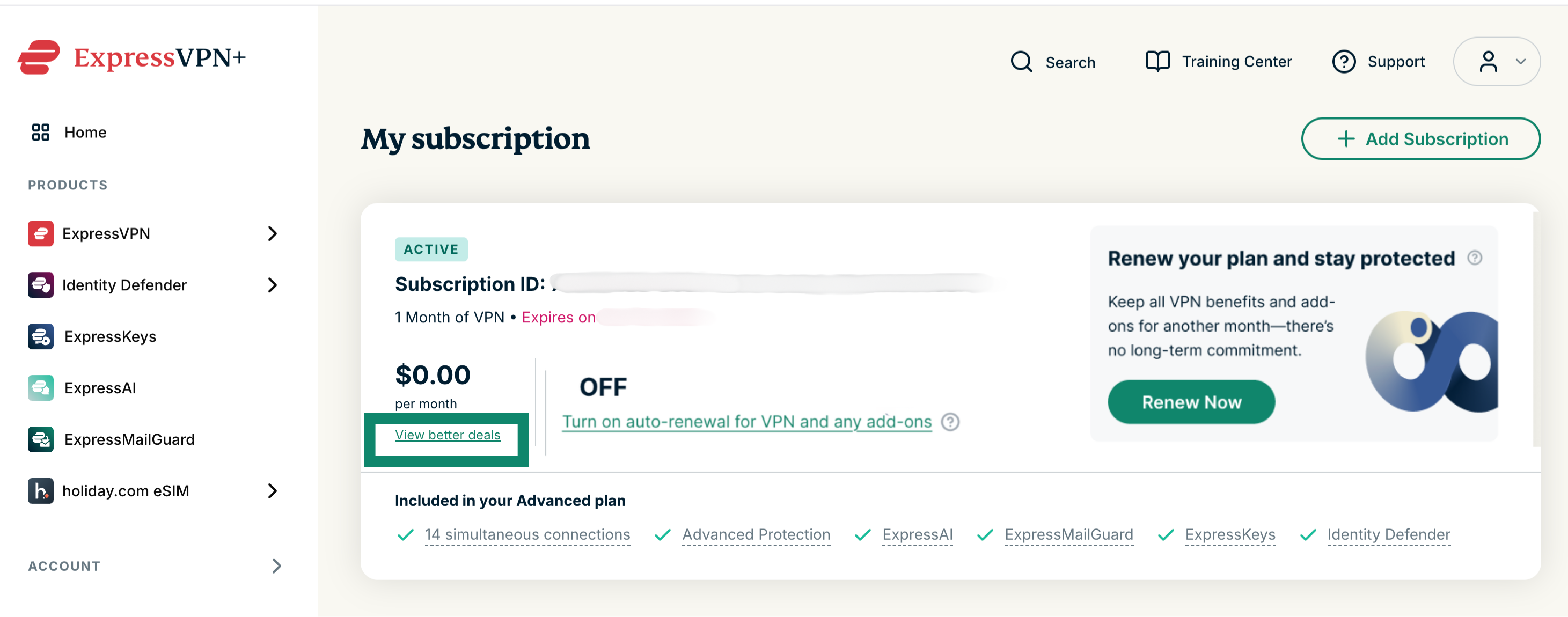
 Sådan skifter du til et andet abonnement: Vælg View better deals (Se bedre tilbud), og vælg et nyt abonnement.
 Forny et udløbet abonnement
Hvis dit abonnement er udløbet, kan du forny dit abonnement ved at følge disse trin:
- Gå til Mit abonnement. Hvis du bliver bedt om det, skal du logge ind på din ExpressVPN-konto.
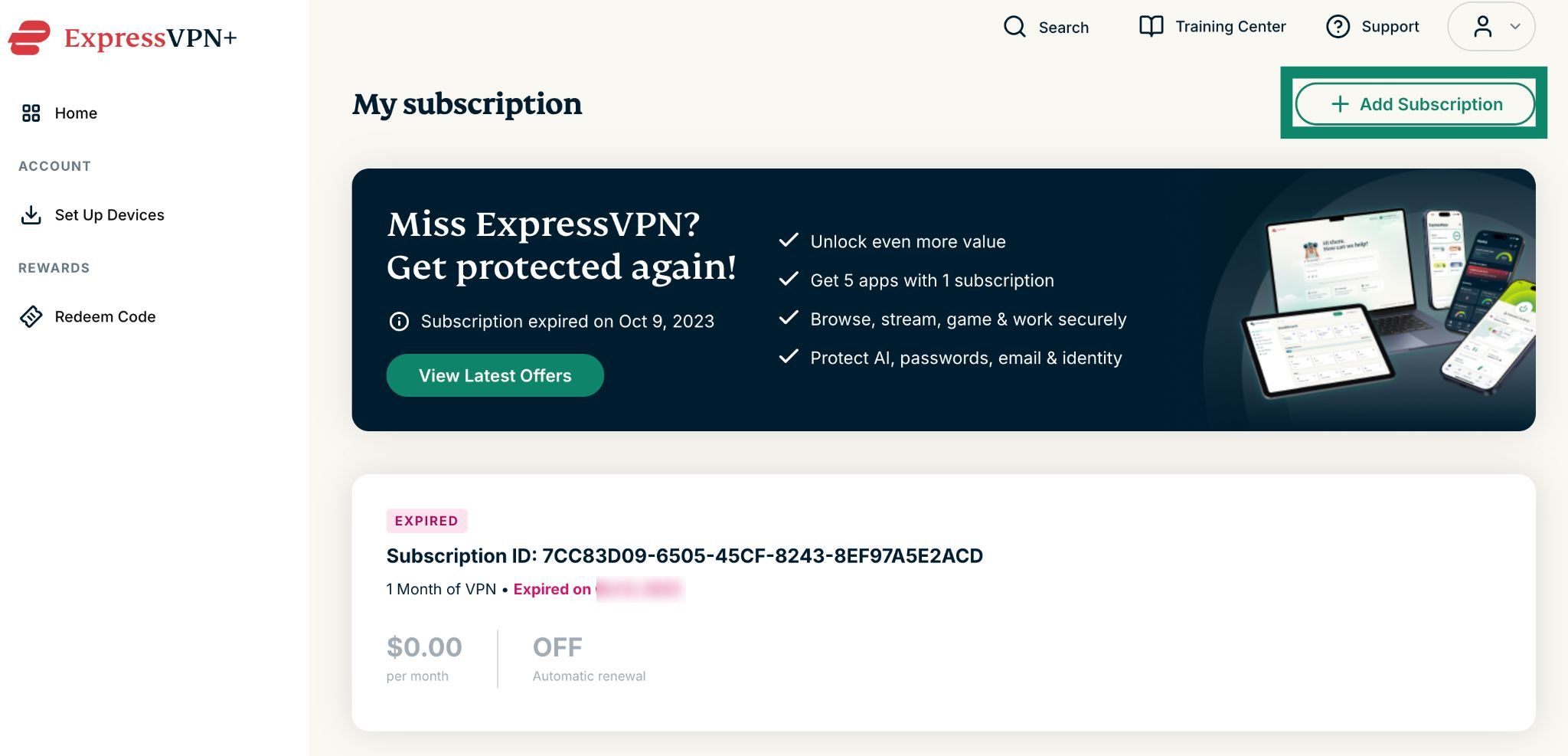
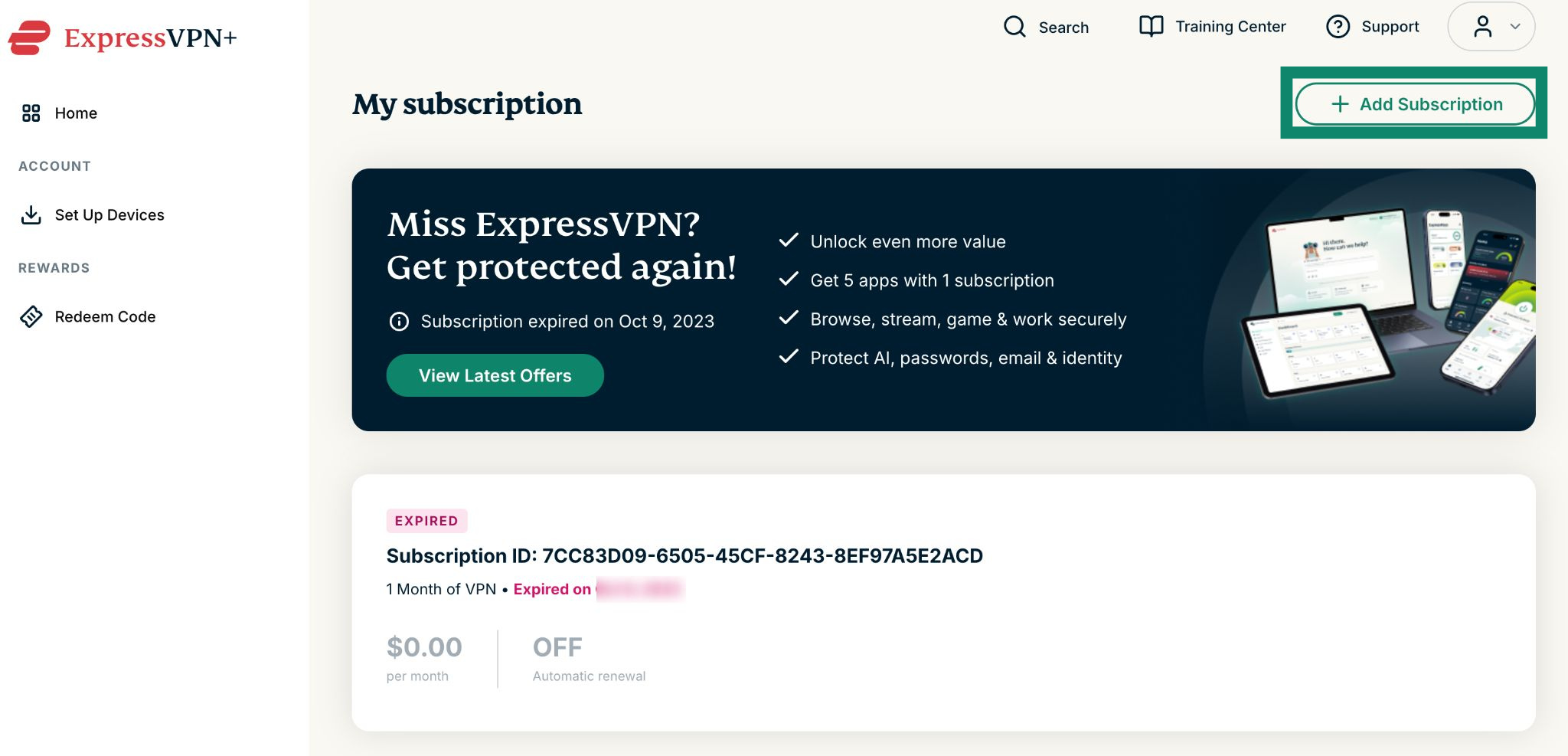
- Klik Add Subscription (Tilføj abonnement).


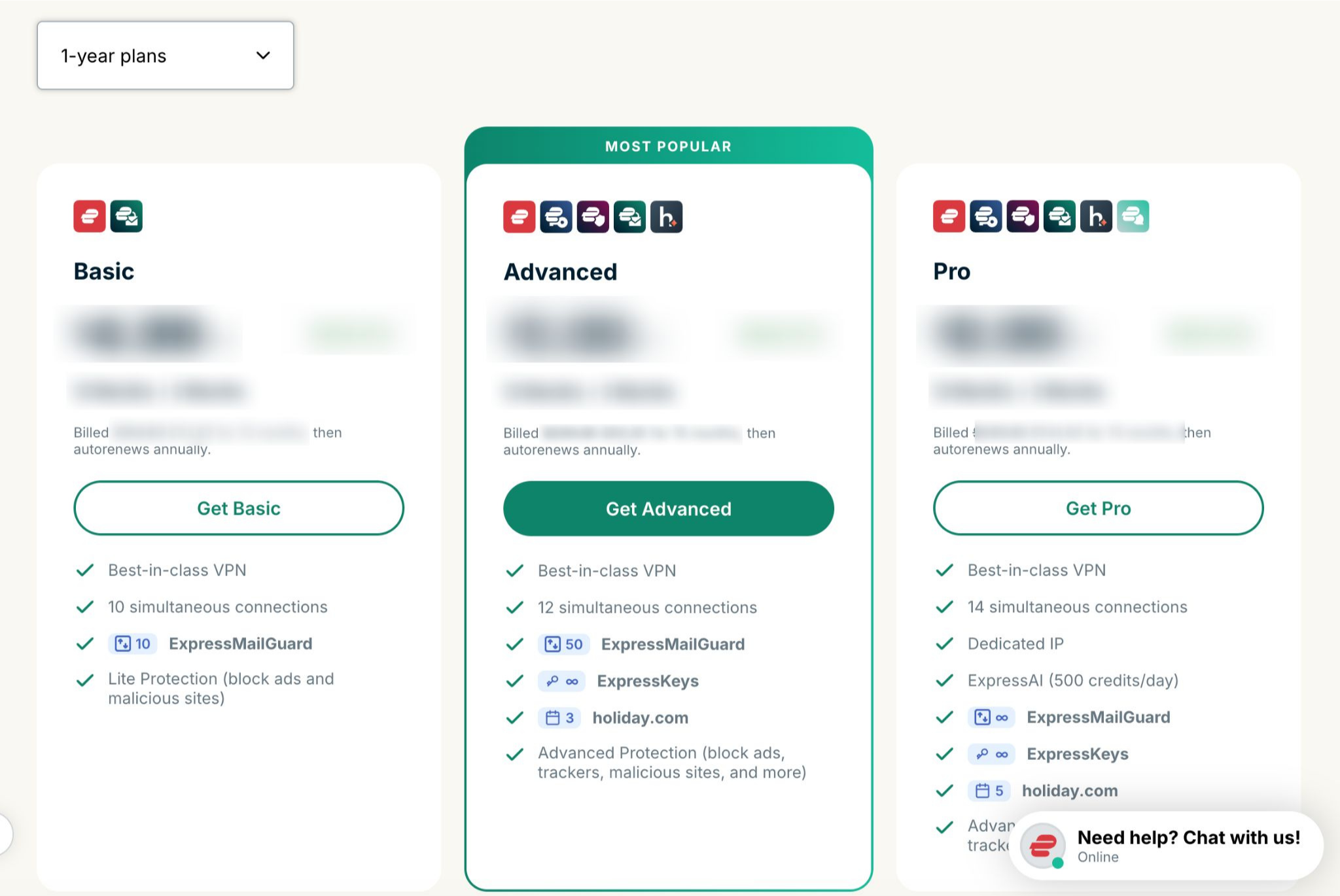
- Vælg dit foretrukne abonnement.


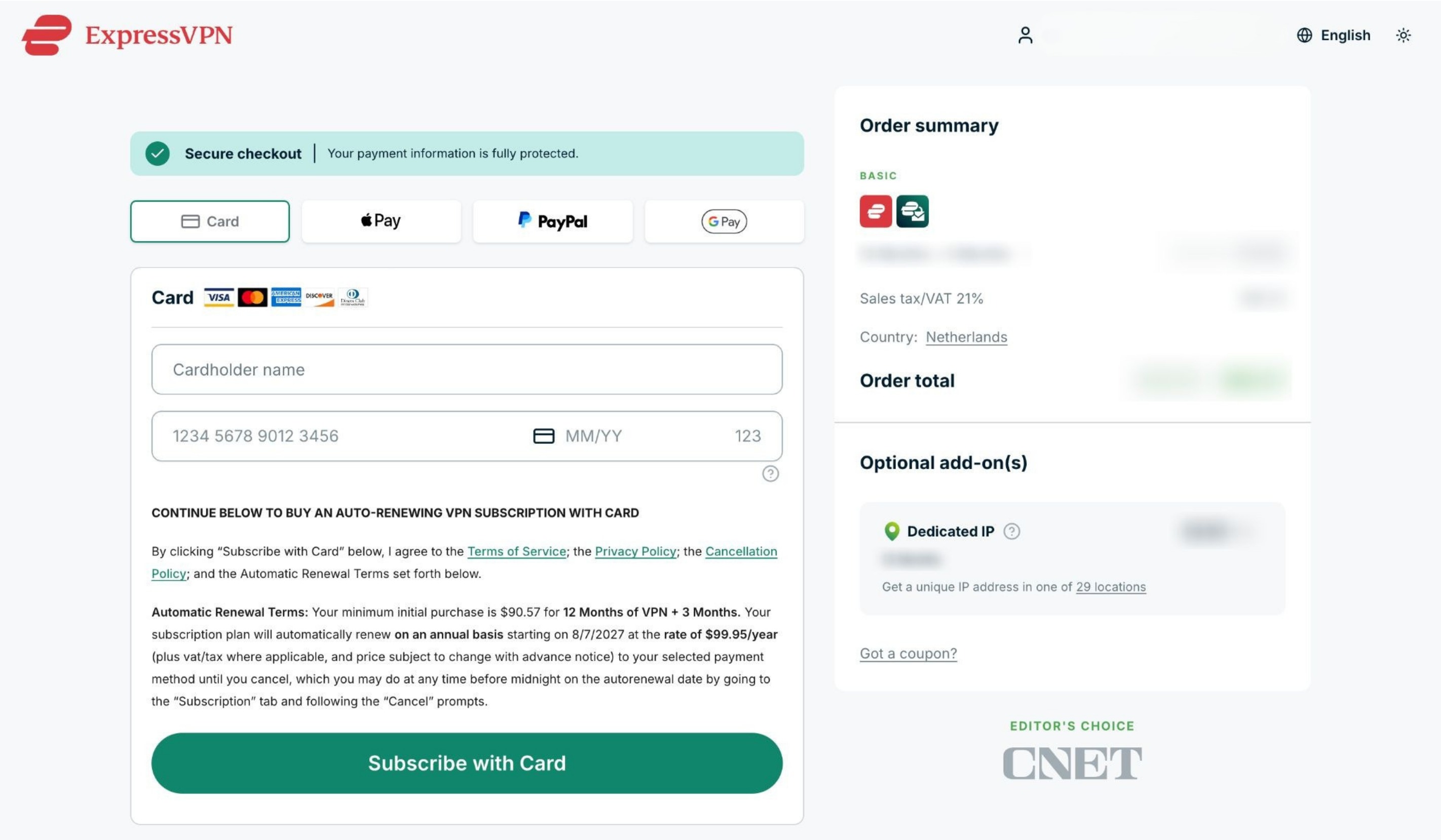
- Vælg en betalingsmetode, angiv dine betalingsoplysninger, og klik på Subscribe with [payment method of your choice] (Abonner med [den betalingsmetode, du ønsker]).


Brug for hjælp? Kontakt ExpressVPN’s supportteam for øjeblikkelig hjælp.
Abonnementer, der er købt med kryptovalutaer (via BitPay)
ExpressVPN understøtter ikke længere kryptovalutaer (herunder via BitPay) som betalingsmetode.
Abonnementer, der tidligere er købt med kryptovalutaer (via BitPay), fornyes ikke automatisk.
Forny et eksisterende abonnement
Hvis dit abonnement er ved at udløbe, kan du manuelt forny dit abonnement ved hjælp af en anden betalingsmetode ved at følge disse trin:
- Gå til Mit abonnement. Hvis du bliver bedt om det, skal du logge ind på din ExpressVPN-konto.
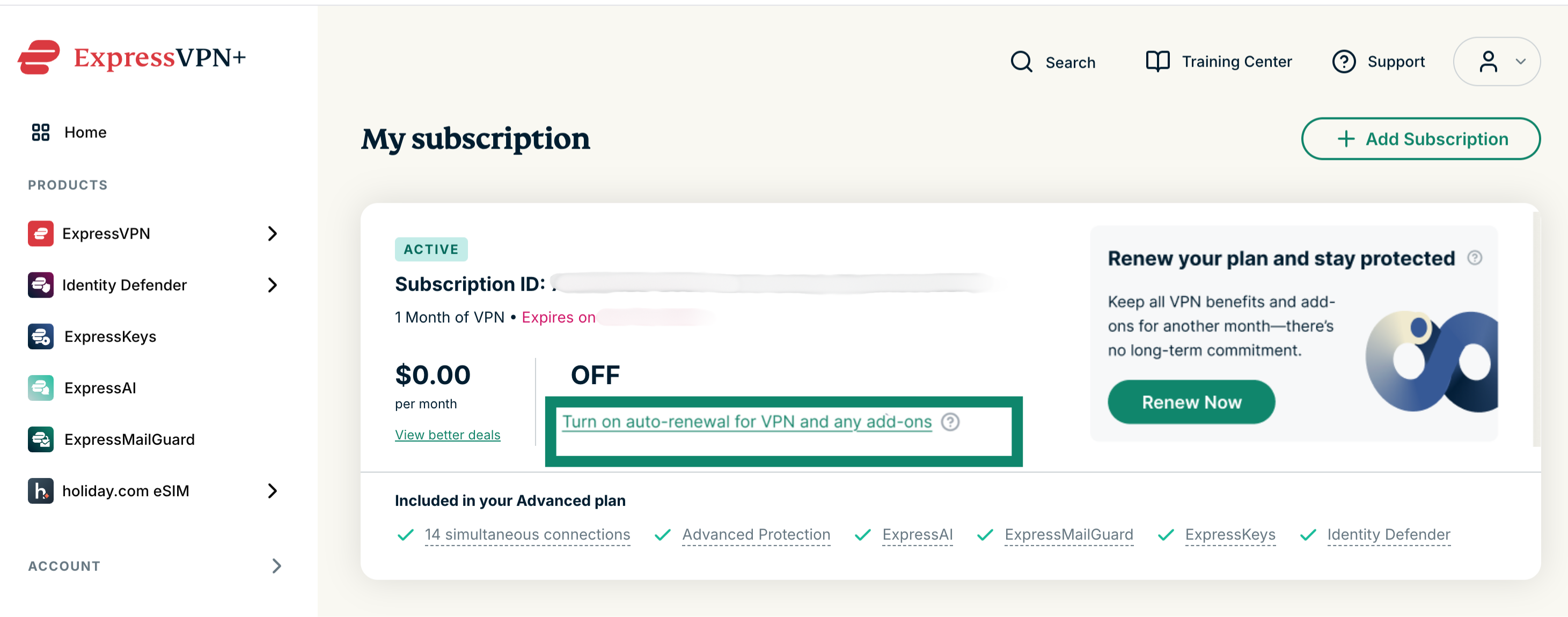
Sådan fornyer du dit eksisterende abonnement: Vælg Turn on auto-renewal for VPN and any add-ons (Aktivér automatisk fornyelse af VPN og eventuelle tilføjelser), og angiv dine opdaterede betalingsoplysninger.
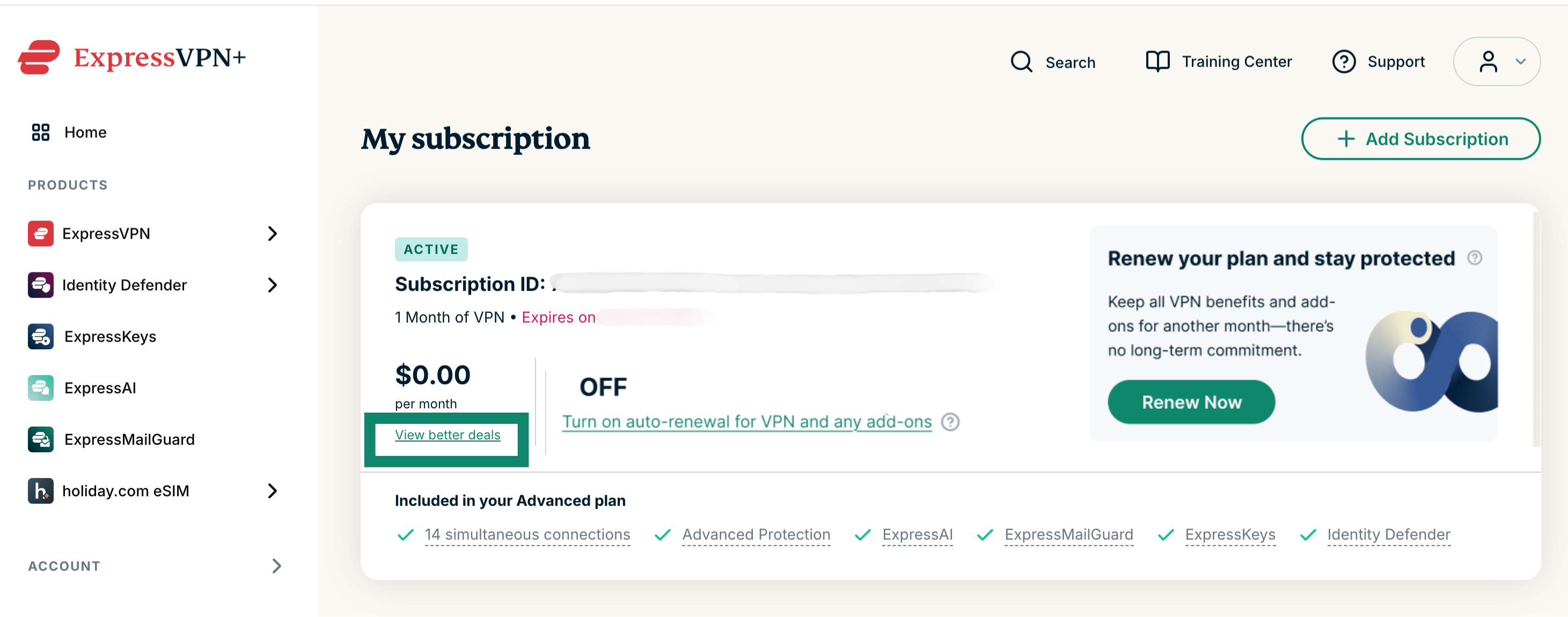
 Sådan skifter du til et andet abonnement: Vælg View better deals (Se bedre tilbud), og vælg et nyt abonnement og en ny betalingsmetode.
 Forny et udløbet abonnement
Hvis dit abonnement er udløbet, kan du forny dit abonnement ved at følge disse trin:
- Gå til Mit abonnement. Hvis du bliver bedt om det, skal du logge ind på din ExpressVPN-konto.
- Klik Add Subscription (Tilføj abonnement).

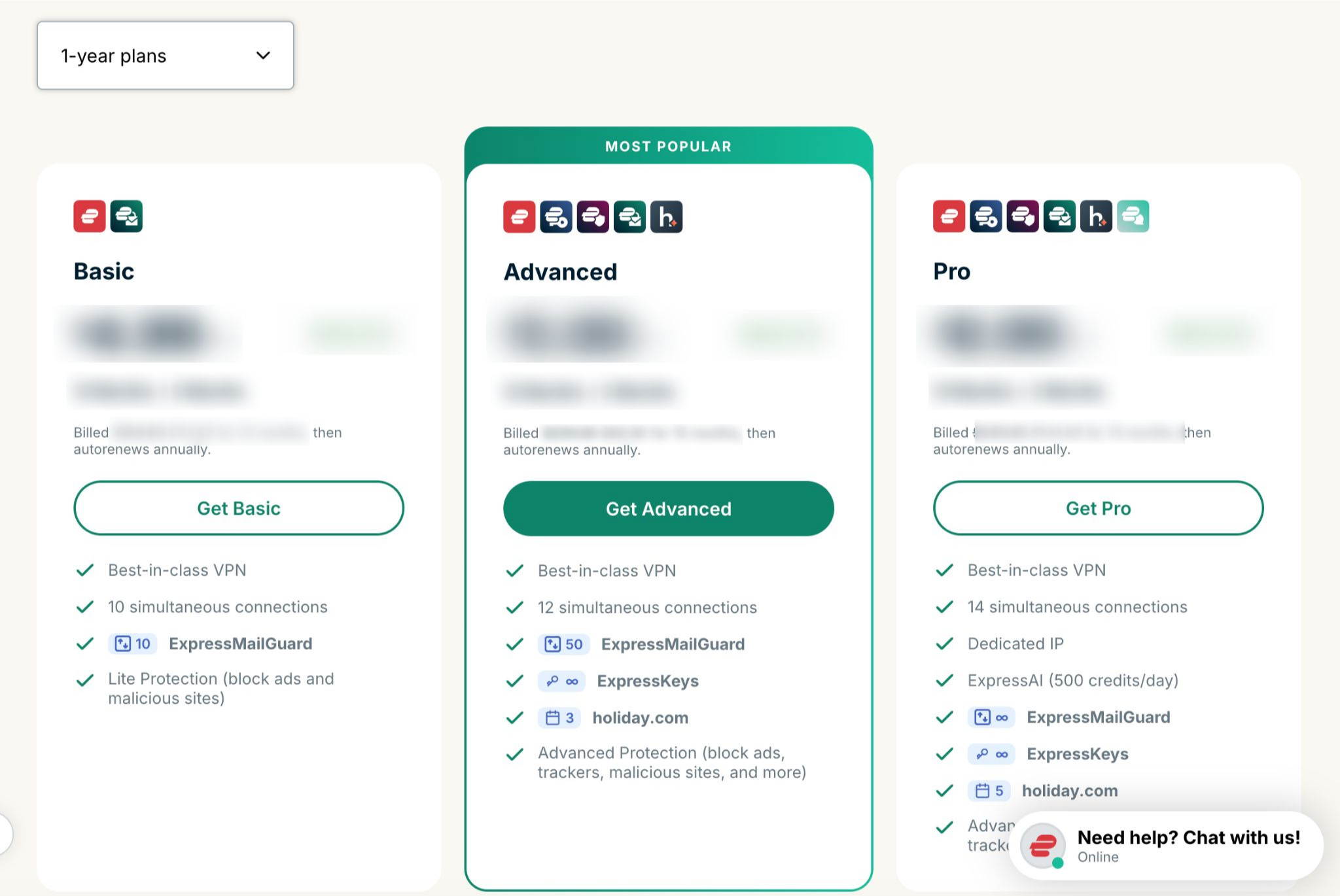
- Vælg dit foretrukne abonnement.

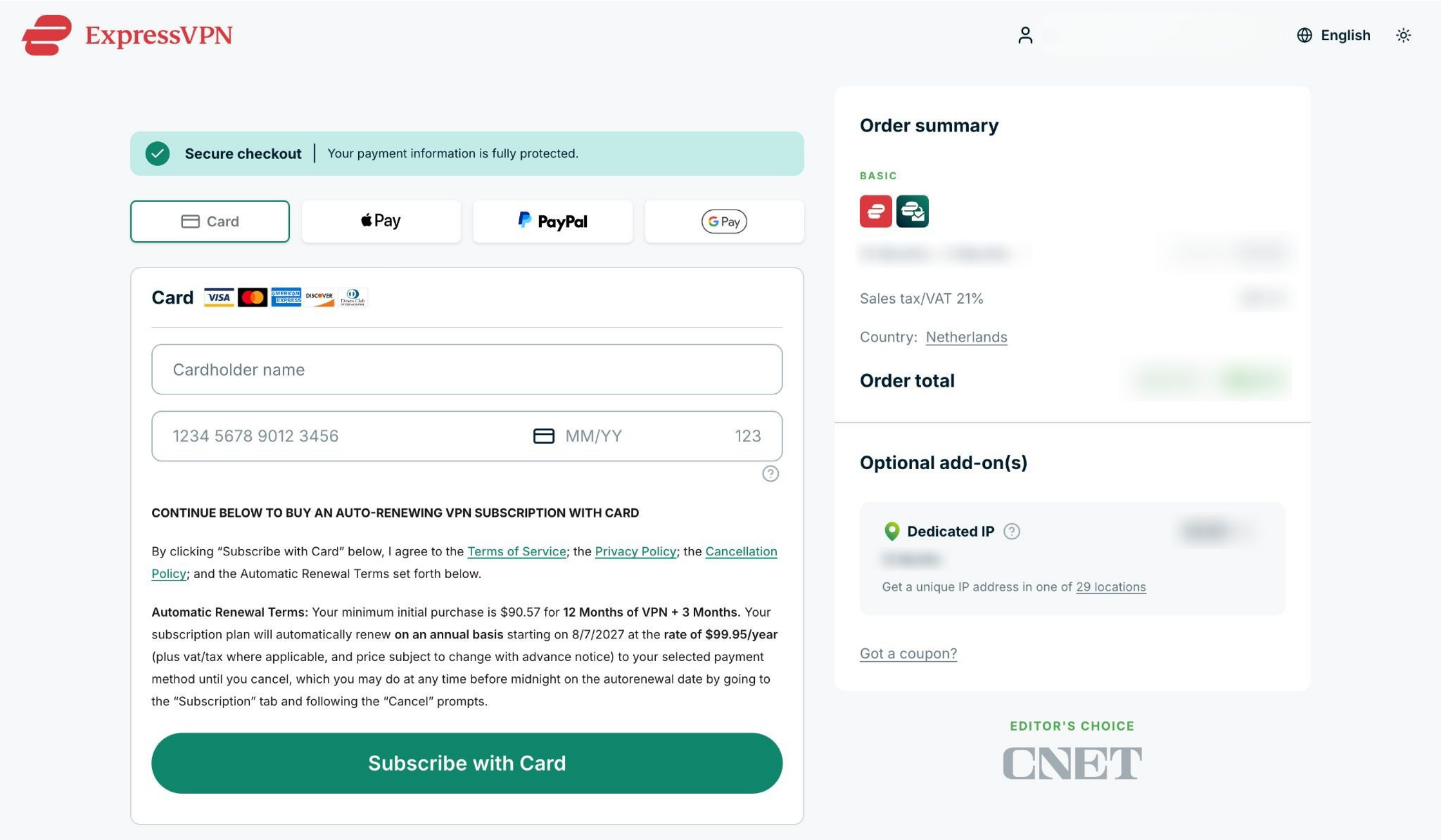
- Vælg en betalingsmetode, angiv dine betalingsoplysninger, og klik på Subscribe with [payment method] (Abonner med [betalingsmetode]).

Brug for hjælp? Kontakt ExpressVPN’s supportteam for øjeblikkelig hjælp.
Abonnementer via køb i appen på Apple
Abonnementer, der er købt via App Store, fornyes automatisk, når dit nuværende abonnement udløber.
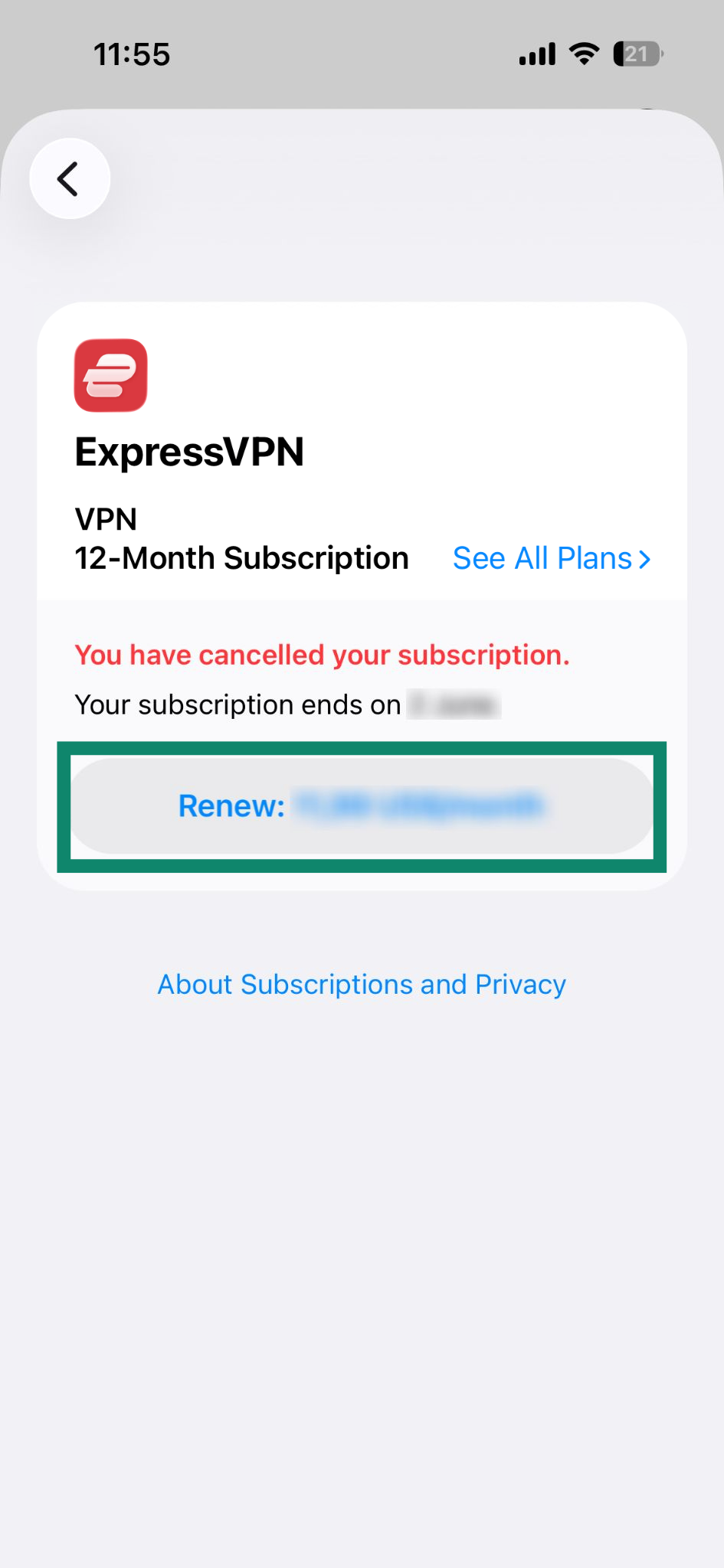
Hvis du har opsagt dit abonnement, og det stadig er aktivt
Følg disse trin for at forny det:
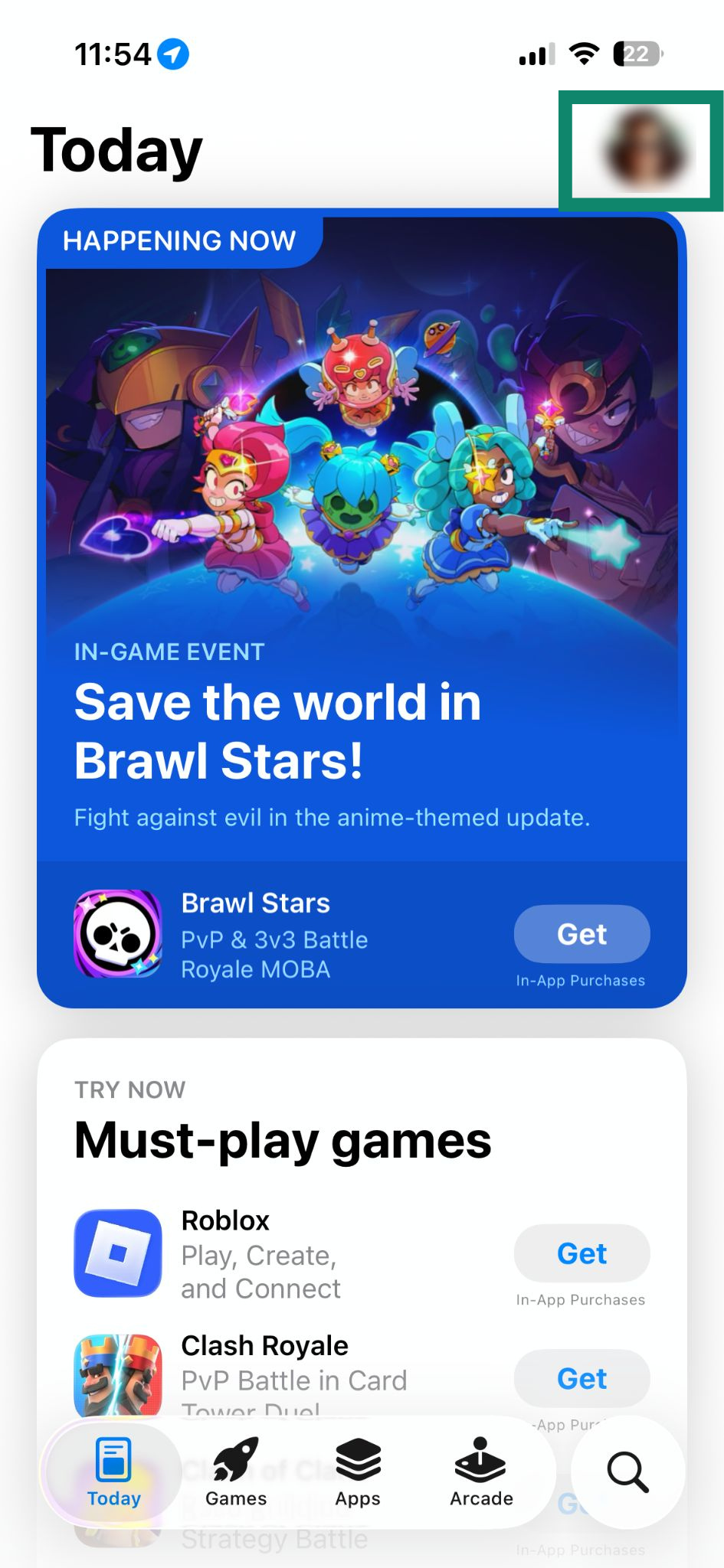
- Åbn App Store, og tryk på dit profile icon (profilikon).


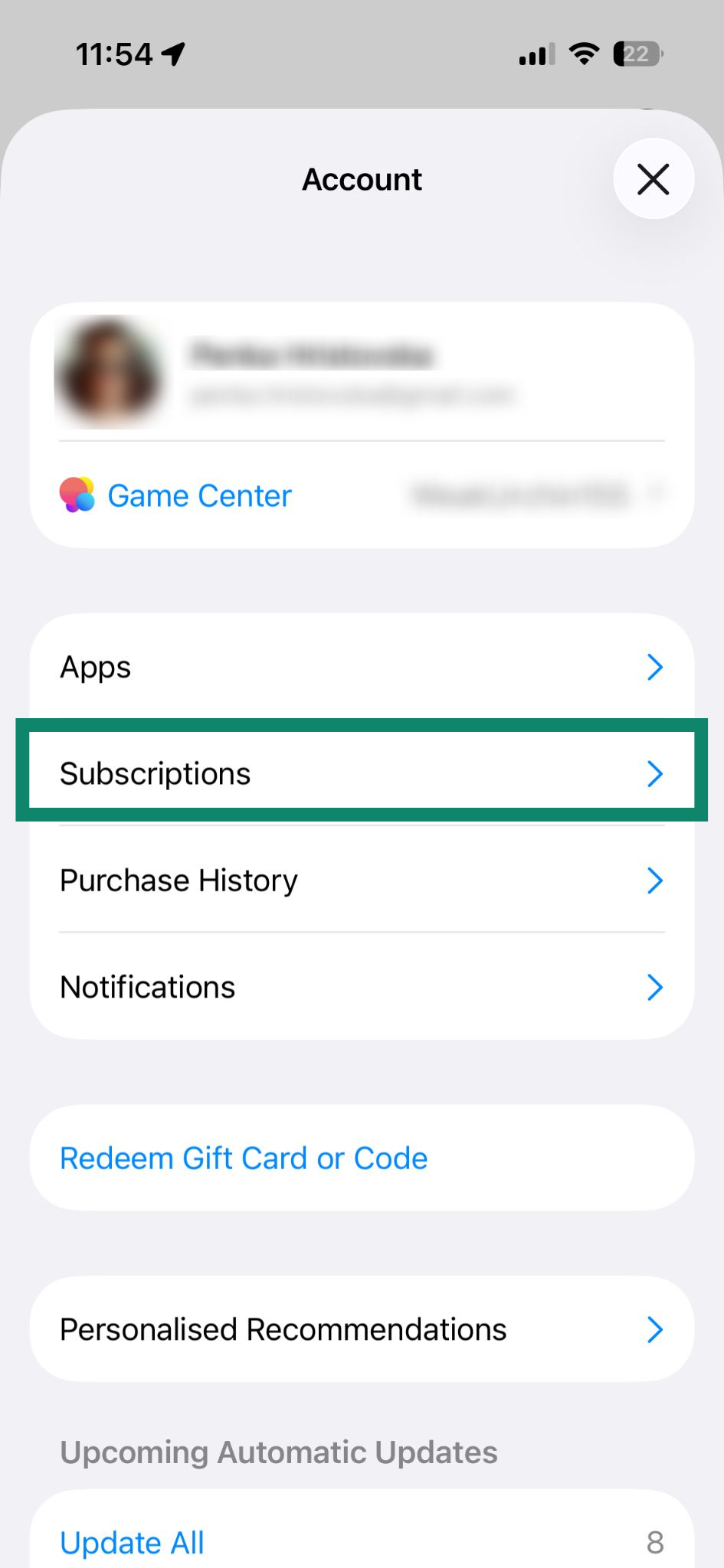
- Vælg Subscriptions (Abonnementer).

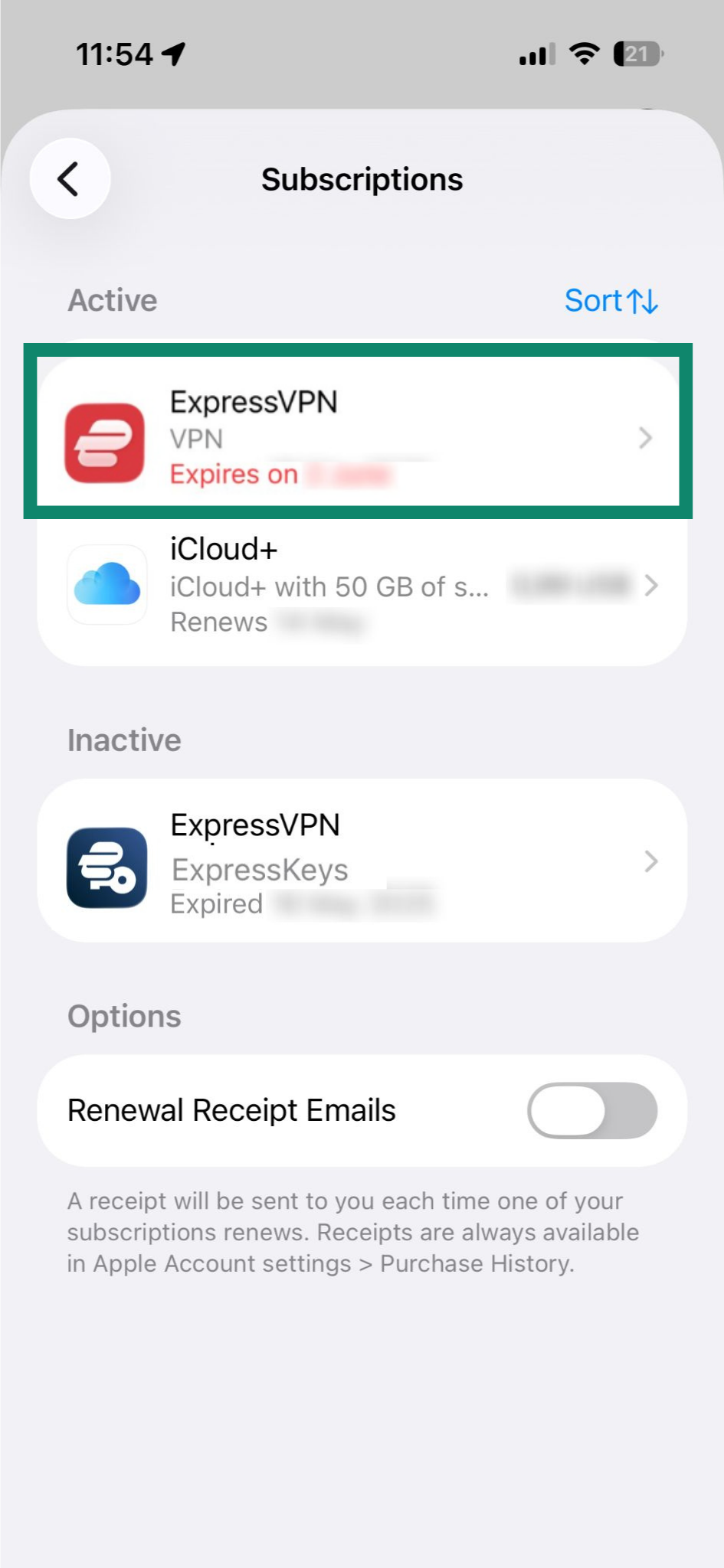
- Tryk på dit nuværende ExpressVPN-abonnement under Aktivt.

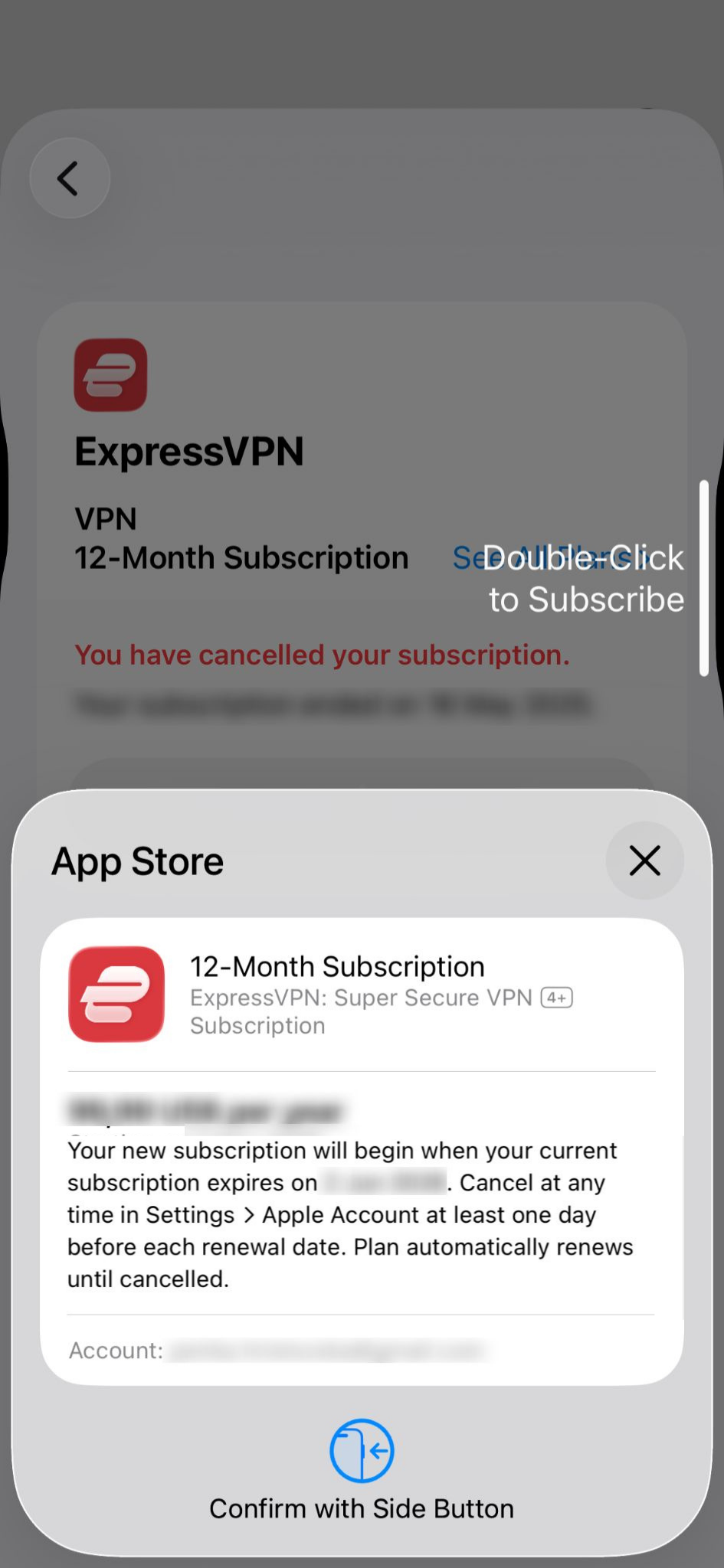
- Tryk på Renew: [current price of the subscription] (Forny: [nuværende pris på abonnementet]).

- Bekræft købet med Face ID eller Touch ID.

Hvis dit abonnement er udløbet
Du kan tilmelde dig igen ved at følge disse trin:
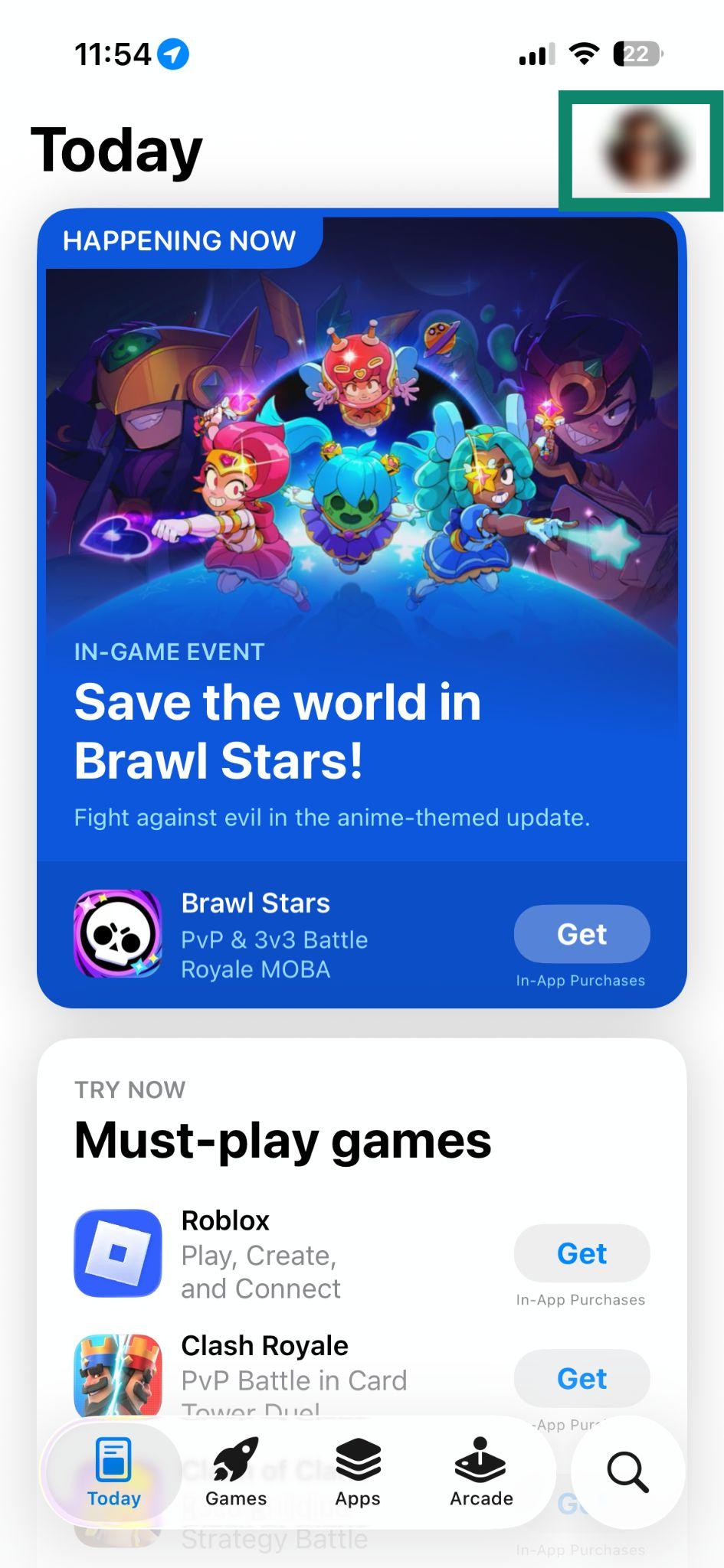
- Åbn App Store, og tryk på dit profile icon (profilikon).

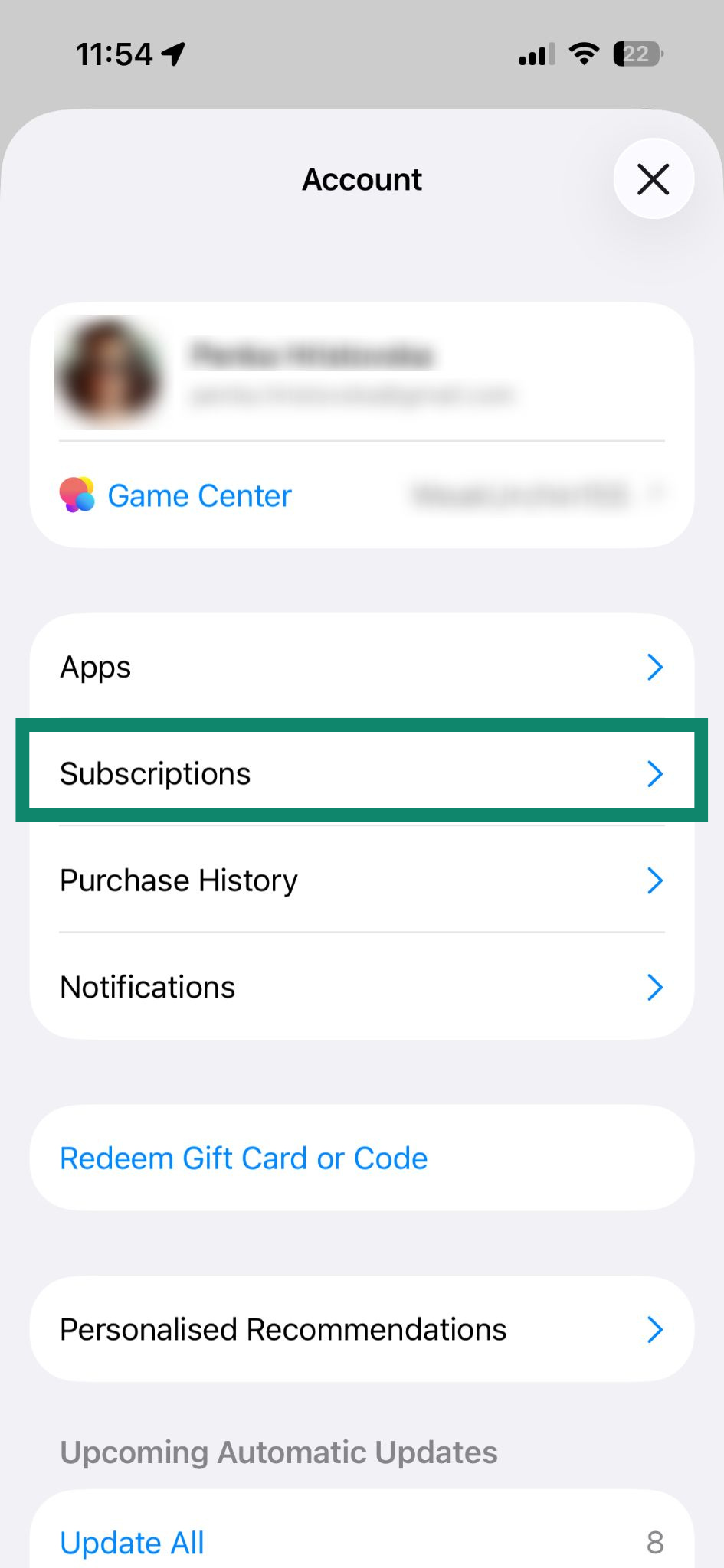
- Vælg Subscriptions (Abonnementer).

- Tryk på ExpressVPN under Inaktivt.

- Tryk på Subscribe (Abonner).

- Bekræft købet med Face ID eller Touch ID.

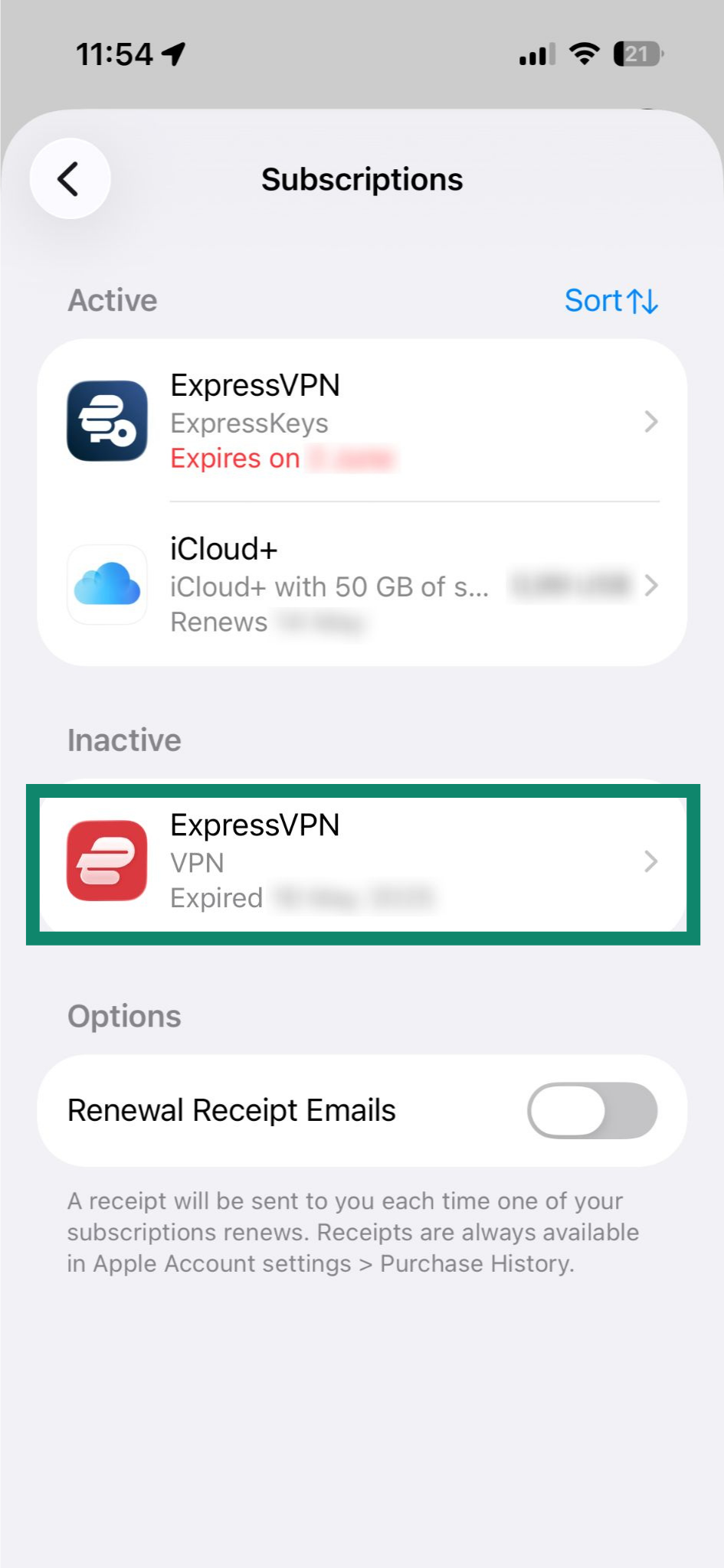
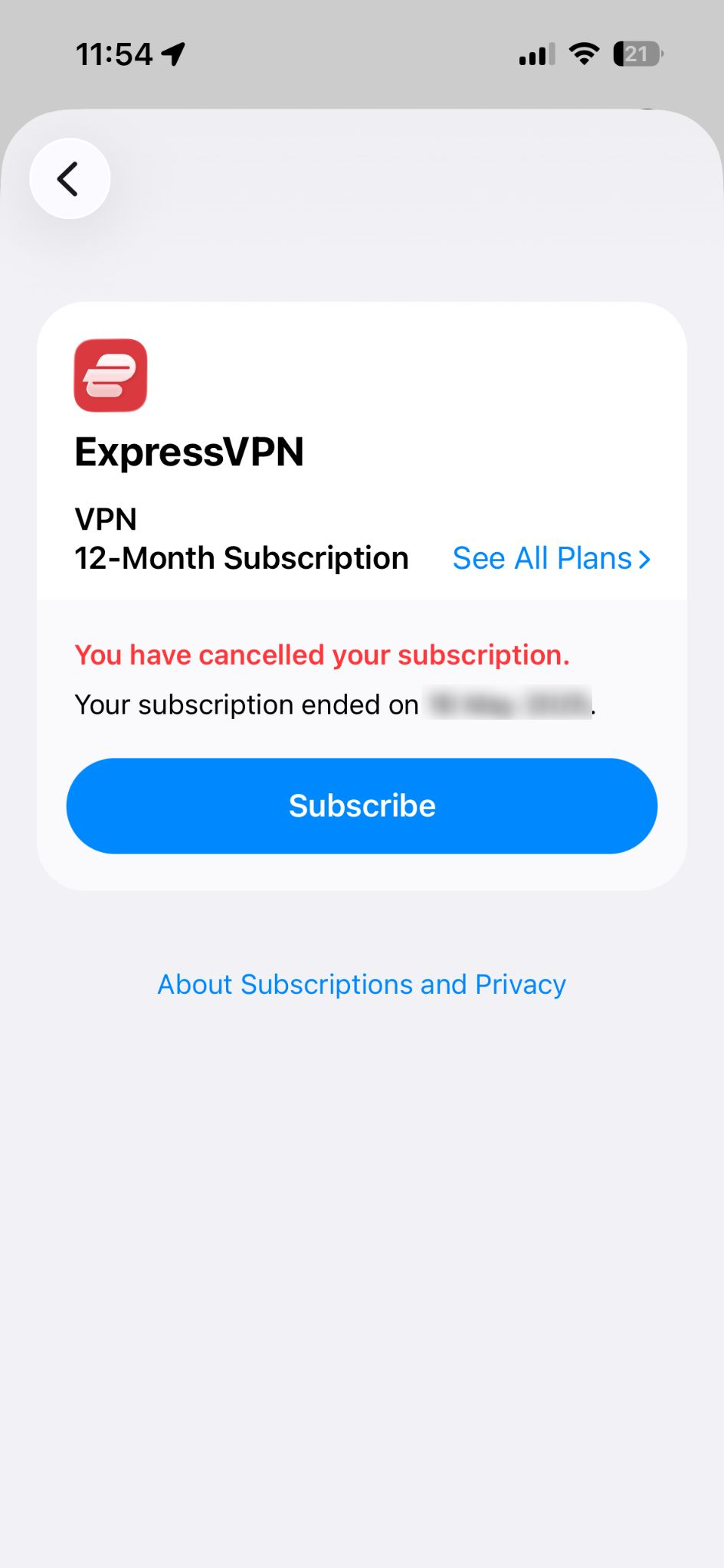
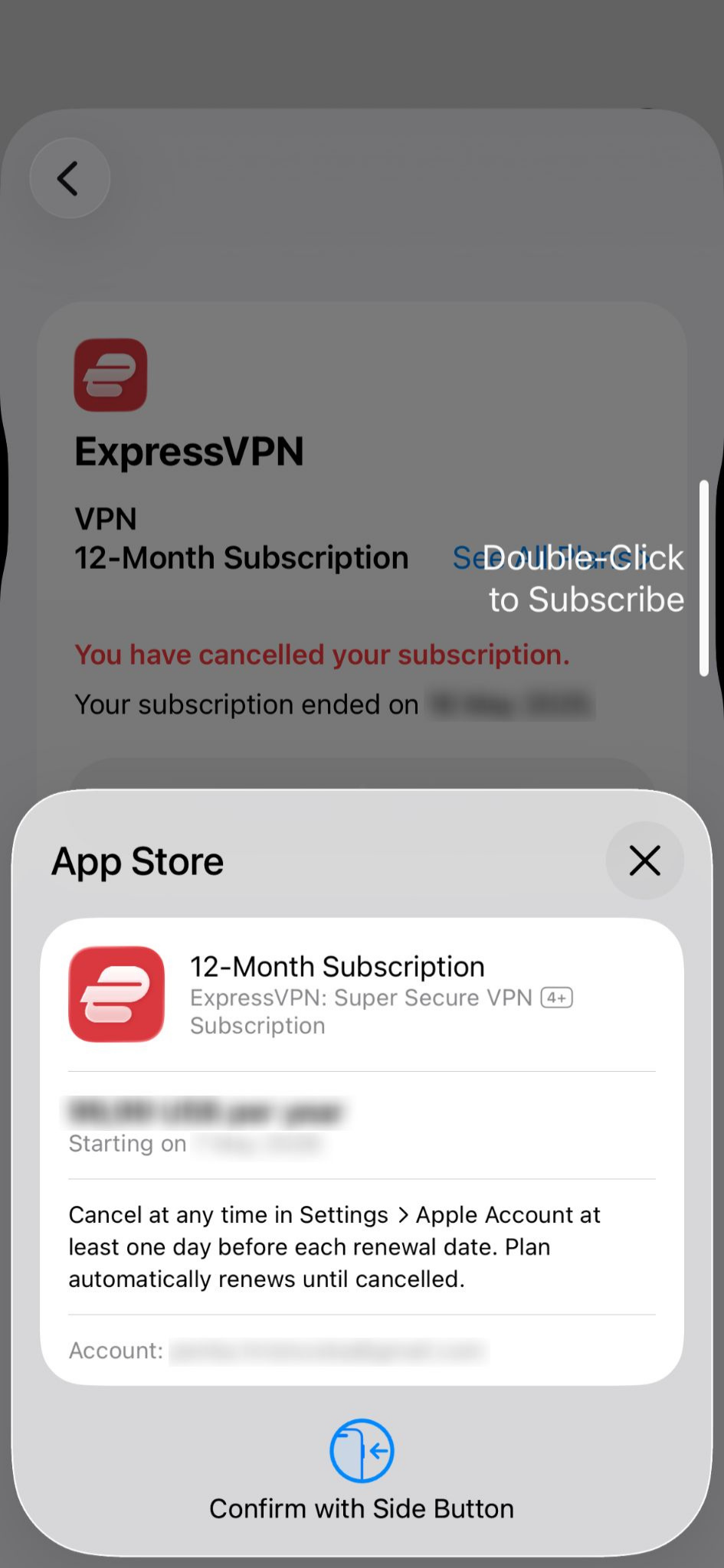
Få mere at vide om abonnementer via køb i appen i App Store.
Brug for hjælp? Kontakt ExpressVPN’s supportteam for øjeblikkelig hjælp.
Abonnementer via køb i appen i Google Play Butik
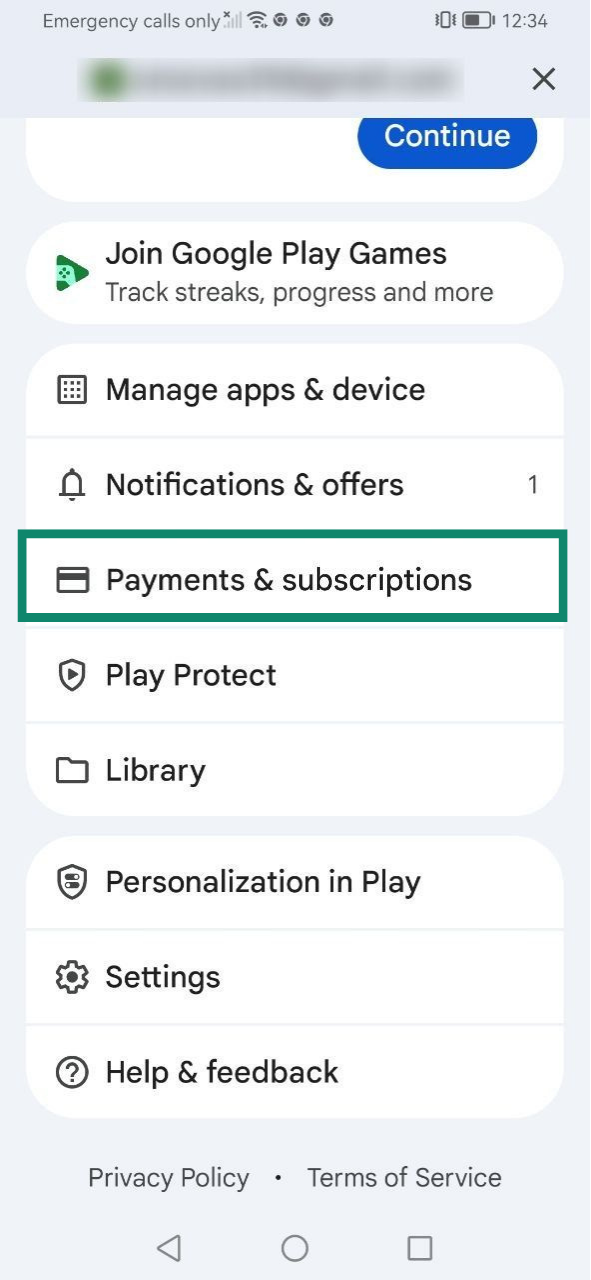
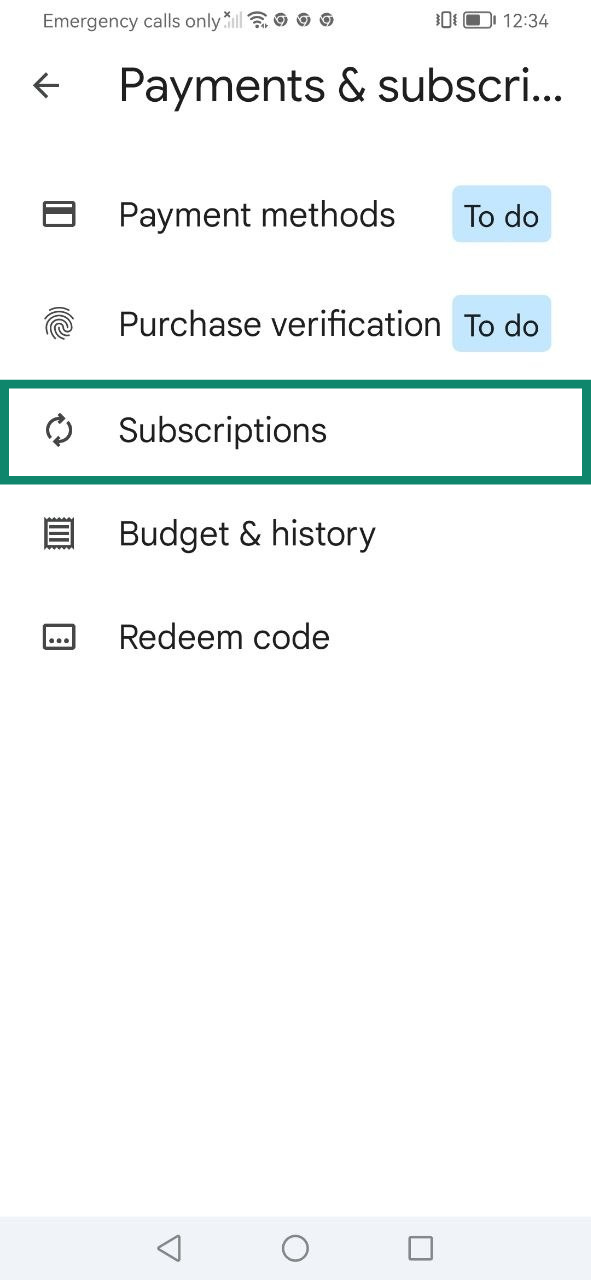
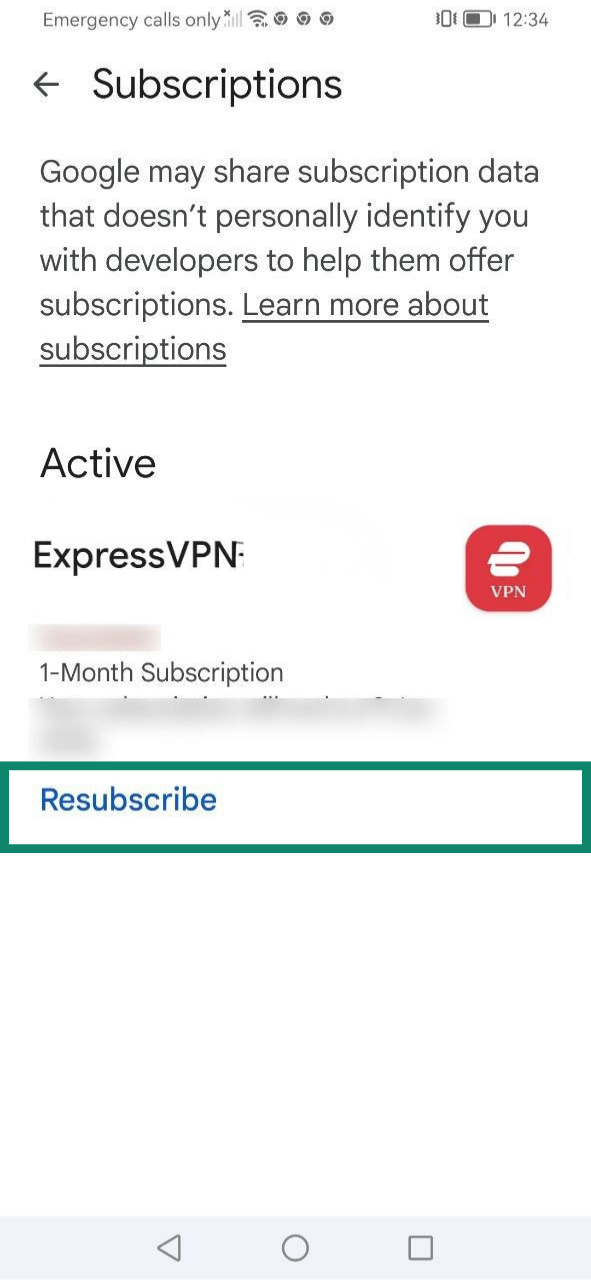
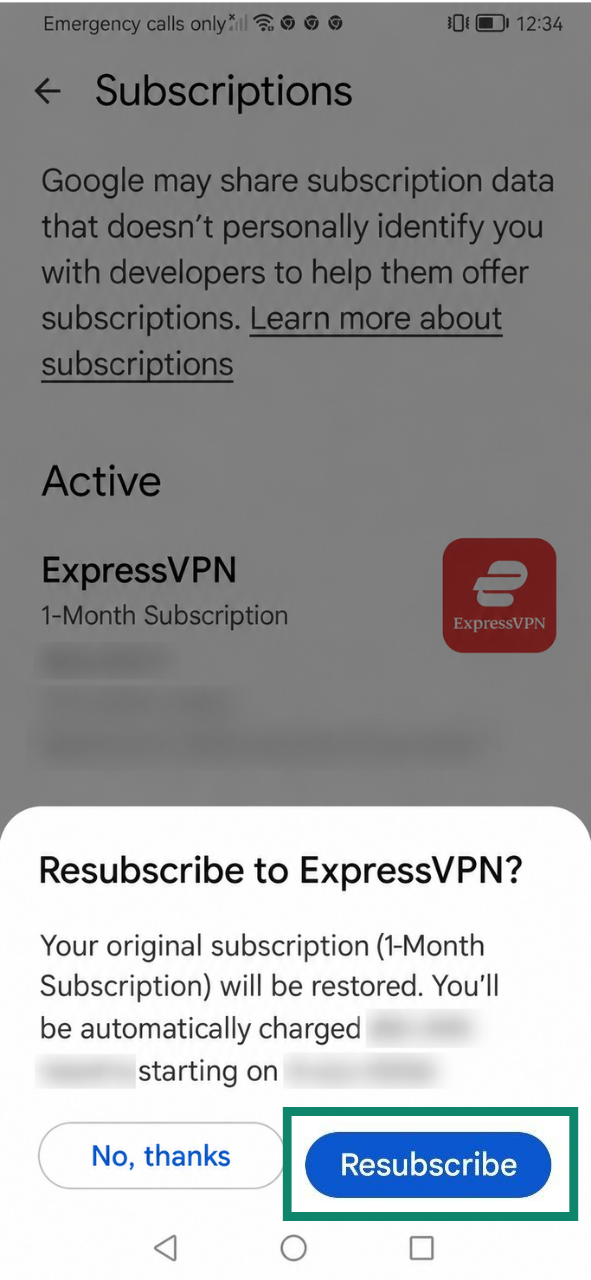
Abonnementer, der er købt via Google Play Butik, fornyes automatisk, når dit nuværende abonnement udløber. Hvis du har opsagt dit abonnement, eller det er udløbet, skal du følge disse trin for at forny det:
- Åbn Google Play Butik, og tryk på dit profile icon (profilikon).

- Vælg Payments & subscriptions (Betalinger og abonnementer).

- Tryk på Subscriptions (Abonnementer).

- Vælg Resubscribe (Abonner igen) under dit ExpressVPN-abonnement.

- Tryk på Resubscribe (Tilmeld dig igen) for at bekræfte.

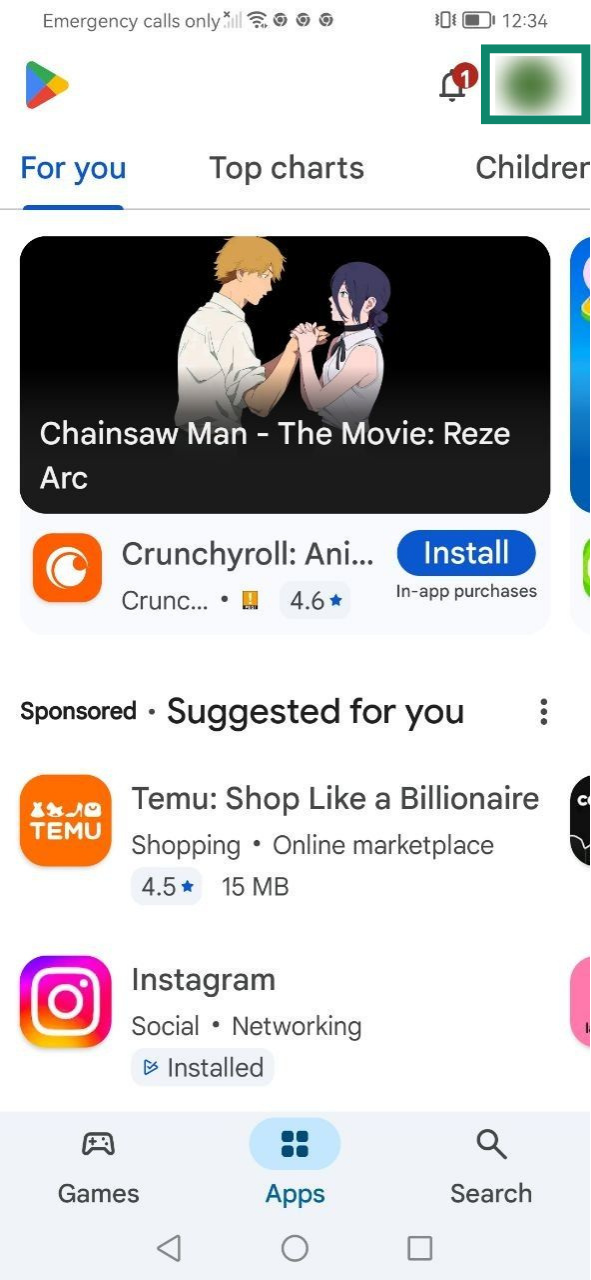
Få mere at vide om abonnementer via køb i appen i Play Butik.
Brug for hjælp? Kontakt ExpressVPN’s supportteam for øjeblikkelig hjælp.
Hvordan fungerer automatisk fornyelse?
Automatisk fornyelse betyder, at et abonnement automatisk fornyes ved afslutningen af dets nuværende faktureringsperiode. Som standard er automatisk fornyelse slået til for understøttede betalingsmetoder, såsom kreditkort, PayPal, Apple Pay eller Google Pay.
Hvis dit nuværende abonnement er indstillet til automatisk fornyelse, vil du blive opkrævet igen, når abonnementet udløber, medmindre du opsiger det inden midnat på fornyelsesdatoen ved at følge trinnene i vores vejledning til opsigelse af dit ExpressVPN-abonnement.
Hvis automatisk fornyelse annulleres, kan du fortsætte med at bruge de tjenester, der er knyttet til dit ExpressVPN-abonnement, indtil udløbet af din nuværende faktureringsperiode. Derefter vil din adgang blive suspenderet, indtil du foretager en manuel fornyelsesbetaling.
Sådan tjekker du status for automatisk fornyelse af dit abonnement
Sådan ser du, om automatisk fornyelse er aktiveret eller deaktiveret:
- Gå til siden Mit abonnement på dit ExpressVPN+-dashboard. Hvis du bliver bedt om det, skal du logge ind på din konto.
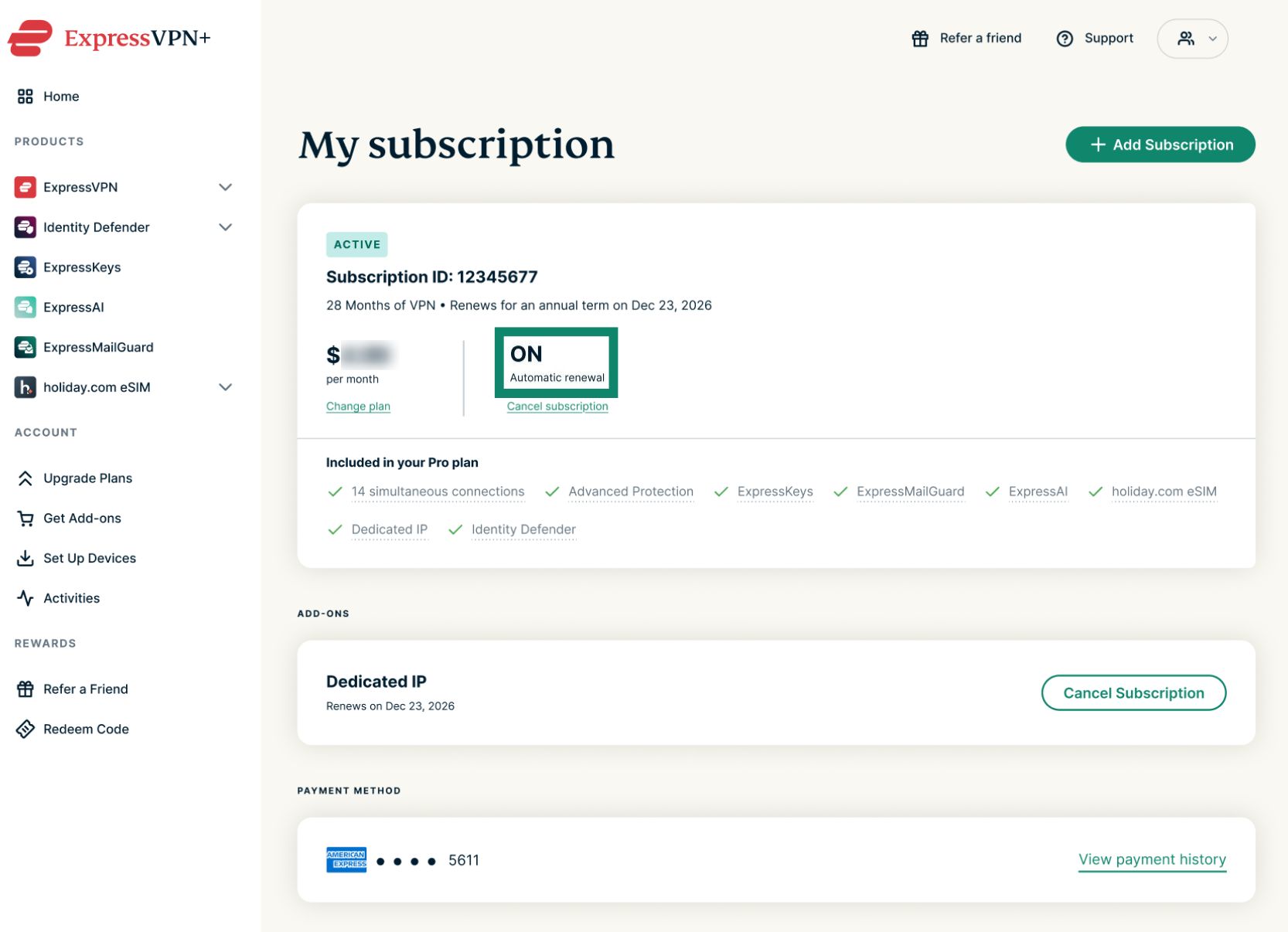
- Tjek status for Automatic renewal (Automatisk fornyelse).
- ON (TIL) betyder, at automatisk fornyelse er aktiveret for dit abonnement.


- OFF (FRA) betyder, at automatisk fornyelse er deaktiveret for dit abonnement.


- ON (TIL) betyder, at automatisk fornyelse er aktiveret for dit abonnement.
Sådan tjekker du kommende automatiske fornyelser
Hvis automatisk fornyelse er aktiveret for dit abonnement, kan du tjekke kommende opkrævninger ved at se på teksten under Subscription ID (Abonnements-id).
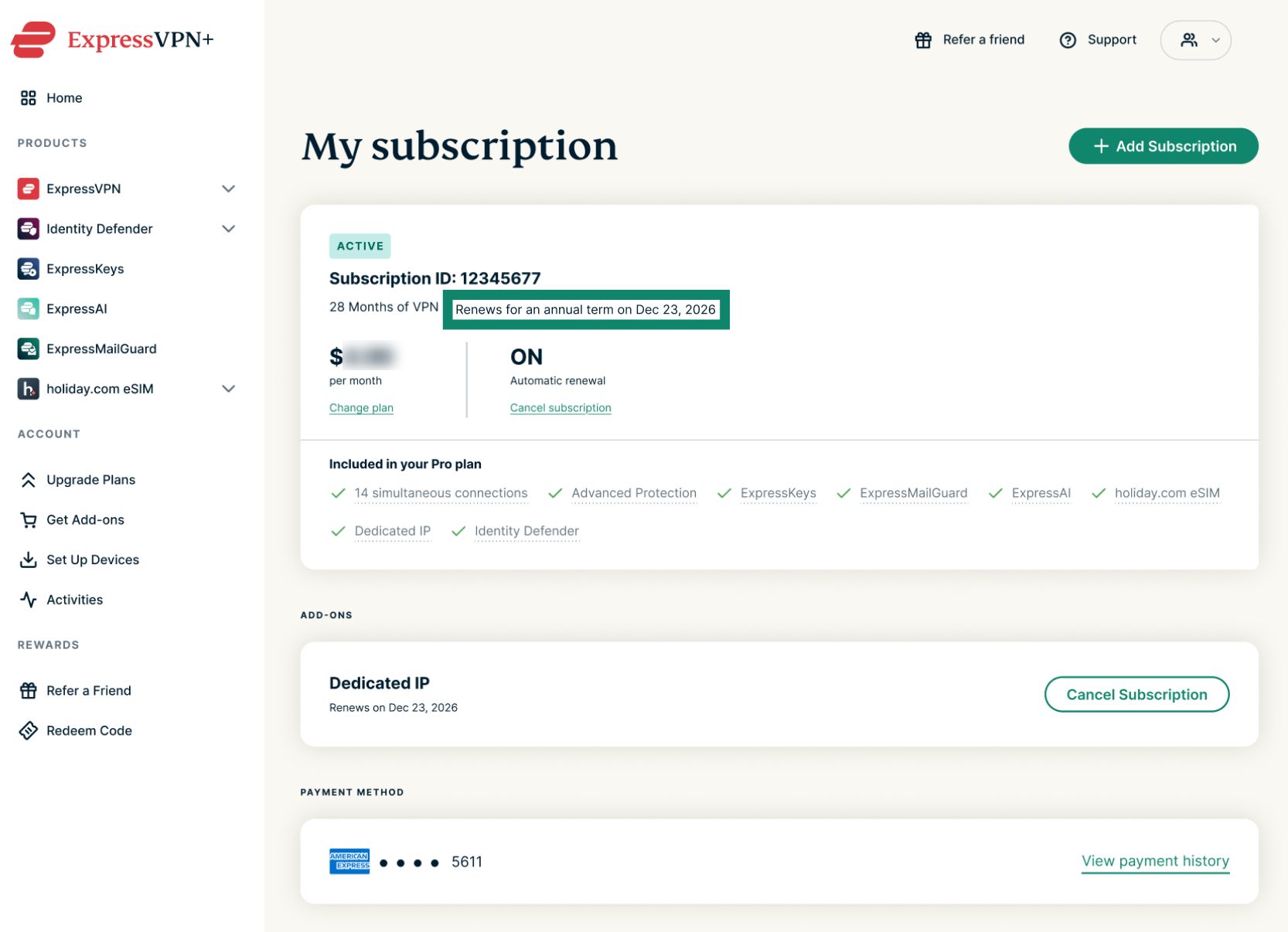 Din betalingsmetode vil automatisk blive debiteret for den angivne faktureringsperiode. Derefter fortsætter fornyelser automatisk, indtil du opsiger. Månedlige abonnementer fornyes automatisk på den samme dato hver måned, årlige abonnementer fornyes automatisk på den samme dato én gang om året, og tilbuddet på 2 år fornyes automatisk årligt ved udgangen af den indledende periode på 2 år.
Brug for hjælp? Kontakt ExpressVPN’s supportteam for øjeblikkelig hjælp.