



Per utilizzare le nostre app e configurazioni, prima devi aprire un nuovo account su ExpressVPN.
Questa guida ti mostrerà come rinnovare il tuo abbonamento a ExpressVPN.
Gli abbonamenti acquistati con determinati metodi di pagamento, come carta di credito, PayPal, Apple Pay, Google Pay, acquisti in-app su Apple/Google Play, si rinnoveranno automaticamente per impostazione predefinita.
Vai a…
Abbonamenti acquistati con carta di credito, PayPal, Apple Pay o Google Pay
Abbonamenti acquistati con criptovalute (tramite BitPay)
Abbonamenti tramite acquisti in-app di Apple
Abbonamenti tramite acquisti in-app su Google Play Store
Come funziona il rinnovo automatico?
Abbonamenti acquistati con carta di credito, PayPal, Apple Pay o Google Pay
Per impostazione predefinita, gli abbonamenti acquistati con carta di credito, PayPal, Apple Pay o Google Pay si rinnoveranno automaticamente alla scadenza dell’abbonamento in corso. Se in precedenza hai disattivato il rinnovo automatico, potrai riattivarlo dal pannello di controllo del tuo account.
Rinnova un abbonamento esistente
Se in precedenza hai disattivato il rinnovo automatico e il tuo abbonamento sta per scadere, potrai rinnovarlo manualmente seguendo questi passaggi:
- Vai a Il mio abbonamento. Se richiesto, effettua l’accesso al tuo account ExpressVPN.
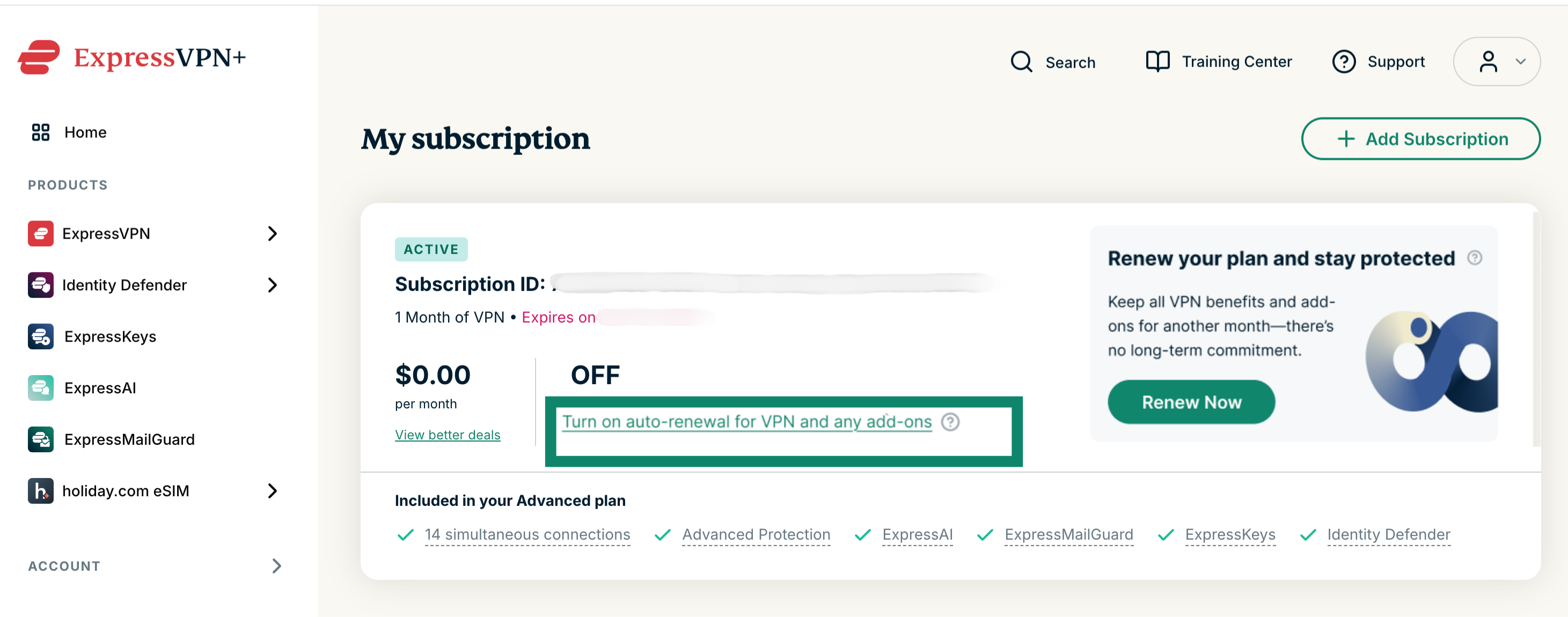
Per rinnovare il tuo abbonamento attuale: seleziona Turn on auto-renewal for VPN and any add-ons (attiva il rinnovo automatico per VPN e componenti aggiuntivi) e inserisci i tuoi dati di pagamento aggiornati.
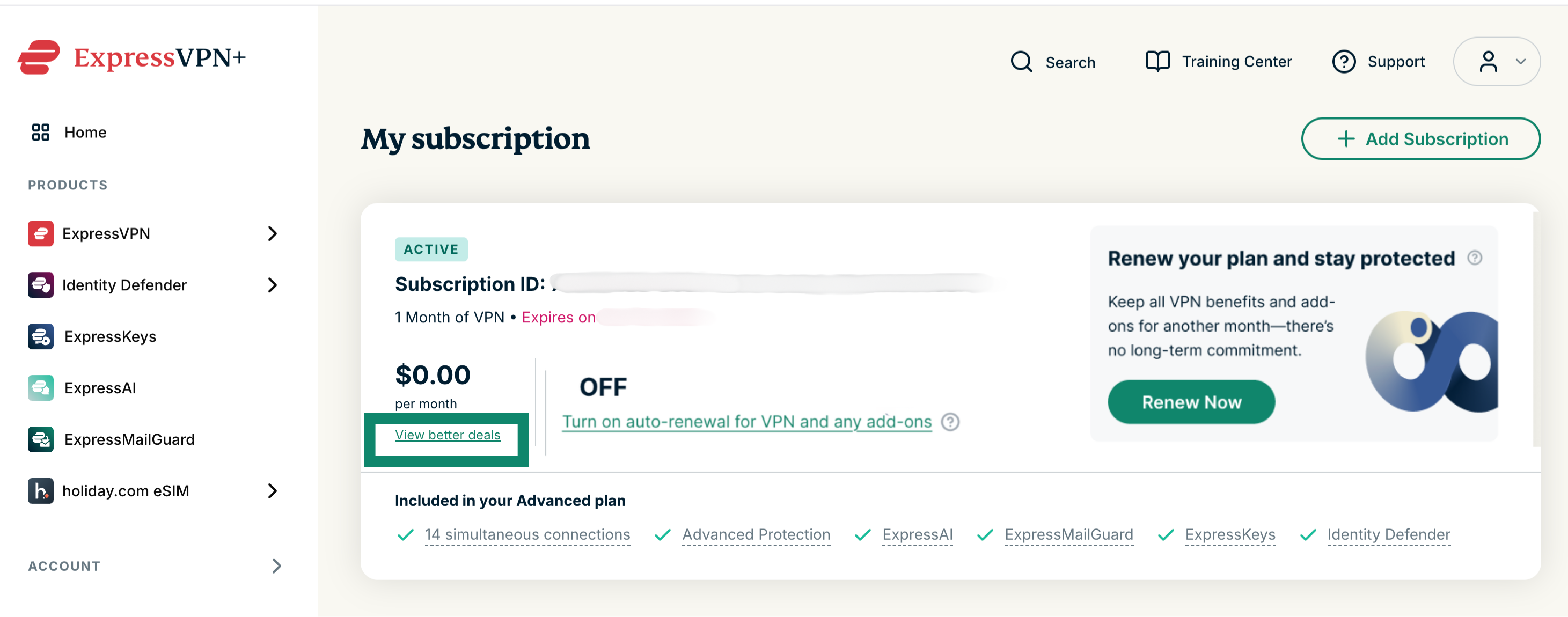
Per passare a un altro abbonamento: seleziona View better deals (scopri offerte più vantaggiose) e scegli un altro abbonamento e una nuova modalità di pagamento.
Rinnova un abbonamento scaduto
Se il tuo abbonamento è scaduto, potrai rinnovarlo seguendo questi passaggi:
- Vai a Il mio abbonamento. Se richiesto, effettua l’accesso al tuo account ExpressVPN.
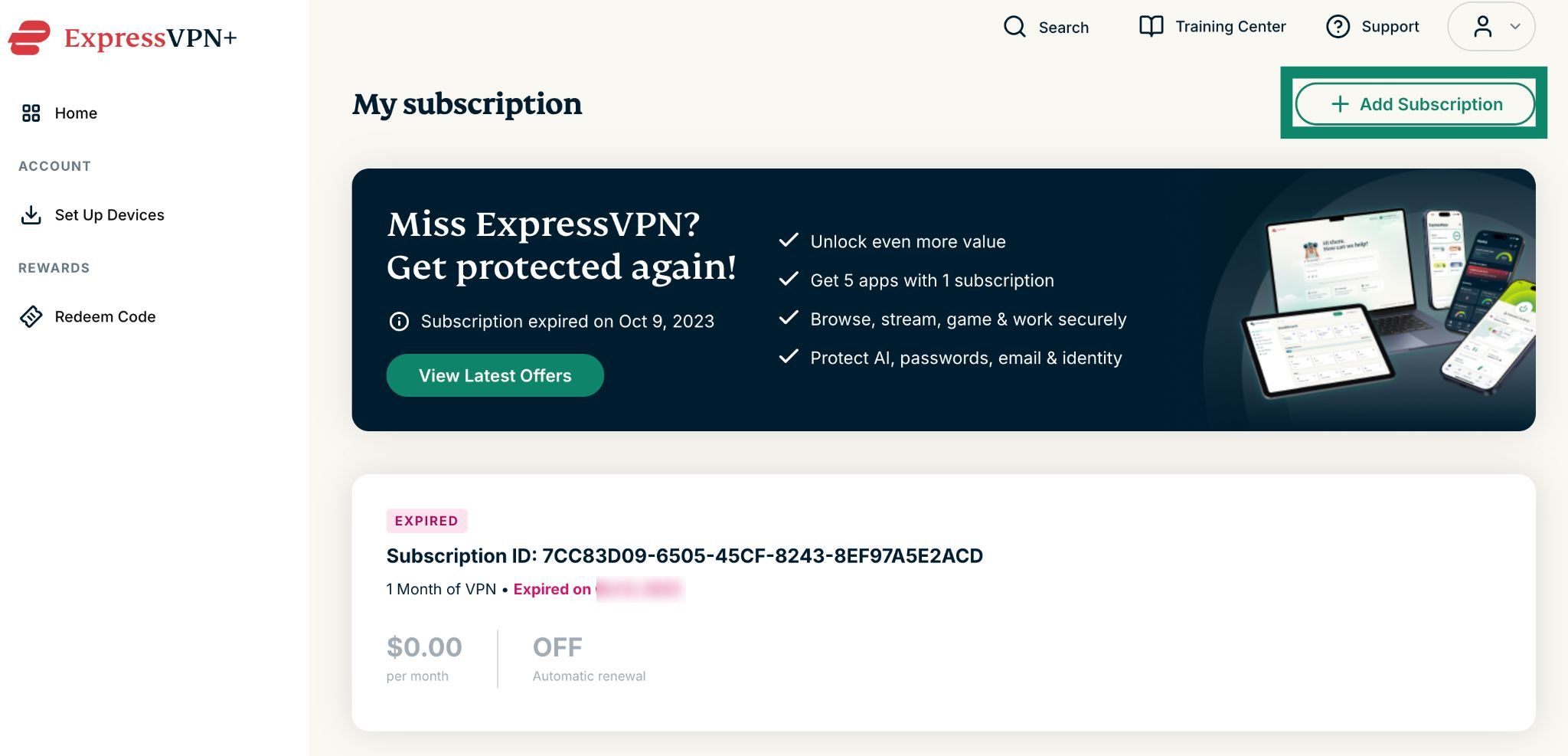
- Clicca su Add Subscription (aggiungi abbonamento).


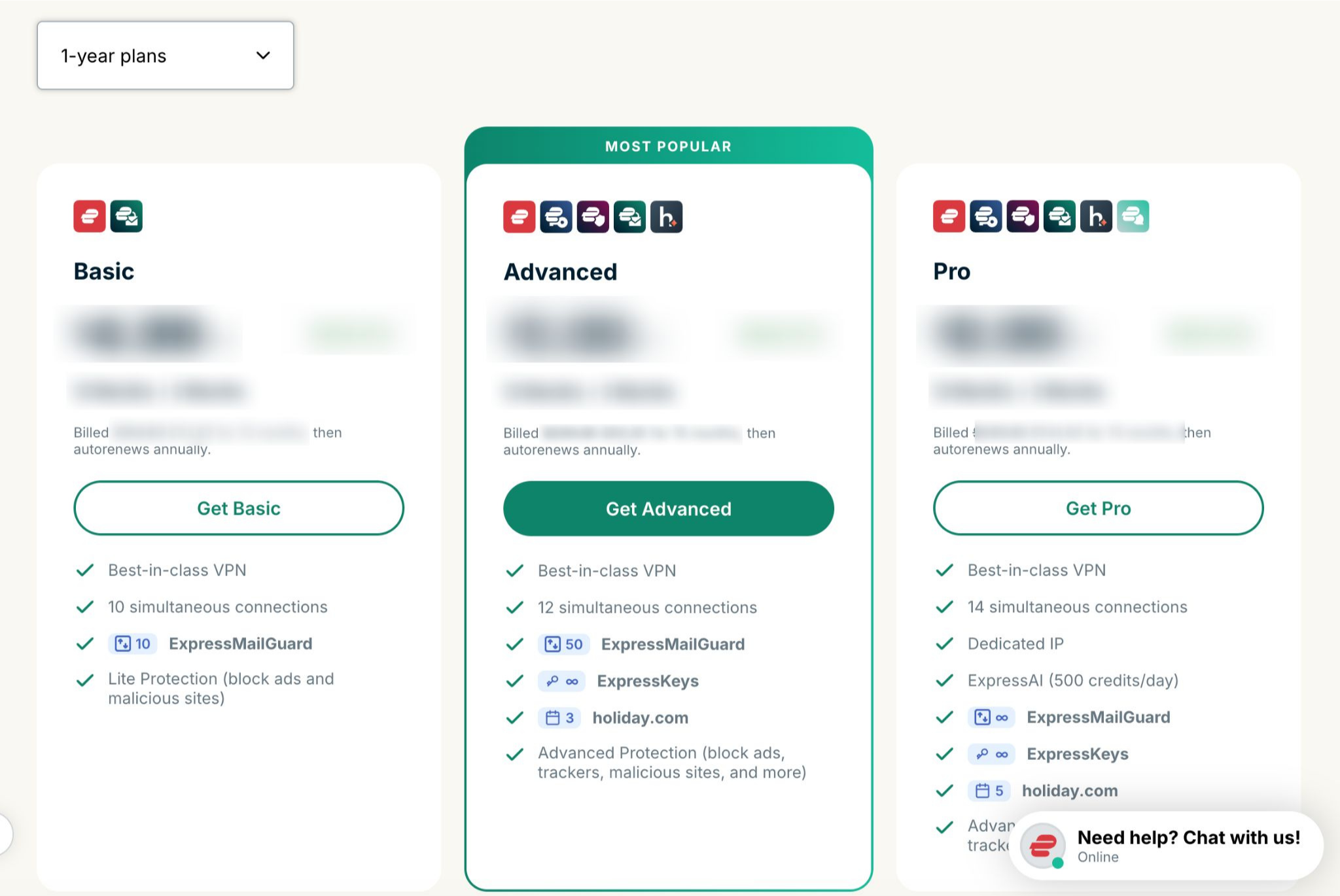
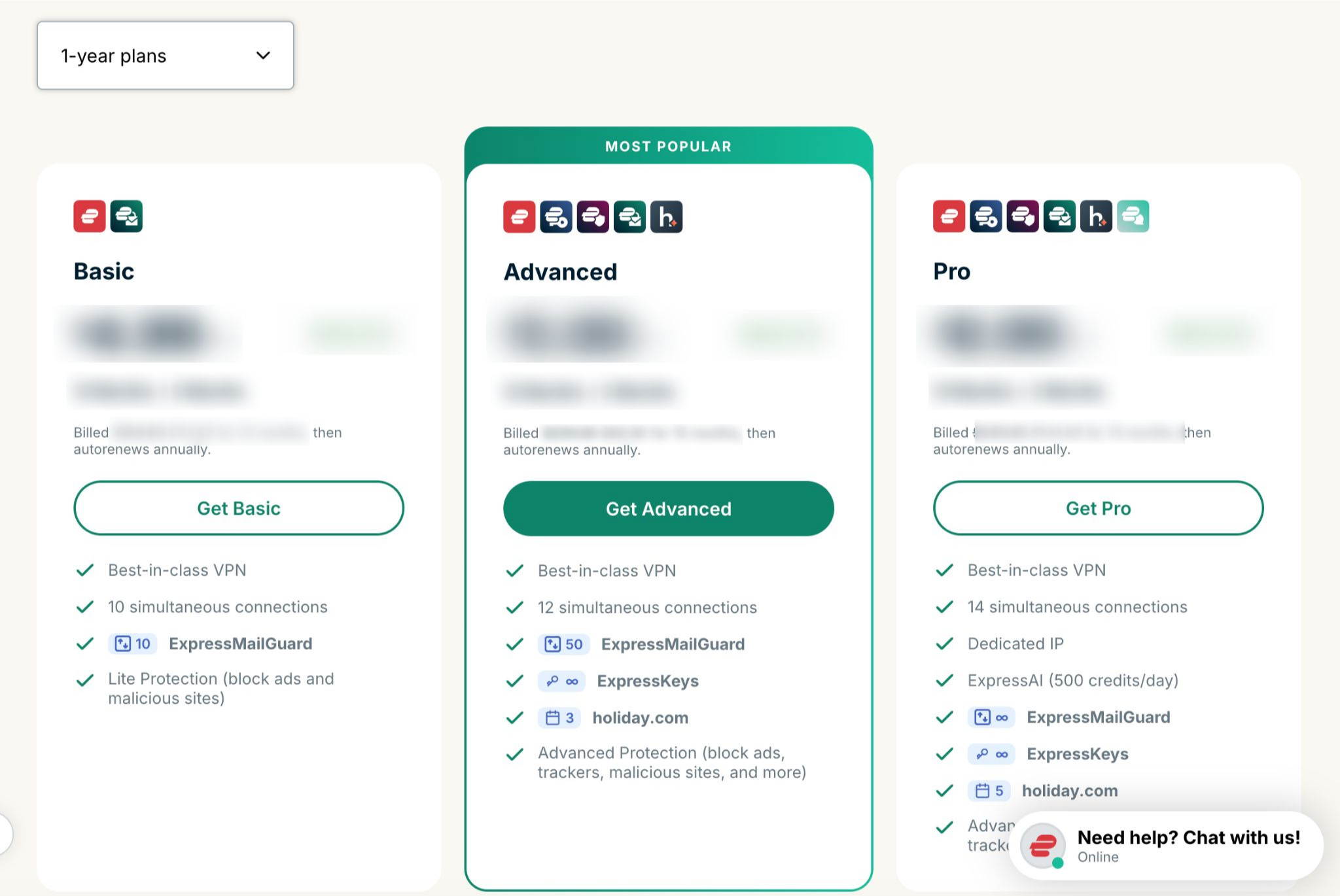
- Seleziona il piano desiderato.


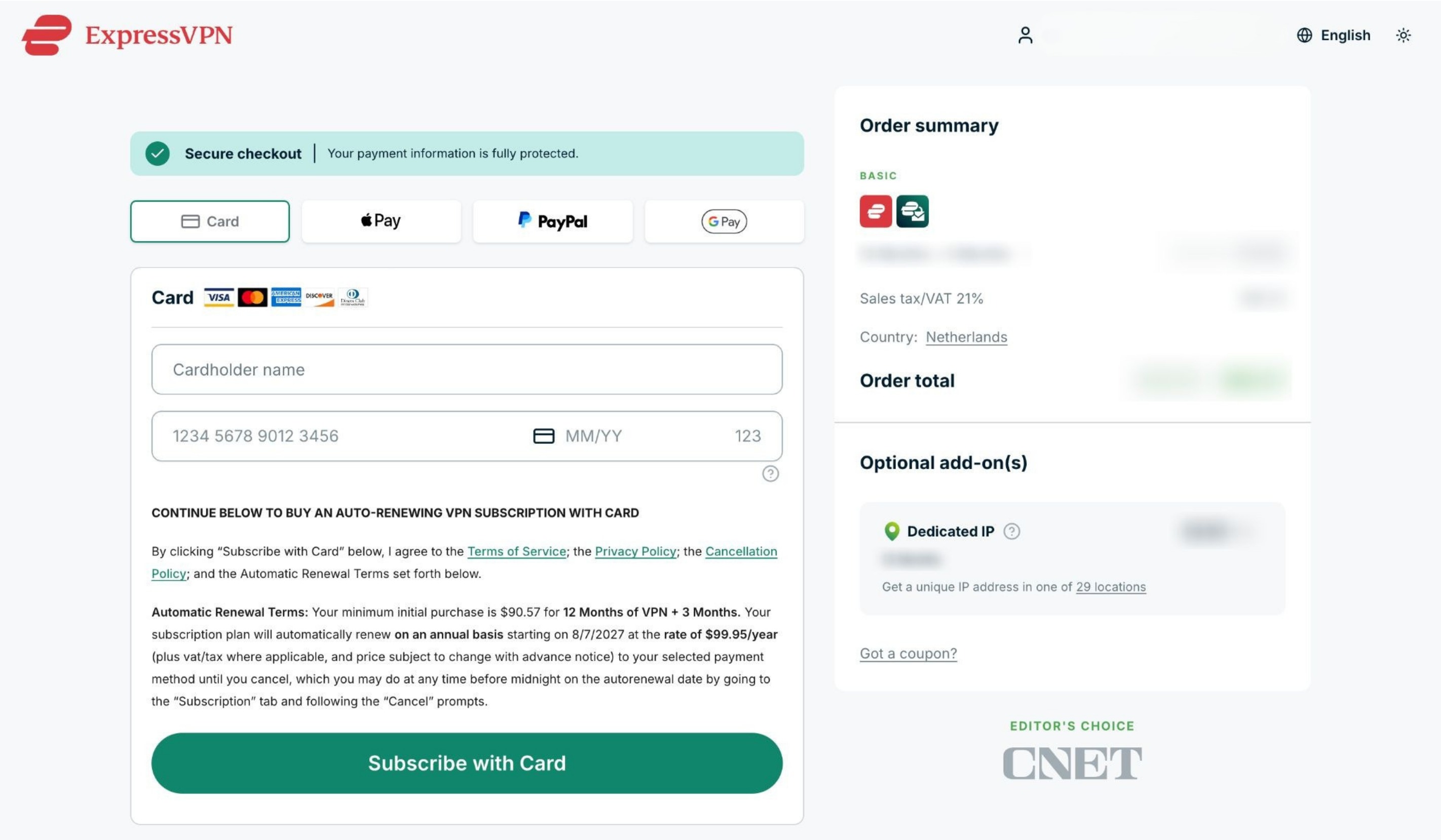
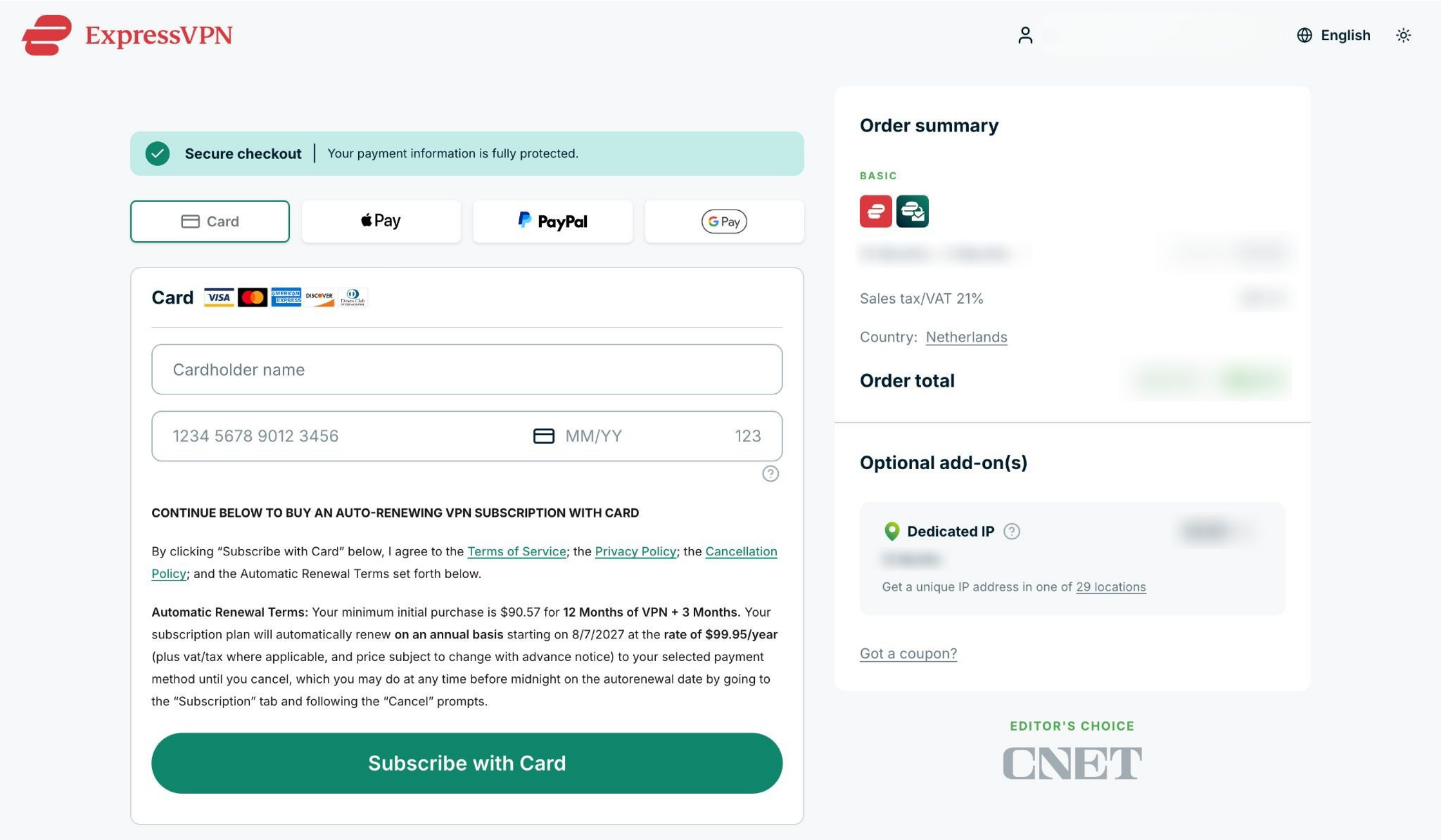
- Scegli un metodo di pagamento, inserisci i tuoi dati e clicca su Subscribe with [payment method of your choice] (abbonati con [metodo di pagamento a tua scelta]).


Ti serve aiuto? Contatta il team di supporto ExpressVPN per ricevere assistenza immediata.
Abbonamenti acquistati con criptovalute (tramite BitPay)
ExpressVPN non supporta più le criptovalute (neanche tramite BitPay) come metodo di pagamento.
Gli abbonamenti acquistati in precedenza con criptovalute (tramite BitPay) non verranno rinnovati automaticamente.
Rinnova un abbonamento esistente
Se il tuo abbonamento sta per scadere, potrai rinnovarlo manualmente utilizzando un metodo di pagamento differente seguendo questi passaggi:
- Vai a Il mio abbonamento. Se richiesto, effettua l’accesso al tuo account ExpressVPN.
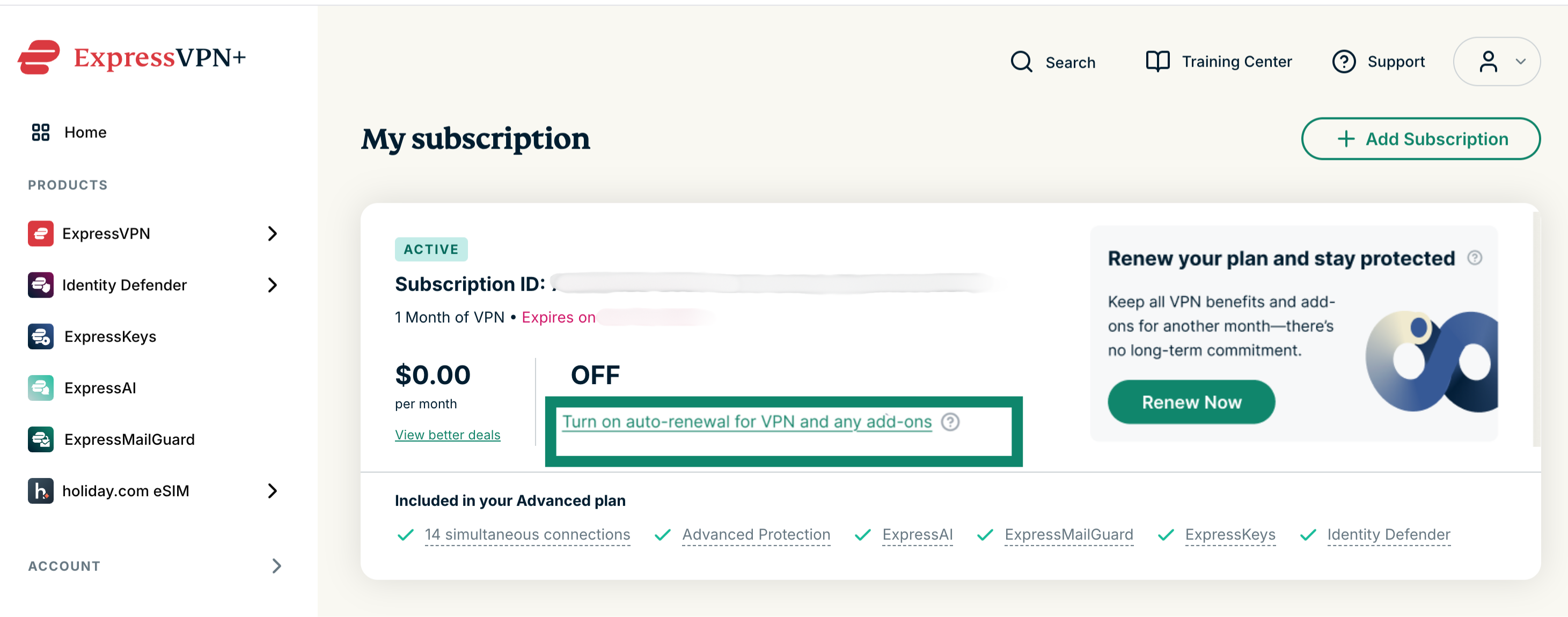
Per rinnovare il tuo abbonamento attuale: seleziona Turn on auto-renewal for VPN and any add-ons (attiva il rinnovo automatico per VPN e componenti aggiuntivi) e inserisci i tuoi dati di pagamento aggiornati.
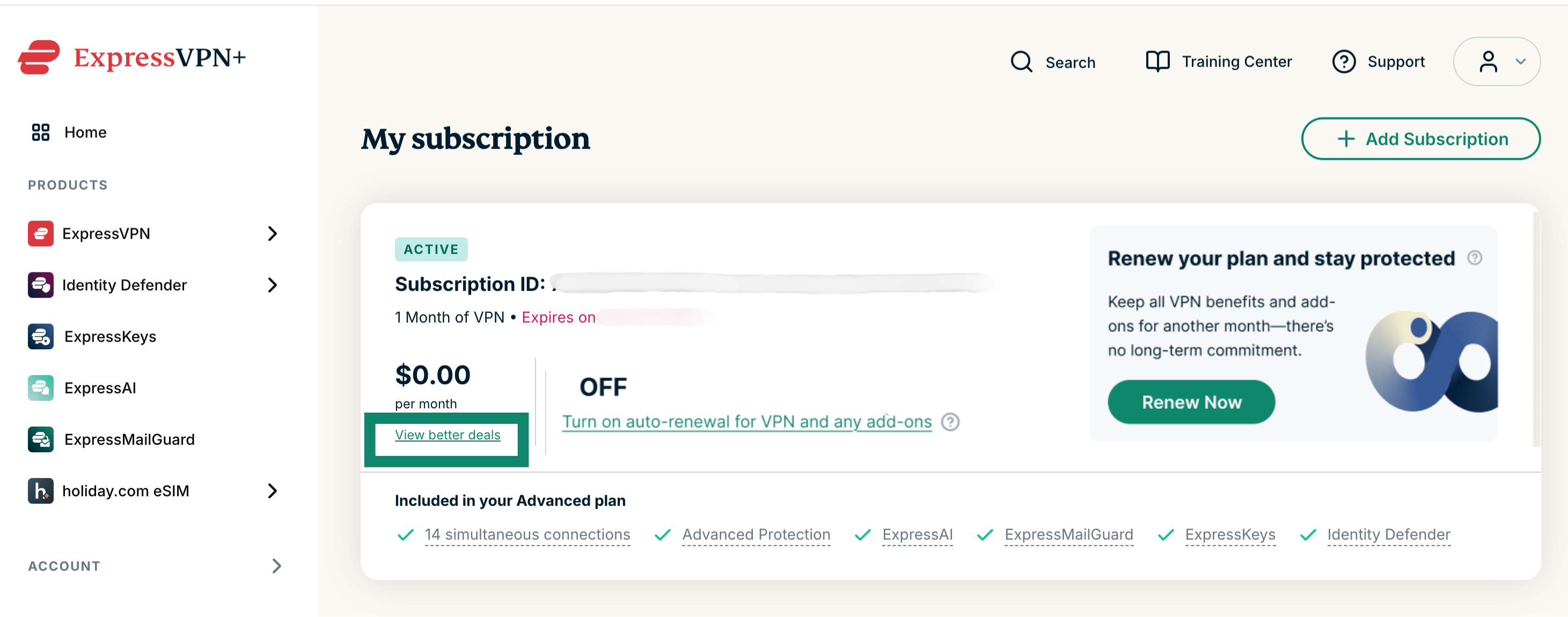
Per passare a un altro abbonamento: seleziona View better deals (scopri offerte più vantaggiose) e scegli un altro abbonamento e una nuova modalità di pagamento.
Rinnova un abbonamento scaduto
Se il tuo abbonamento è scaduto, potrai rinnovarlo seguendo questi passaggi:
- Vai a Il mio abbonamento. Se richiesto, effettua l’accesso al tuo account ExpressVPN.
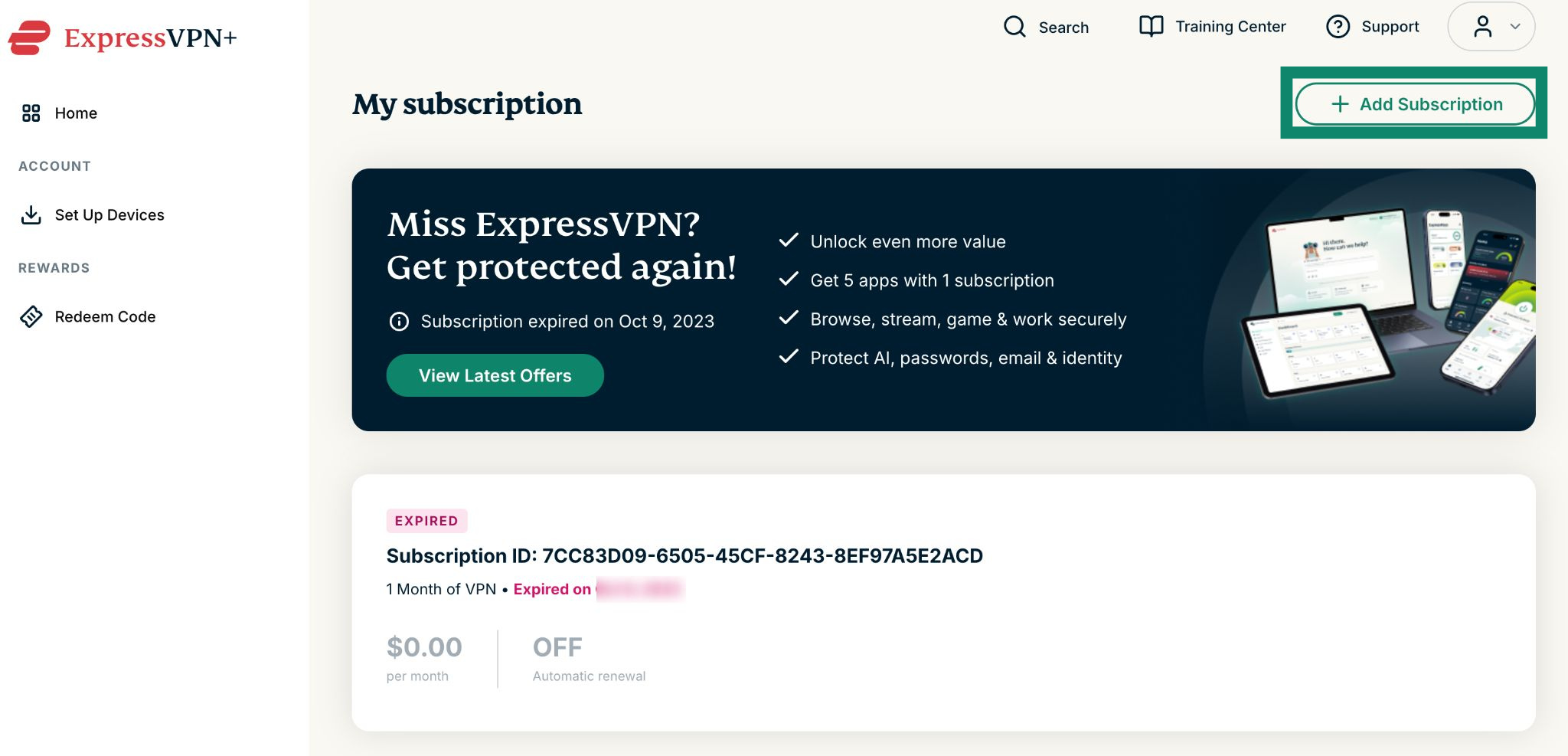
- Clicca su Add Subscription (aggiungi abbonamento).

- Seleziona il piano desiderato.

- Scegli un metodo di pagamento, inserisci i tuoi dati e clicca su Subscribe with [payment method] (abbonati con [metodo di pagamento]).

Ti serve aiuto? Contatta il team di supporto ExpressVPN per ricevere assistenza immediata.
Abbonamenti tramite acquisti in-app di Apple
Gli abbonamenti acquistati tramite l’App Store si rinnoveranno automaticamente al termine dell’abbonamento in corso.
Se hai disdetto l’abbonamento ma risulta ancora attivo
Segui questi passaggi per rinnovarlo:
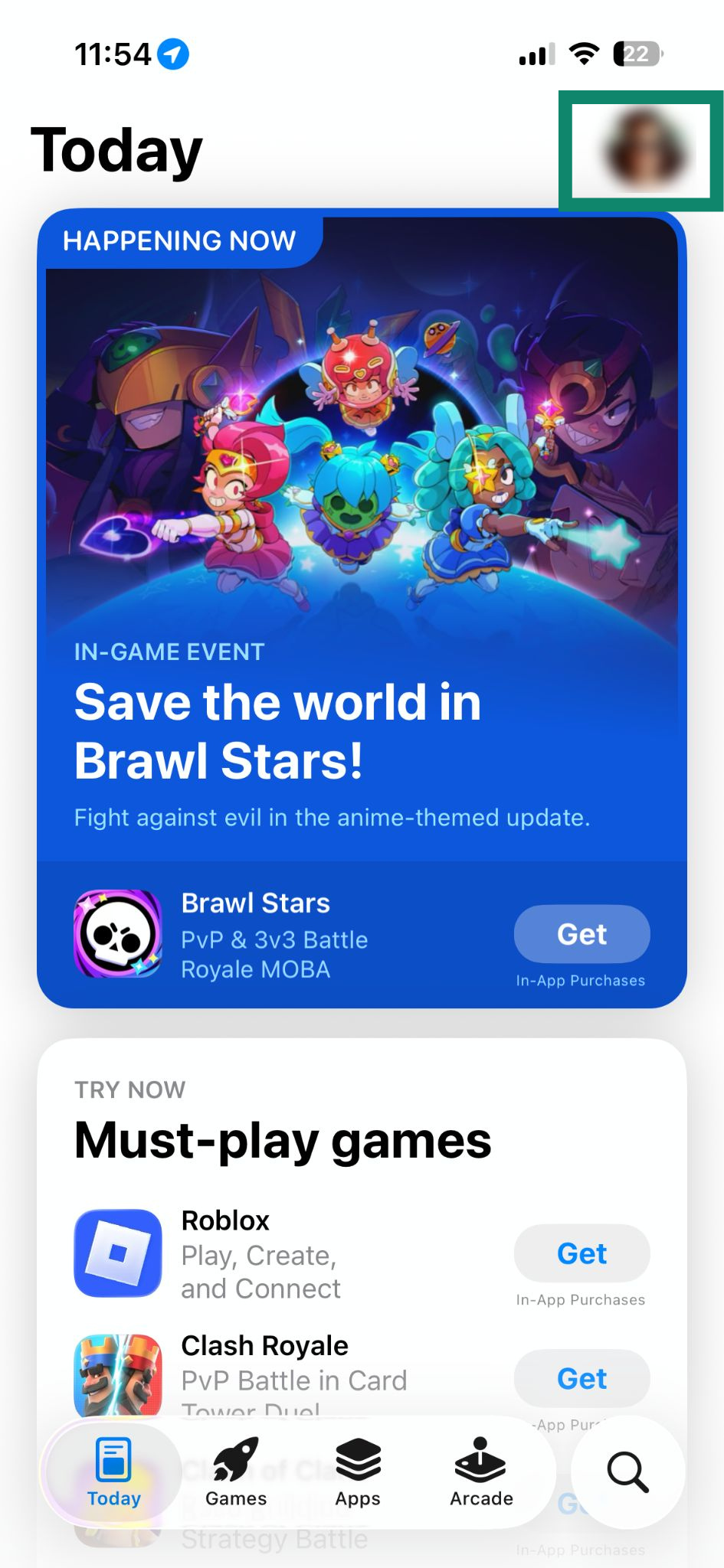
- Apri l’App Store e tocca profile icon (l’icona del tuo profilo).


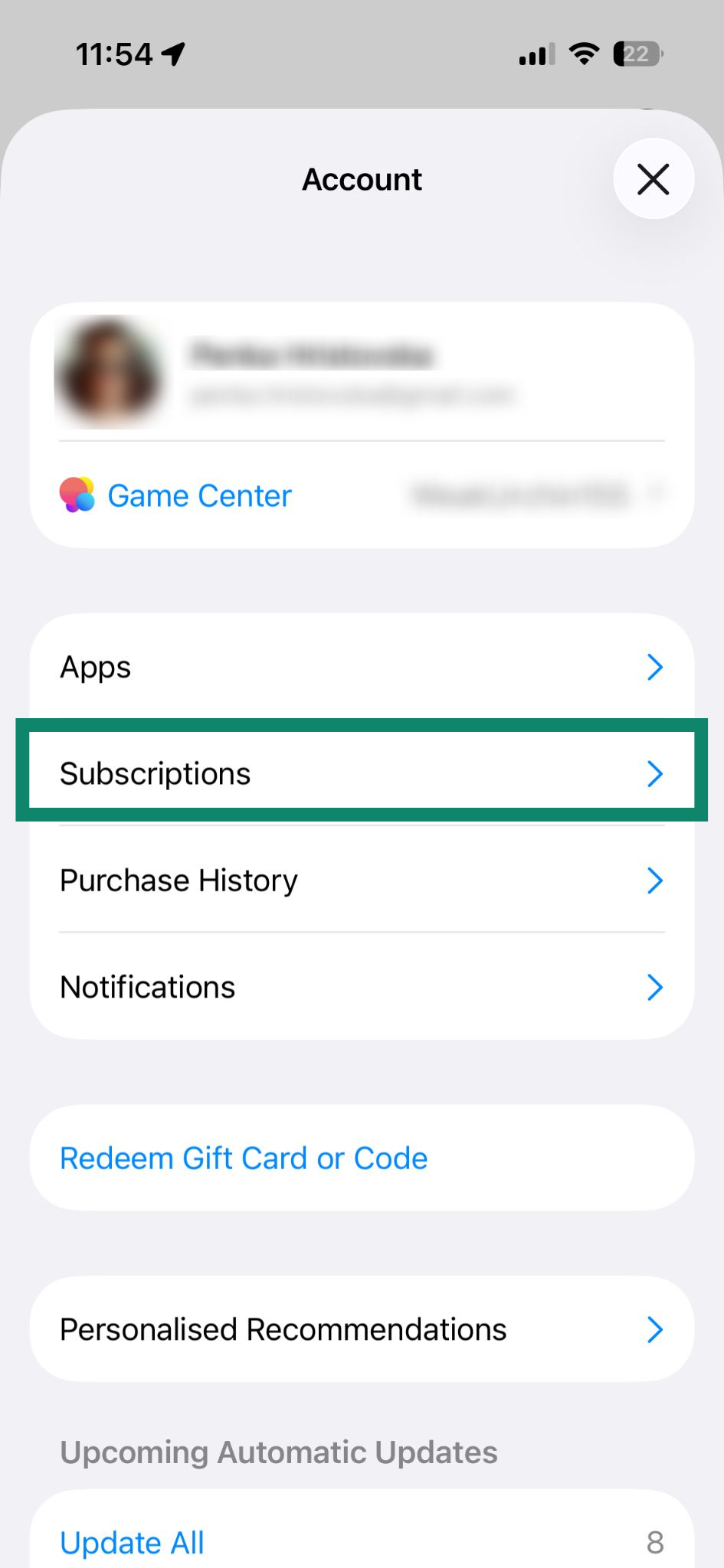
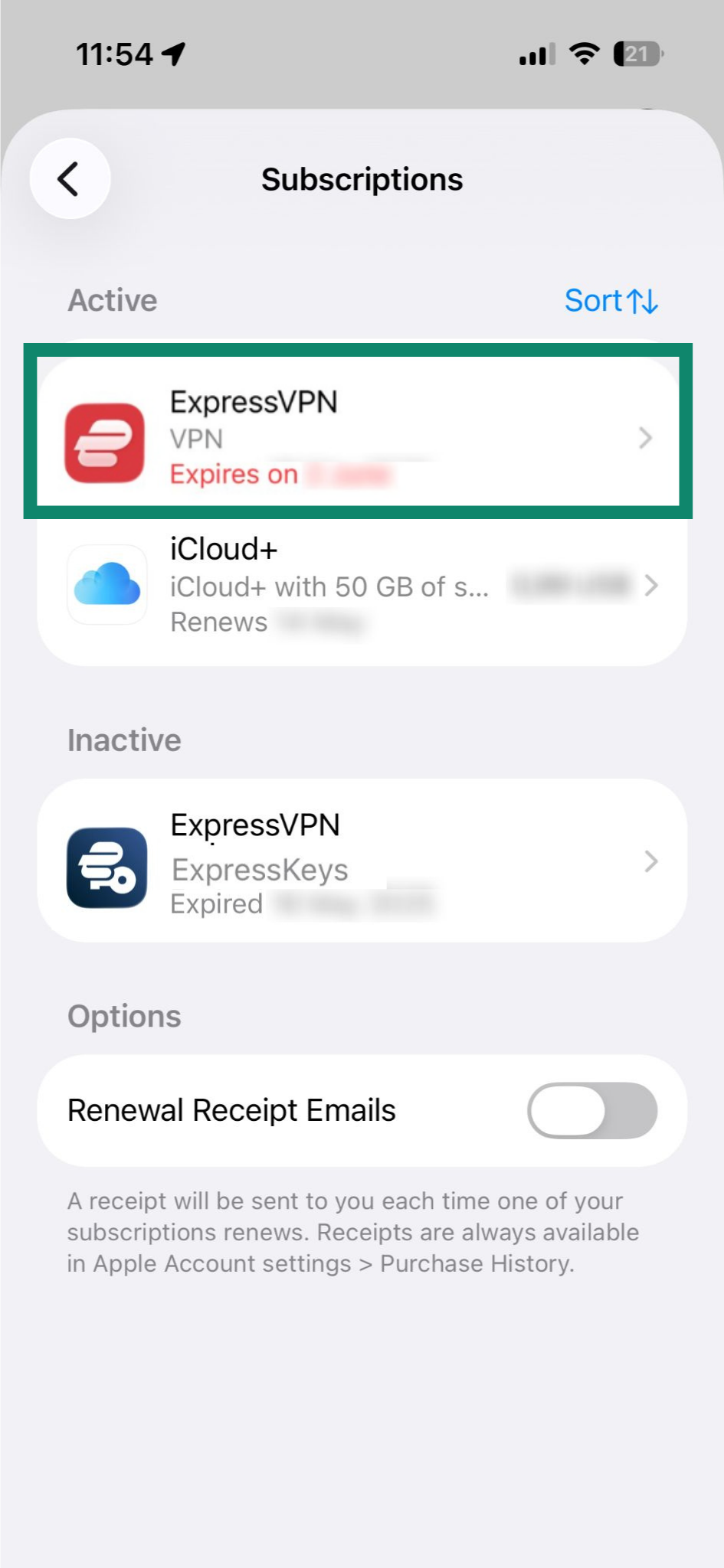
- Seleziona Subscriptions (abbonamenti).

- Tocca il tuo abbonamento ExpressVPN attuale nella sezione Attivi.

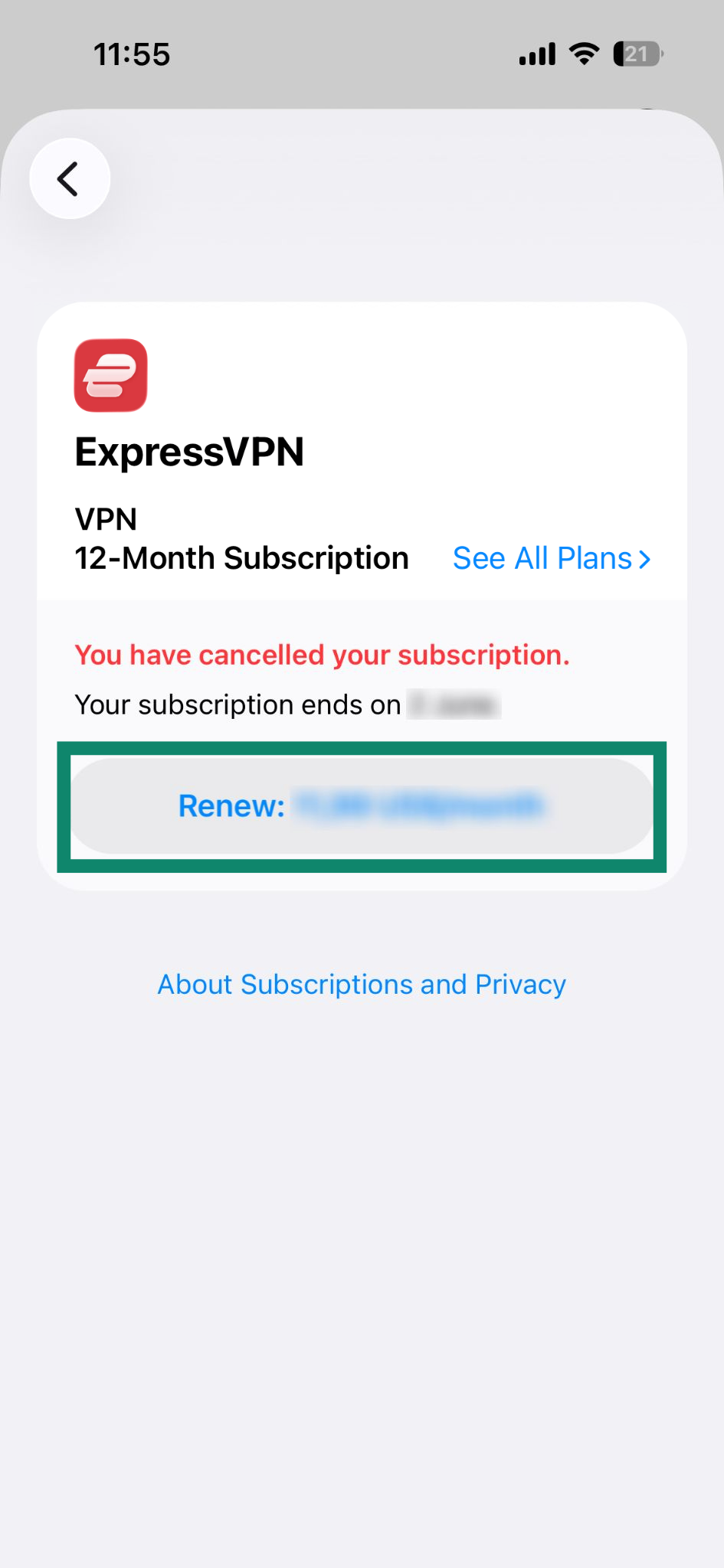
- Tocca Renew: [current price of the subscription] (rinnova: [prezzo attuale dell’abbonamento]).

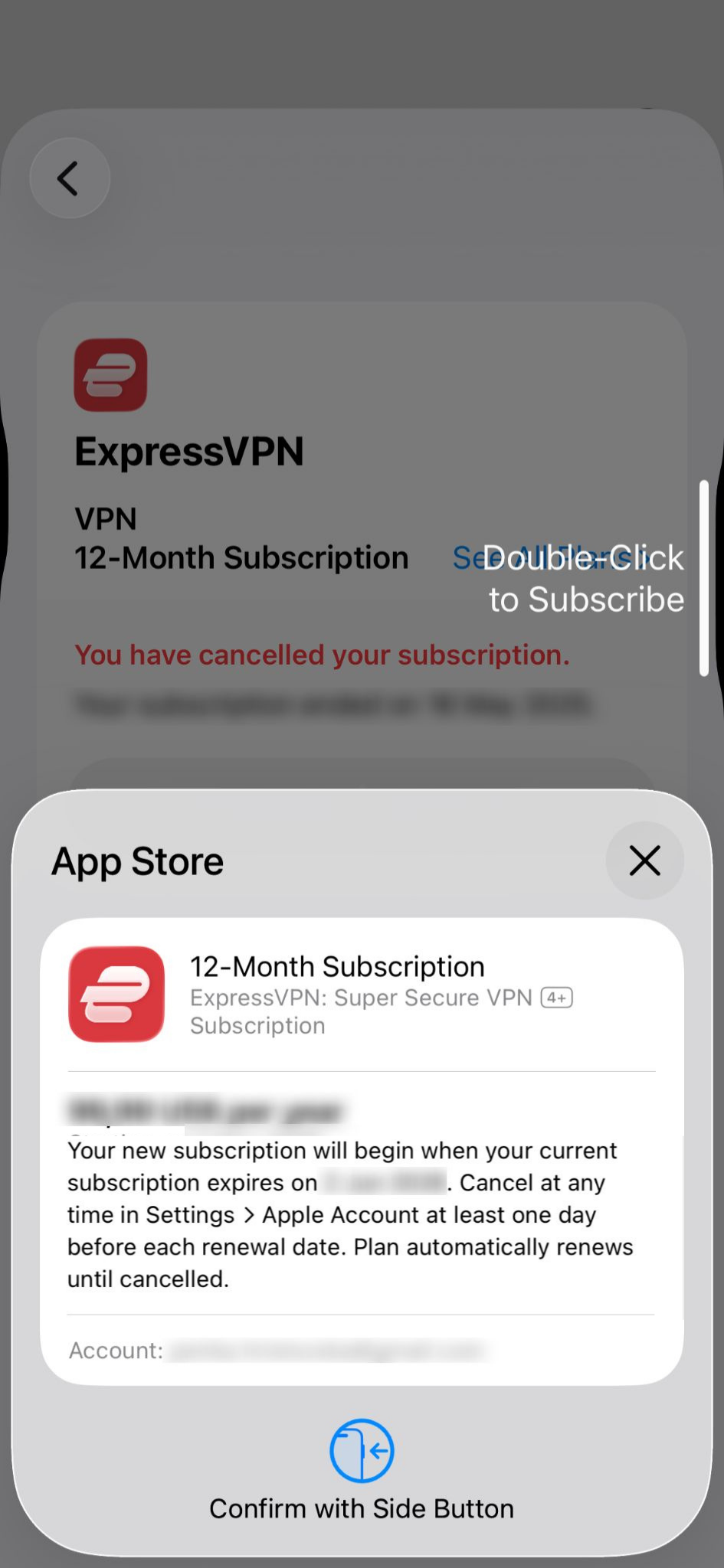
- Conferma l’acquisto con Face ID o Touch ID.

Se il tuo abbonamento è scaduto
Potrai abbonarti nuovamente seguendo questi passaggi:
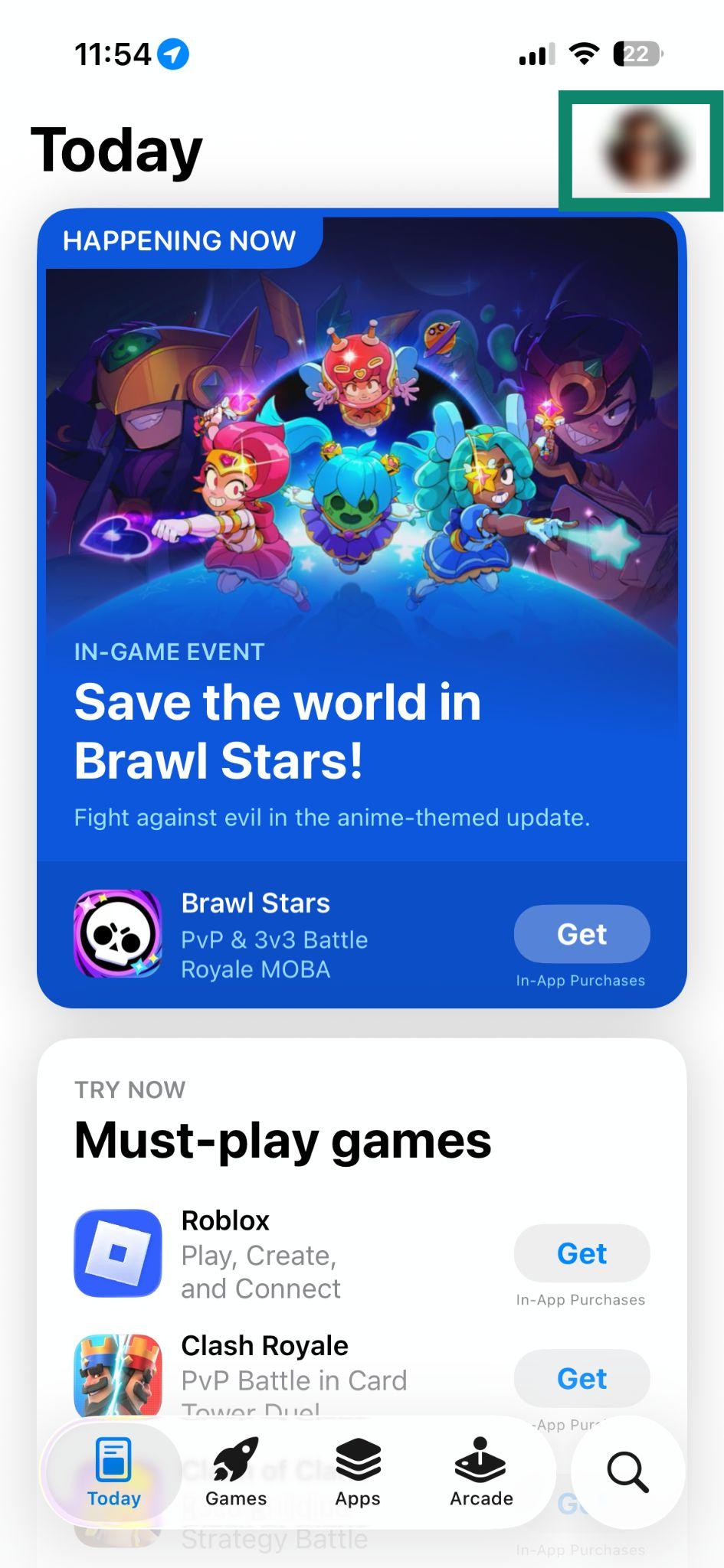
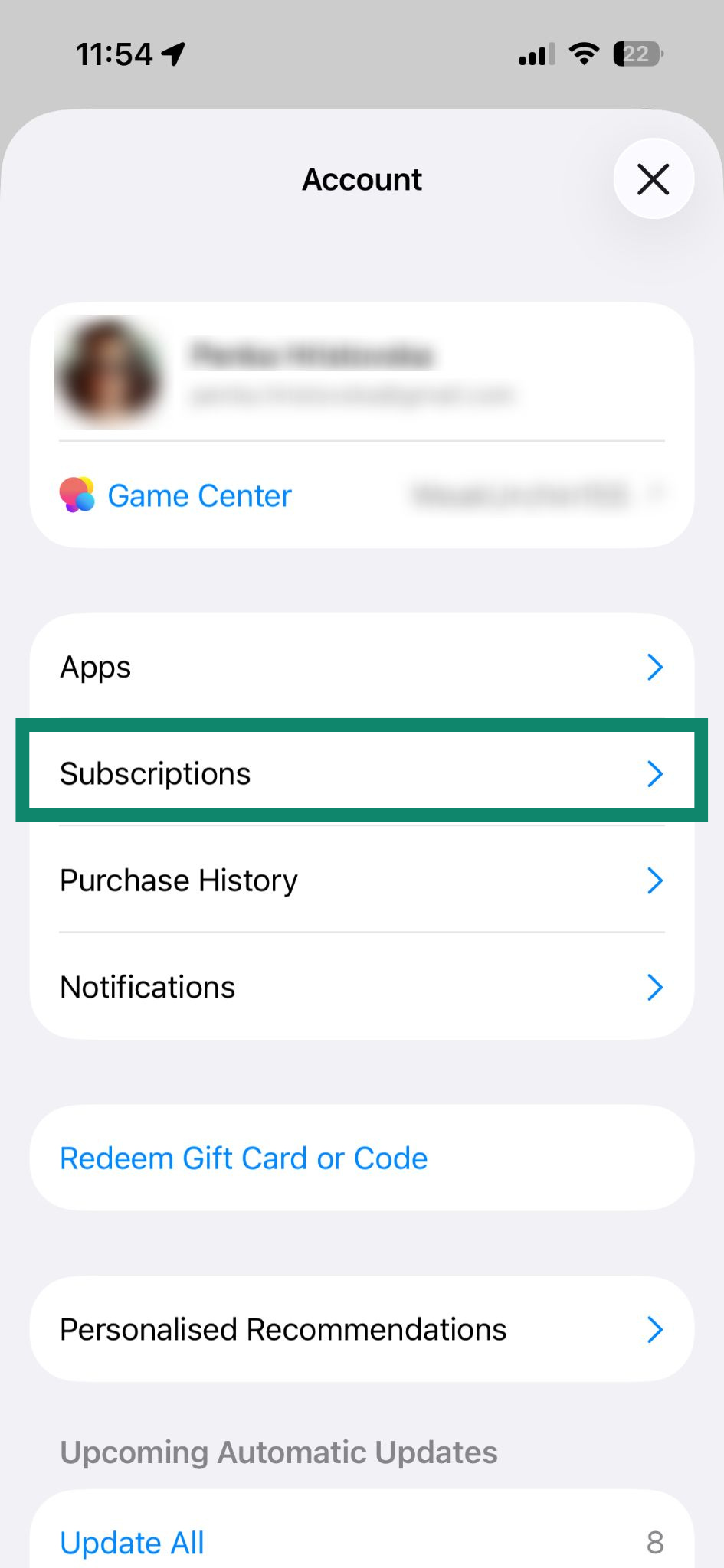
- Apri l’App Store e tocca profile icon (l’icona del tuo profilo).

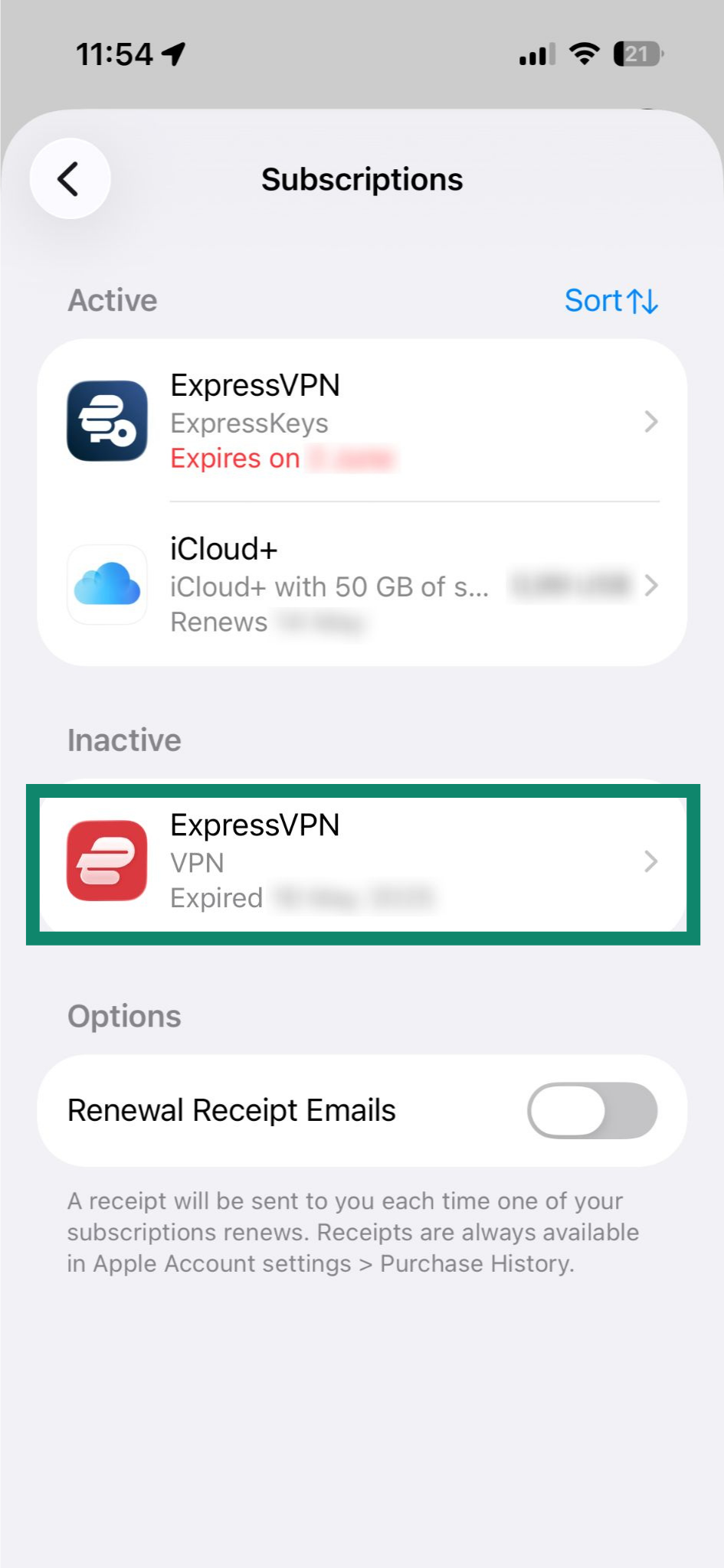
- Seleziona Subscriptions (abbonamenti).

- Tocca su ExpressVPN nella sezione Inattivi.

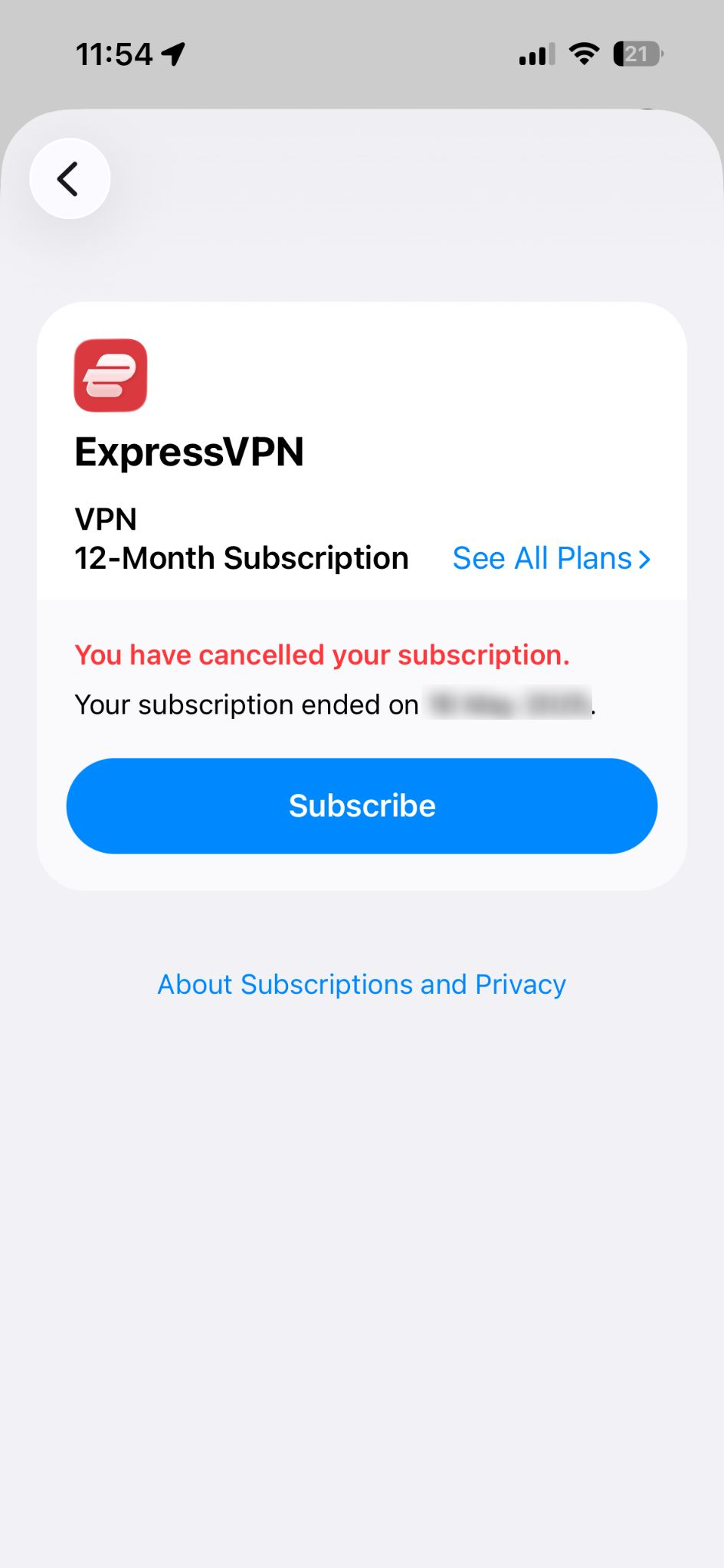
- Tocca Subscribe (abbonati).

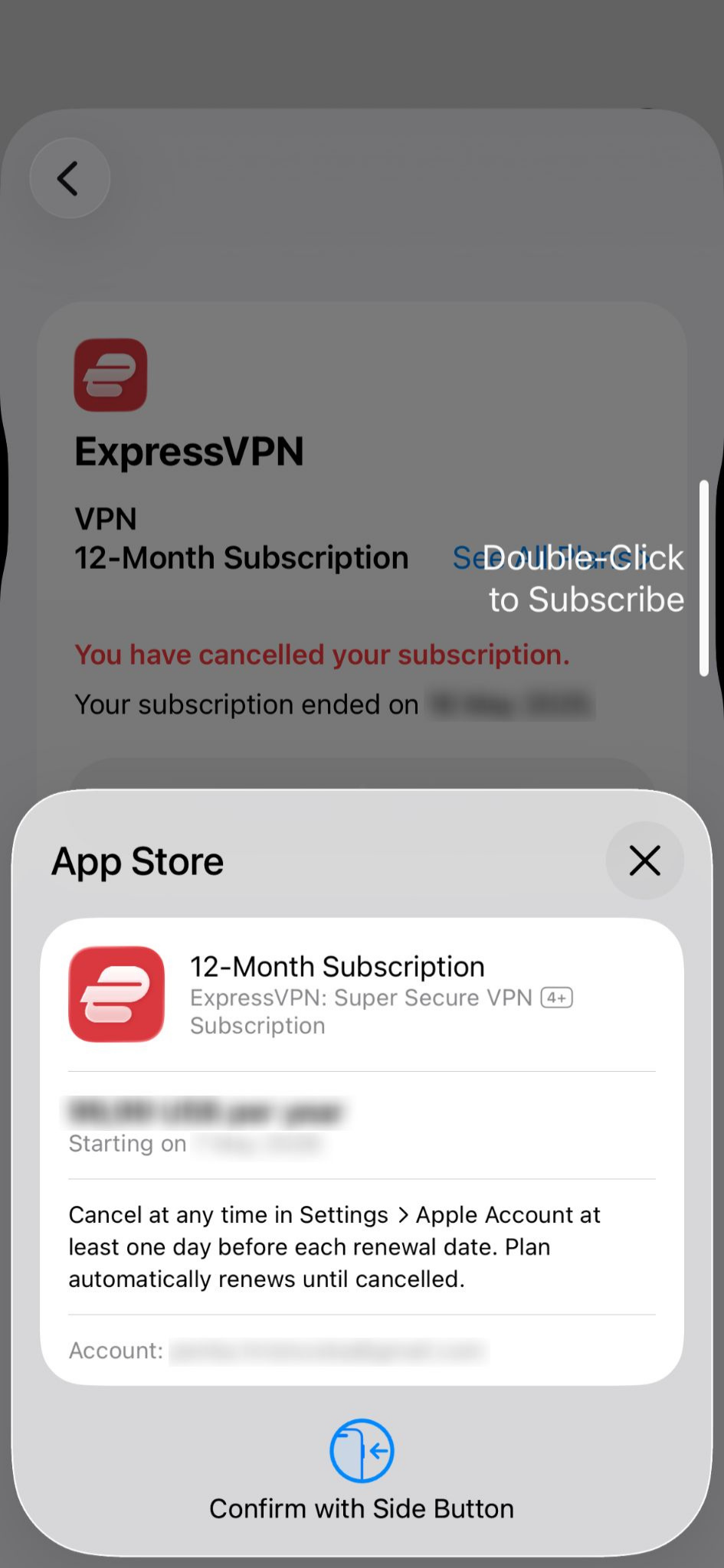
- Conferma l’acquisto con Face ID o Touch ID.

Scopri di più sugli abbonamenti tramite gli acquisti in-app nell’App Store.
Ti serve aiuto? Contatta il team di supporto ExpressVPN per ricevere assistenza immediata.
Abbonamenti tramite acquisti in-app di Google Play Store
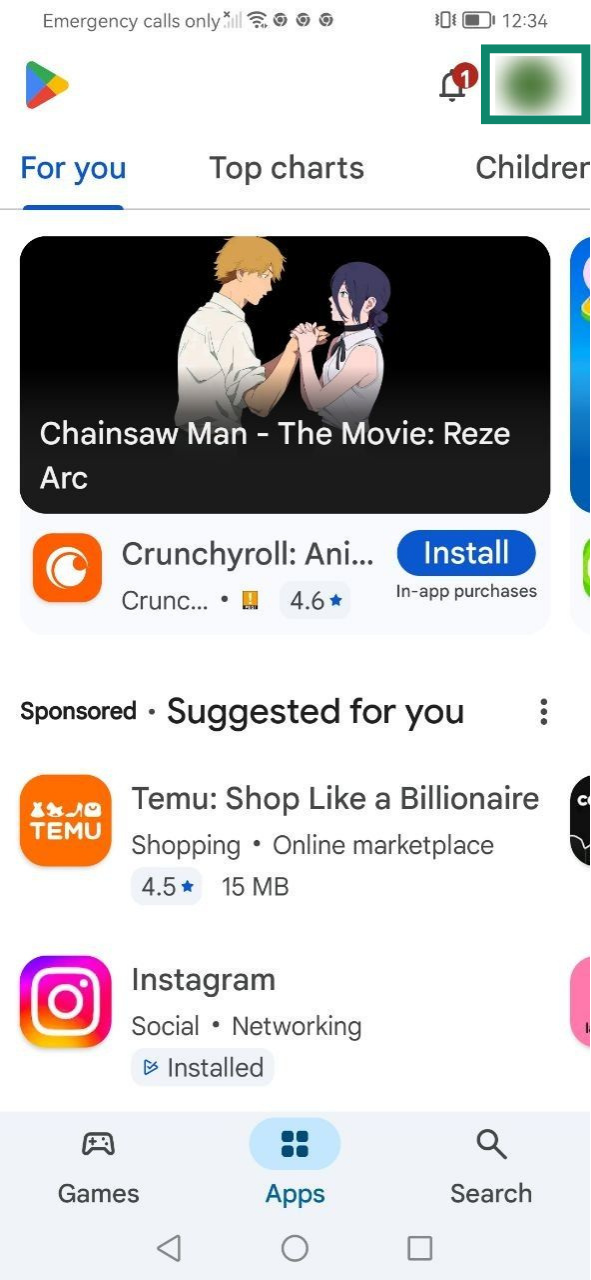
Gli abbonamenti acquistati tramite Google Play Store si rinnoveranno automaticamente al termine dell’abbonamento in corso. Se lo hai disdetto o è scaduto, segui questi passaggi per rinnovarlo:
- Apri Google Play Store e tocca profile icon (l’icona del tuo profilo).

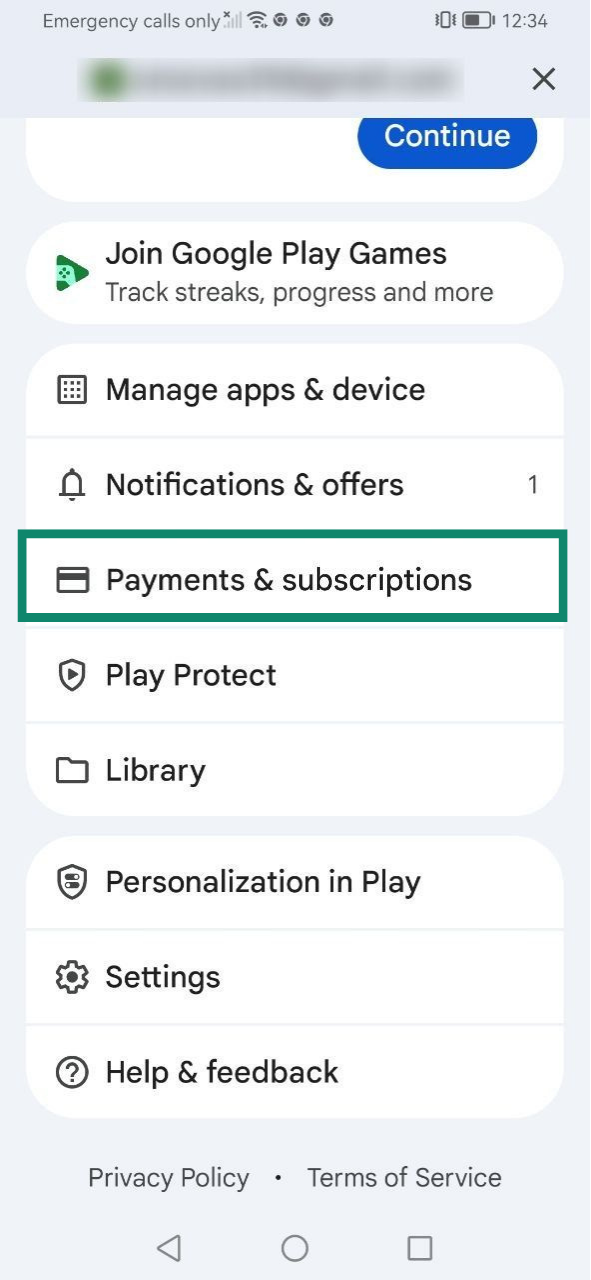
- Seleziona Payments & subscriptions (pagamenti e abbonamenti).

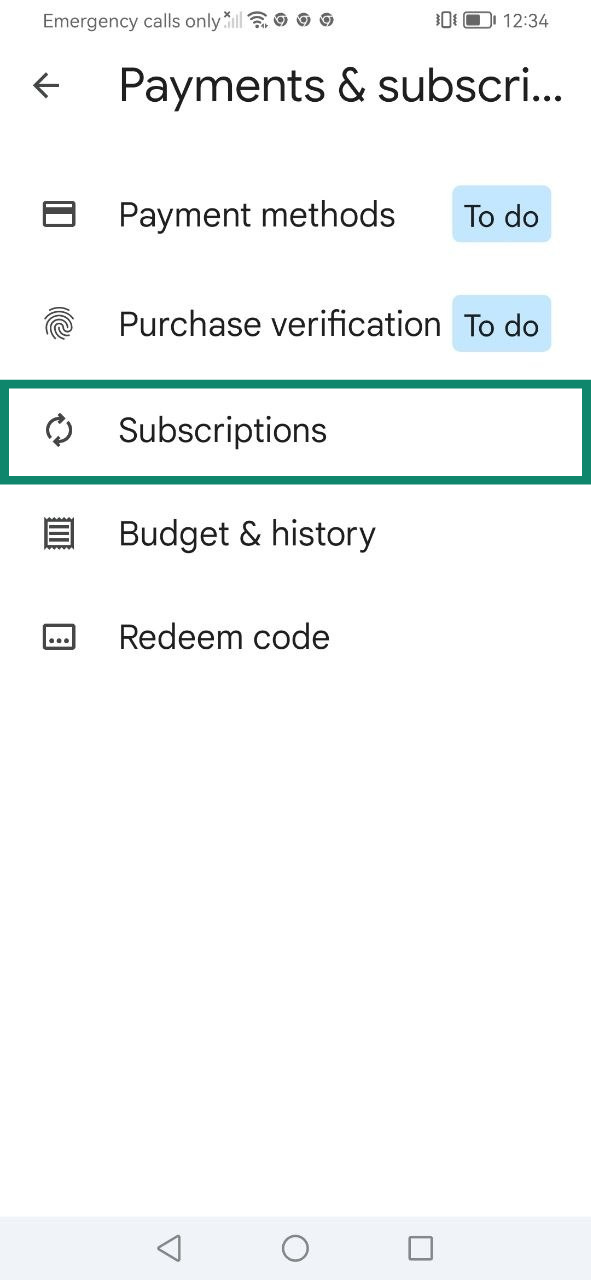
- Tocca Subscriptions (abbonamenti).

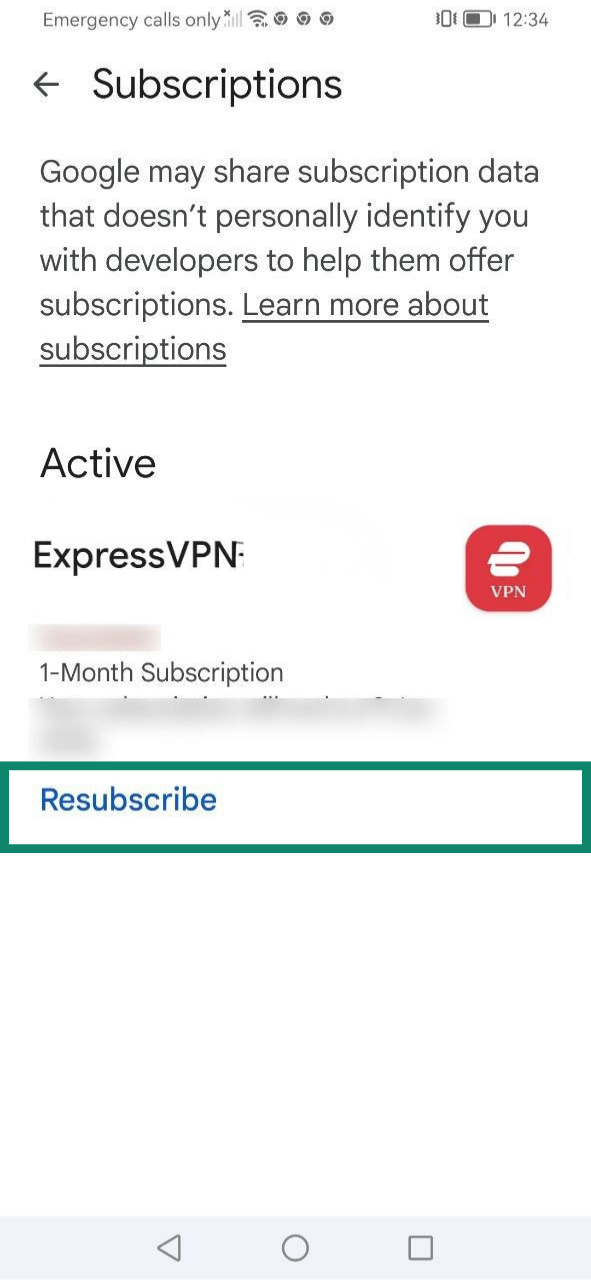
- Seleziona Resubscribe (abbonati di nuovo) nel tuo abbonamento a ExpressVPN.

- Tocca Resubscribe (abbonati di nuovo) ancora per confermare.

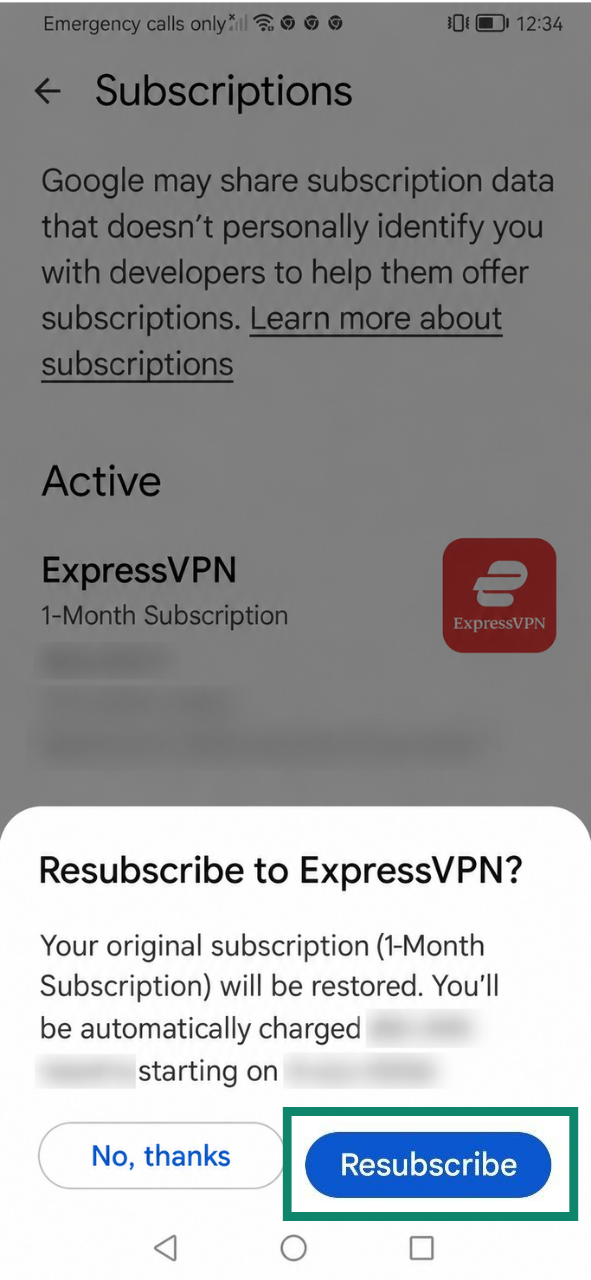
Scopri come funzionano gli abbonamenti tramite gli acquisti in-app nel Play Store.
Ti serve aiuto? Contatta il team di supporto ExpressVPN per ricevere assistenza immediata.
Come funziona il rinnovo automatico?
Il rinnovo automatico significa che un abbonamento si rinnoverà automaticamente al termine del periodo di fatturazione in corso. Per impostazione predefinita, il rinnovo automatico è attivo sui metodi di pagamento supportati, come carte di credito, PayPal, Apple Pay o Google Pay.
Se il tuo abbonamento attuale è impostato sul rinnovo automatico, ti verrà addebitato nuovamente l’importo alla scadenza dello stesso, a meno di non disdirlo entro la mezzanotte della data di rinnovo seguendo i passaggi indicati nella nostra guida alla cancellazione dell’abbonamento a ExpressVPN.
Se il rinnovo automatico viene disattivato, potrai continuare a utilizzare i servizi associati al tuo abbonamento a ExpressVPN fino alla fine del periodo di fatturazione in corso. Successivamente, il tuo accesso verrà sospeso fino a quando non effettuerai manualmente il pagamento per il rinnovo.
Come verificare lo stato del rinnovo automatico del tuo abbonamento
Per verificare se il rinnovo automatico è attivato o disattivato:
- Vai alla pagina Il mio abbonamento nella tua dashboard ExpressVPN+. Se richiesto, effettua l’accesso al tuo account.
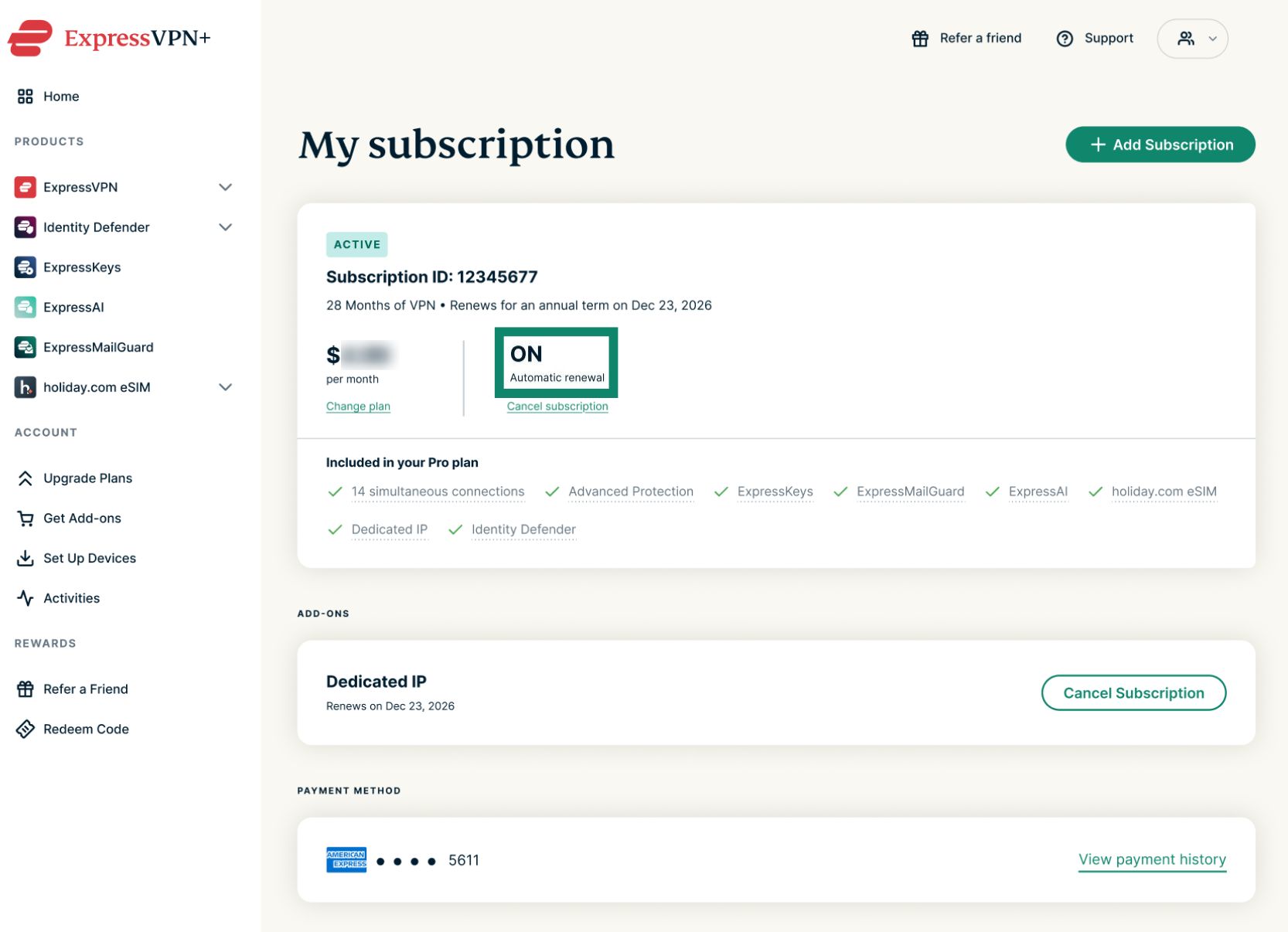
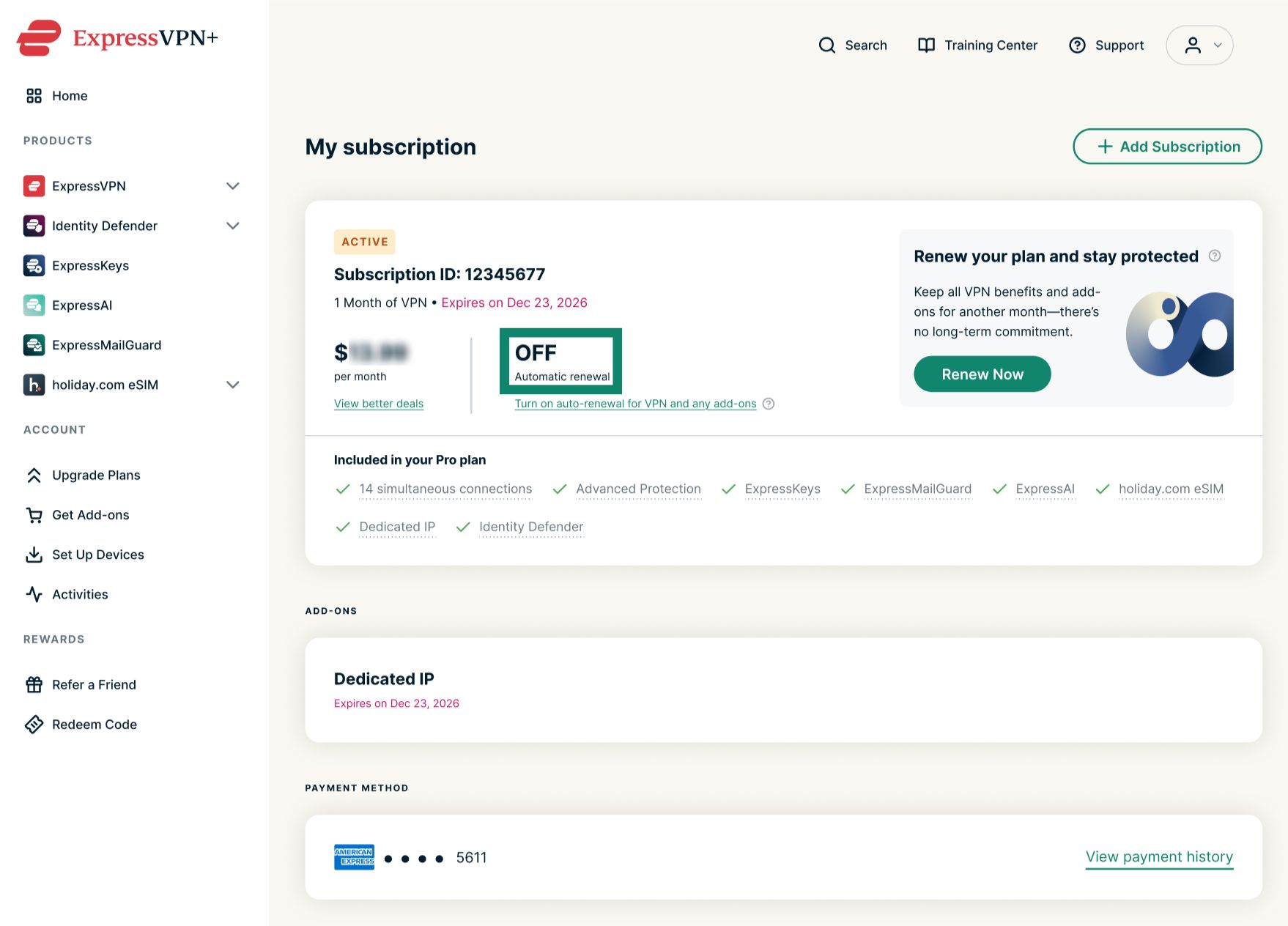
- Verifica lo stato del Automatic renewal (rinnovo automatico).
- ON (attivato) significa che il rinnovo automatico è abilitato per il tuo abbonamento.


- OFF (disattivato) significa che il rinnovo automatico è disabilitato per il tuo abbonamento.


- ON (attivato) significa che il rinnovo automatico è abilitato per il tuo abbonamento.
Come verificare i prossimi rinnovi automatici
Se sul tuo abbonamento è attivato il rinnovo automatico, potrai verificare gli addebiti futuri leggendo il testo riportato sotto Subscription ID (ID abbonamento).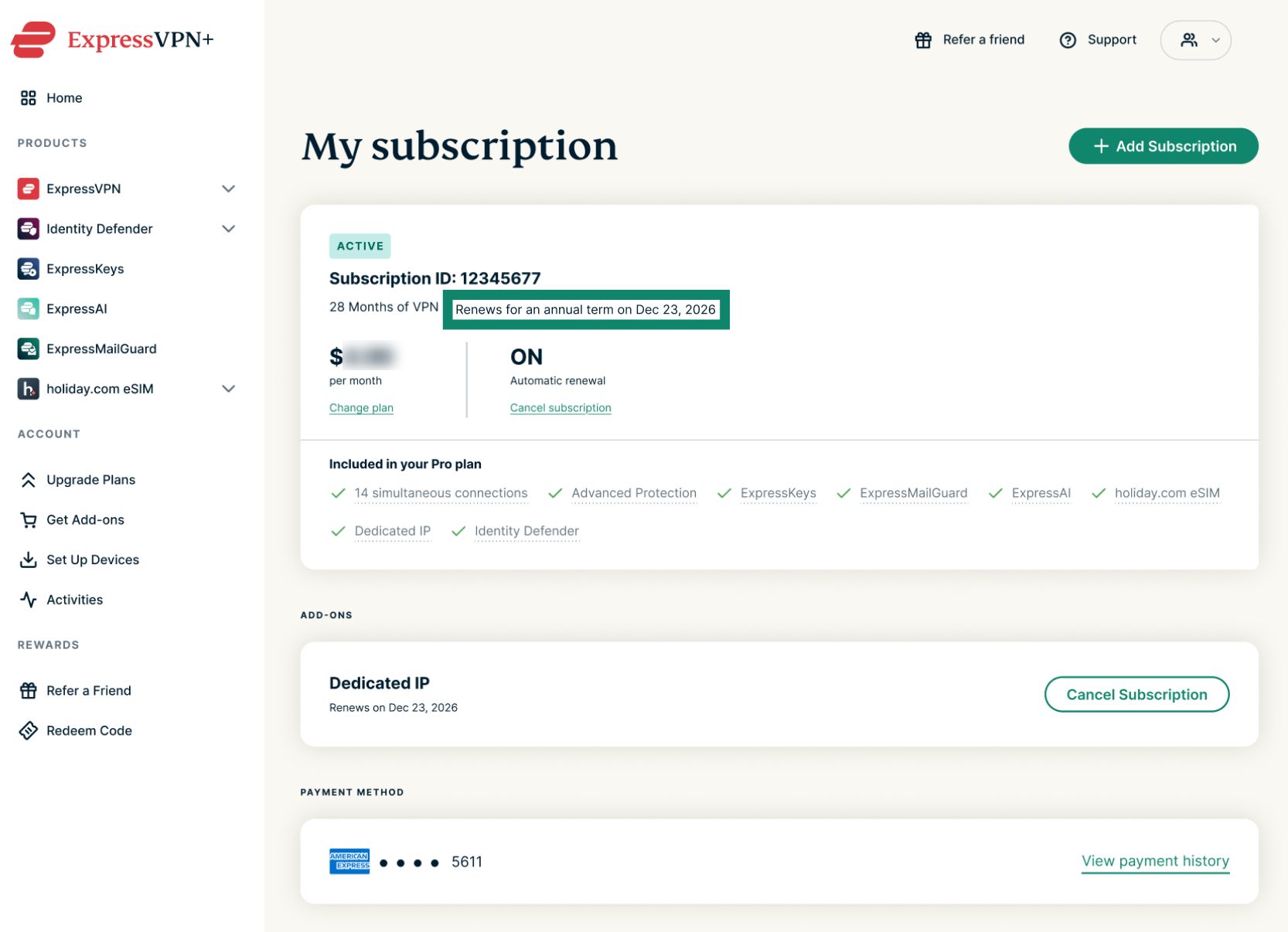
Il tuo pagamento verrà addebitato automaticamente alla scadenza specificata. I successivi rinnovi avverranno automaticamente fino alla tua richiesta di disdetta. I piani mensili si rinnovano automaticamente alla stessa data di ogni mese, quelli annuali si rinnovano automaticamente alla stessa data una volta all’anno, mentre le offerte biennali si rinnovano automaticamente al termine del periodo iniziale di due anni.
Ti serve aiuto? Contatta il team di supporto ExpressVPN per ricevere assistenza immediata.