• No-Logs Policy
    • Servers in 105 Countries
    • Use on Multiple Devices
    • High-Speed VPN
    • Access Online Services Securely
    • VPN for Gaming
    • 30-Day Money-Back Guarantee
    • Explore All Features
    • About ExpressVPN
    Sign Up For ExpressVPN

    One subscription gives you access to a fast-growing suite of privacy and security tools that work seamlessly together to improve your digital life.

    View all products
    • Lightway VPN Protocol
    • Internet Kill Switch
    • Split Tunneling
    • Private, Encrypted DNS
    • Avoid ISP Throttling
    • Threat Manager
    • Ad Blocker
    • Parental Controls
    • Dedicated IP
    • Windows
    • MacOS
    • Linux
    • iPhone / iPad
    • Android
    • Apple TV
    • Fire Stick
    • Android TV
    • VPN for Routers
    • Aircove Routers
    • Chrome
    • Firefox
    • Edge
    • All Apps & Devices
  • Pricing
    • What Is a VPN?
    • VPN for Beginners
    • How To Use a VPN
    • VPN Encryption Explained
    • Blog
    • Glossary
    • IP Address Checker
    • DNS Leak Test
    • WebRTC Leak Test
    • Password Generator
    • Support Center
    • FAQ
    • Live Chat
    • VPN Setup Tutorials
    • Redemption Code
  • VPN for Teams
    • ExpressVPN

      ExpressVPN Industry-leading, ultra-fast VPN with secure servers in 105 countries.

    • ExpressMailGuard

      ExpressMailGuard Private email relay service to protect your inbox and identity.

    • ExpressKeys

      ExpressKeys Secure password management, multi-factor authentication, and more.

    • ExpressAI

      ExpressAI The first consumer AI powered by confidential computing for privacy-led intelligence.

    • Identity Defender

      Identity Defender Powerful suite of ID protection, monitoring, and data removal tools.

    • View All Products

    Other products from the family behind ExpressVPN

    • holiday.com eSIM

      holiday.com eSIM Unlimited data with a single eSIM across 150+ destinations.

    • Intego

      Intego Award-winning macOS antivirus, firewall, system tools, and more.

    ExpressVPN for Teams
    ExpressVPN for Teams

    Get fast, secure VPN protection for growing teams. Easy to deploy, simple to manage, built to scale.

  • My Account
  • Hanki Aircove Asenna
  • Aloita
  • Aloita Hanki Aircove Asenna
  • Explore ExpressVPN
    • Why ExpressVPN?
    • No-Logs Policy
    • Servers in 105 Countries
    • Use on Multiple Devices
    • High-Speed VPN
    • Access Online Services Securely
    • VPN for Gaming
    • 30-Day Money-Back Guarantee
    • Explore All Features
    • About ExpressVPN
    • VPN Security & Access Features
    • Lightway VPN Protocol
    • Internet Kill Switch
    • Split Tunneling
    • Private, Encrypted DNS
    • Avoid ISP Throttling
    • Threat Manager
    • Ad Blocker
    • Parental Controls
    • Dedicated IP
  • Download VPN
    • Desktop
    • Windows
    • MacOS
    • Linux
    • Mobile
    • iPhone / iPad
    • Android
    • TV & Streaming
    • Apple TV
    • Fire Stick
    • Android TV
    • Routers
    • VPN for Routers
    • Aircove Routers
    • Extensions
    • Chrome
    • Firefox
    • Edge
    • All Apps & Devices
  • Pricing
  • Resources
    • VPN Basics
    • What Is a VPN?
    • VPN for Beginners
    • How To Use a VPN
    • VPN Encryption Explained
    • Content Library
    • Blog
    • Glossary
    • Tools
    • IP Address Checker
    • DNS Leak Test
    • WebRTC Leak Test
    • Password Generator
    • Support
    • Support Center
    • FAQ
    • Live Chat
    • VPN Setup Tutorials
    • Redemption Code
  • VPN for Teams
  • Products
    • ExpressVPN

      ExpressVPN Industry-leading, ultra-fast VPN with secure servers in 105 countries.

    • ExpressMailGuard

      ExpressMailGuard Private email relay service to protect your inbox and identity.

    • ExpressKeys

      ExpressKeys Secure password management, multi-factor authentication, and more.

    • ExpressAI

      ExpressAI The first consumer AI powered by confidential computing for privacy-led intelligence.

    • Identity Defender

      Identity Defender Powerful suite of ID protection, monitoring, and data removal tools.

    • View All Products

    Other products from the family behind ExpressVPN

    • holiday.com eSIM

      holiday.com eSIM Unlimited data with a single eSIM across 150+ destinations.

    • Intego

      Intego Award-winning macOS antivirus, firewall, system tools, and more.

    ExpressVPN for Teams
    ExpressVPN for Teams

    Get fast, secure VPN protection for growing teams. Easy to deploy, simple to manage, built to scale.

  • My Account
Home Home » Kuinka vaihtaa tai hakea ExpressVPN-sähköpostiosoitteesi

Tilin hallinnointi

Kuinka vaihtaa tai hakea ExpressVPN-sähköpostiosoitteesi

Päivitetty viimeksi: 20. tammikuuta 2026

Share in FacebookShare in TwitterShare in WhatsappShare in TelegramShare by email

Tee ensin ExpressVPN-tilaus käyttääksesi sovelluksiamme ja asetuksiamme.

Tämä opas näyttää, kuinka voit sekä vaihtaa että hakea ExpressVPN-tilisi sähköpostiosoitteen. Voit vaihtaa rekisteröidyn sähköpostiosoitteesi ainoastaan ExpressVPN:n verkkosivuilla, ei ExpressVPN-sovelluksessa.

Siirry kohtaan…

Vaihda sähköposti
Hae sähköposti


Vaihda sähköposti

Kun ostat ExpressVPN-tilin, annat sähköpostiosoitteen, jota käytetään tilin käyttöoikeuden hallintaan (iOS-käyttäjät voivat kuitenkin ostaa ExpressVPN-tilin App Storen kautta).

Näin voit vaihtaa rekisteröidyn sähköpostiosoitteesi ExpressVPN-tilillesi:

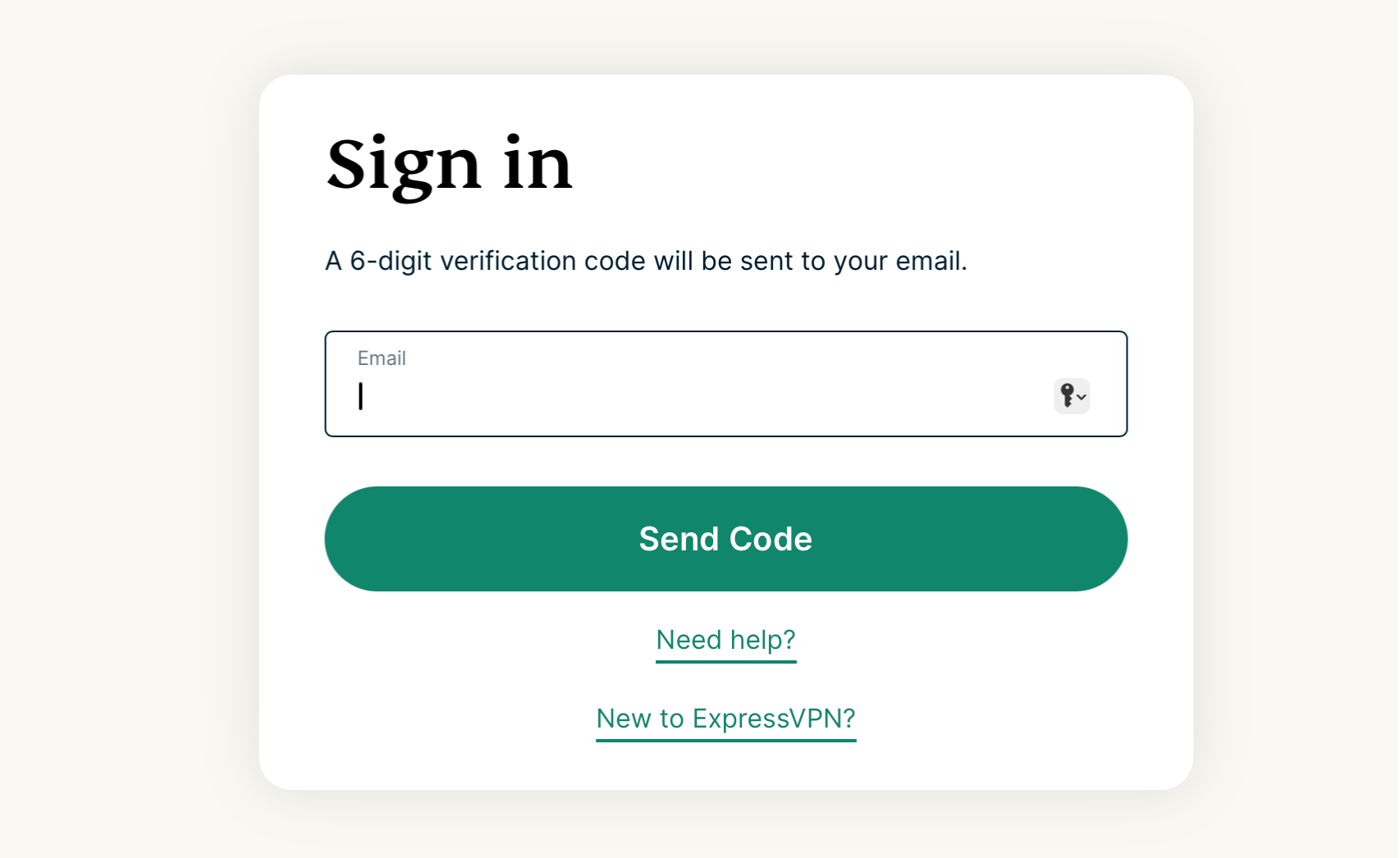
  1. Kirjaudu sisään ExpressVPN-tilillesi.
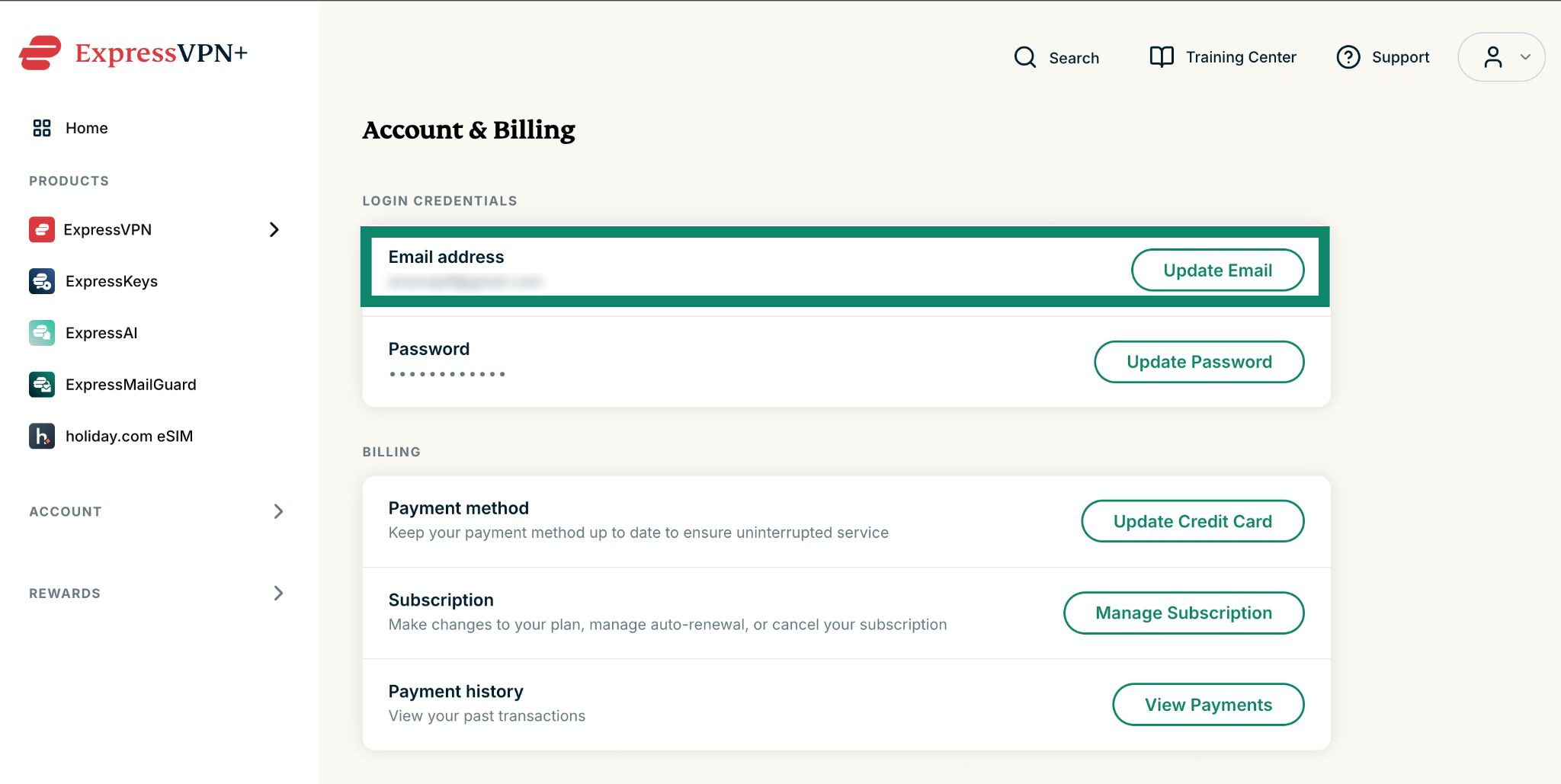
  2. Valitse Tili ja laskutus.
  3. Valitse Sähköpostiosoite-kohdasta Päivitä.
  4.  Valitse Päivitä uudellee seuraavassa Sähköpostiosoite-osiossa.
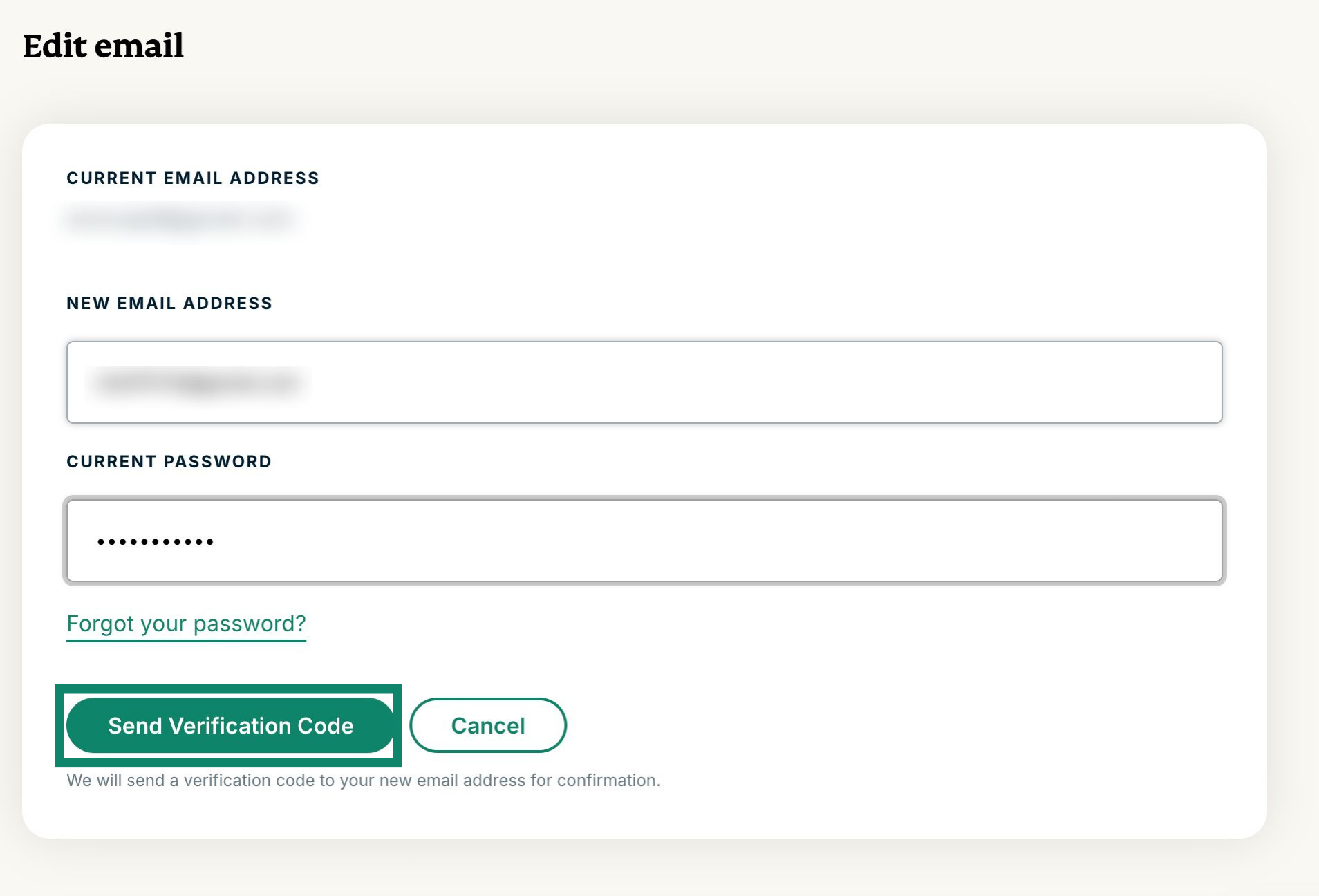
  5. Täytä seuraavat kentät:
      • Uusi sähköpostiosoite
      • Vahvista uusi sähköpostiosoite
      • Salasana

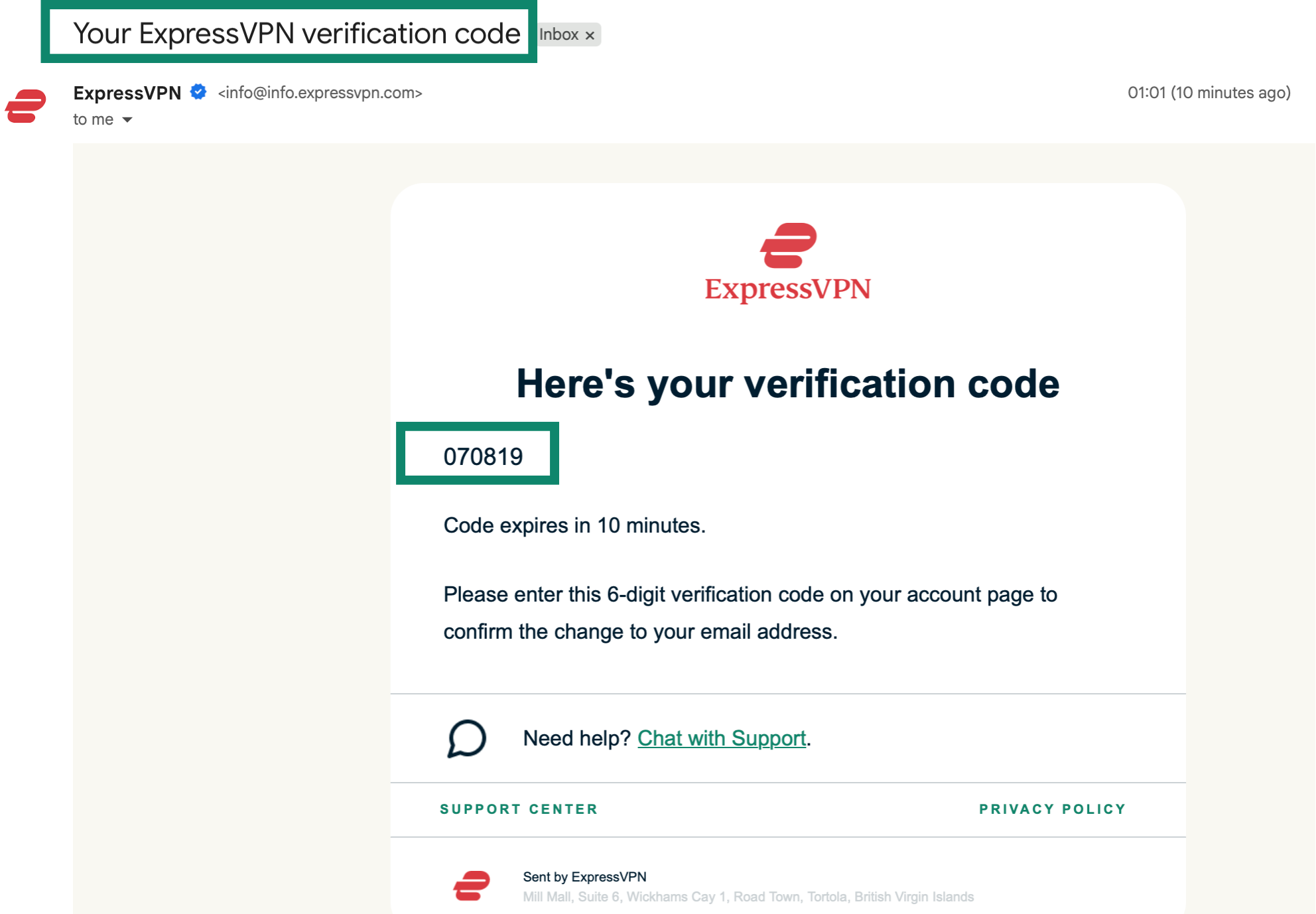
    Kun olet täyttänyt kaikki kentät, valitse Lähetä vahvistuskoodi. 6-numeroinen vahvistuskoodi lähetetään uuteen sähköpostiosoitteeseesi. Sähköpostiviestin otsikko on ”ExpressVPN:n sähköpostiosoitteen päivityspyyntö”.

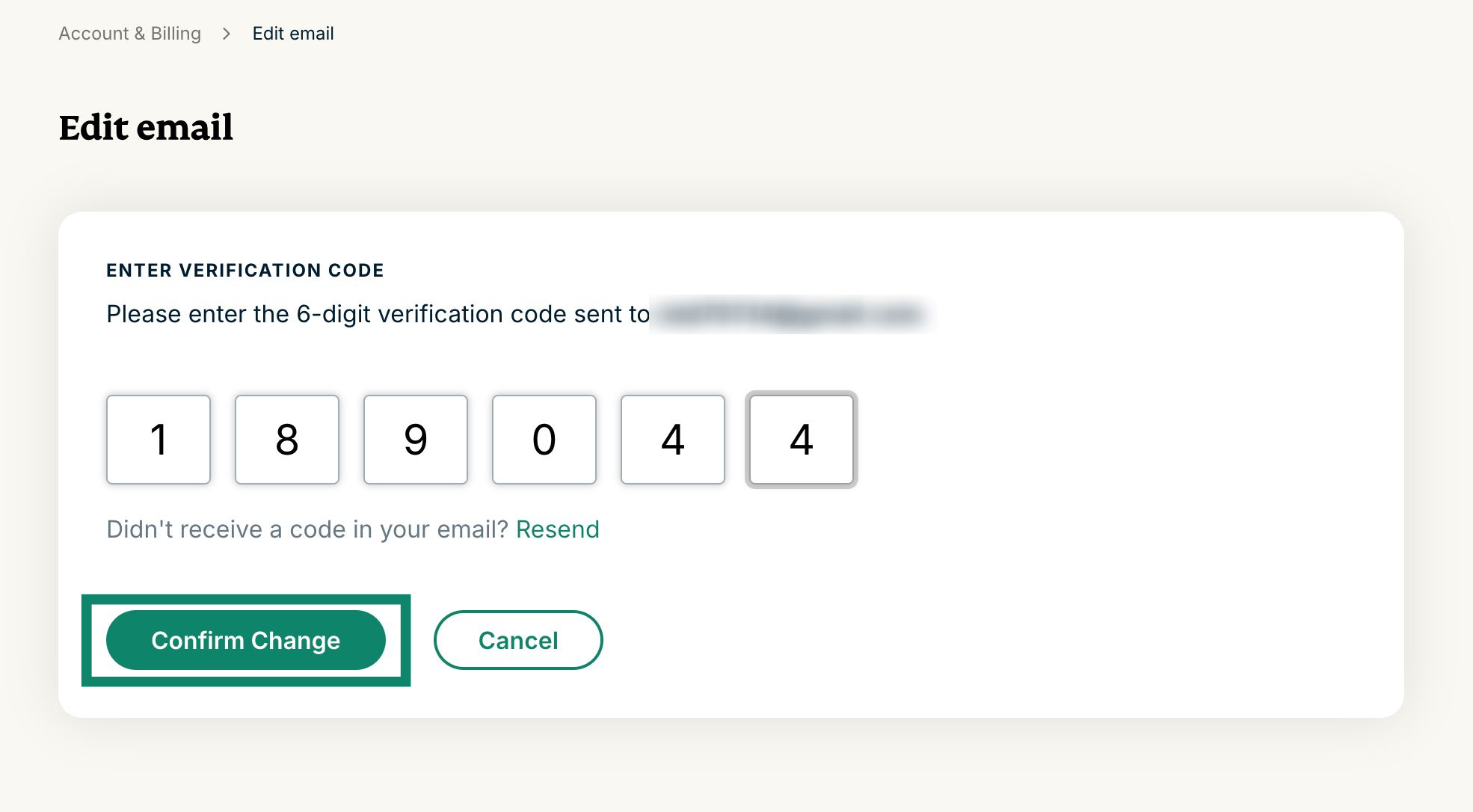
  6. Syötä 6-numeroinen vahvistuskoodi ja valitse sitten Vahvista muutos.
  7. Jos kaikki sujui hyvin, näet viestin, jossa lukee ”Sähköpostiosoitteesi päivittäminen onnistui!”

Tarvitsetko apua? Ota yhteyttä ExpressVPN:n tukitiimiin saadaksesi välitöntä apua.

Takaisin alkuun


Hae sähköposti

Jos olet unohtanut ExpressVPN-tiliisi liitetyn sähköpostiosoitteen tai haluat vaihtaa sen, ota yhteyttä ExpressVPN:n tukitiimiin sähköpostiosoitteen vahvistamista tai vaihtopyynnön tekemistä varten.

Ennen yhteydenottoa tukitiimiin, varmista, että sinulla on tilitietosi ja maksutietosi valmiina varmennusta varten.

Takaisin alkuun

Share in FacebookShare in TwitterShare in WhatsappShare in TelegramShare by email
Oliko tämä artikkeli hyödyllinen?

Ikävä kuulla. Kerrothan meille, missä voisimme parantaa.

Please enter a valid email address.

Tukitiimimme jäsen on sinuun yhteydessä ongelmaan liittyen.

Share in FacebookShare in TwitterShare in WhatsappShare in TelegramShare by email
  • VPN kaikille laitteille
  • Lataa ExpressVPN
  • MacOS
  • Windows PC
  • iOS (iPhone & iPad)
  • Android
  • Linux
  • Reitittimet
  • Apple TV
  • Fire Stick
  • Android TV
  • Chrome-laajennus
  • VPN-palvelinsijainnit
  • Palvelimet 105 maassa
  • VPN Yhdysvalloissa
  • VPN Iso-Britanniassa
  • VPN Kanadassa
  • VPN Australiassa
  • Ominaisuudet
  • Tutustu kaikkiin ominaisuuksiin
  • Riskitön VPN-kokeilu
  • Tilauspaketit ja hinnat
  • Tuotteet
  • Keys – salasanojen hallinta
  • Aircove-reitittimien
  • Tietoa ExpressVPN:stä
  • Meistä
  • Luottamuskeskus
  • Oikeuskeskus
  • Turvallisuustarkastukset
  • ExpressVPN arvostelut
  • Asiantuntijamme
  • Media
  • Urat
  • Ohjelmat
  • Tottenham Hotspur
  • Tee yhteistyötä kanssamme
  • Kumppanuusohjelma
  • Vaikuttajamarkkinointi
  • Hanki tukea
  • Tukikeskus
  • Ohjeet VPN:n asentamiseen
  • Usein kysyttyä
  • Ota yhteyttä
  • Osta VPN
  • Syötä lunastuskoodi
  • Lue lisää
  • Mikä on VPN?
  • Mikä on IP-osoitteeni?
  • Piilota IP-osoitteeni
  • 5 tärkeintä syytä käyttää VPN:ää
  • Blogi

© 2026 ExpressVPN. All rights reserved.

Yksityisyyskäytäntö Palveluehdot Cookie Preferences
Youtube Linkedin Twitter Facebook Instagram

Valitse kieli

  • English
  • Dansk
  • Deutsch
  • Español
  • Français
  • Italiano
  • Nederlands
  • Norsk
  • Polski
  • Português
  • Svenska
  • Türkçe
  • Русский
  • ภาษาไทย
  • 한국어
  • 日本語

Live chat

Need help? Chat with us!

Online