Note: Identity Defender is currently only available for users in the United States of America.
This guide will show you how to sign in to and set up Identity Defender.
Jump to…
Signing in to Identity Defender
Signing in to Identity Defender
Signing in to the Identity Defender app is easy thanks to ExpressVPN’s new single sign-on system. All you need is your ExpressVPN account credentials.
To sign in to Identity Defender:
- Open the Identity Defender app.
- Tap Let’s Go.
- Enter your ExpressVPN account email and password, then tap Sign In.


- A verification code will be sent to your email address. Add the code to the field marked Verification Code, then tap Next.
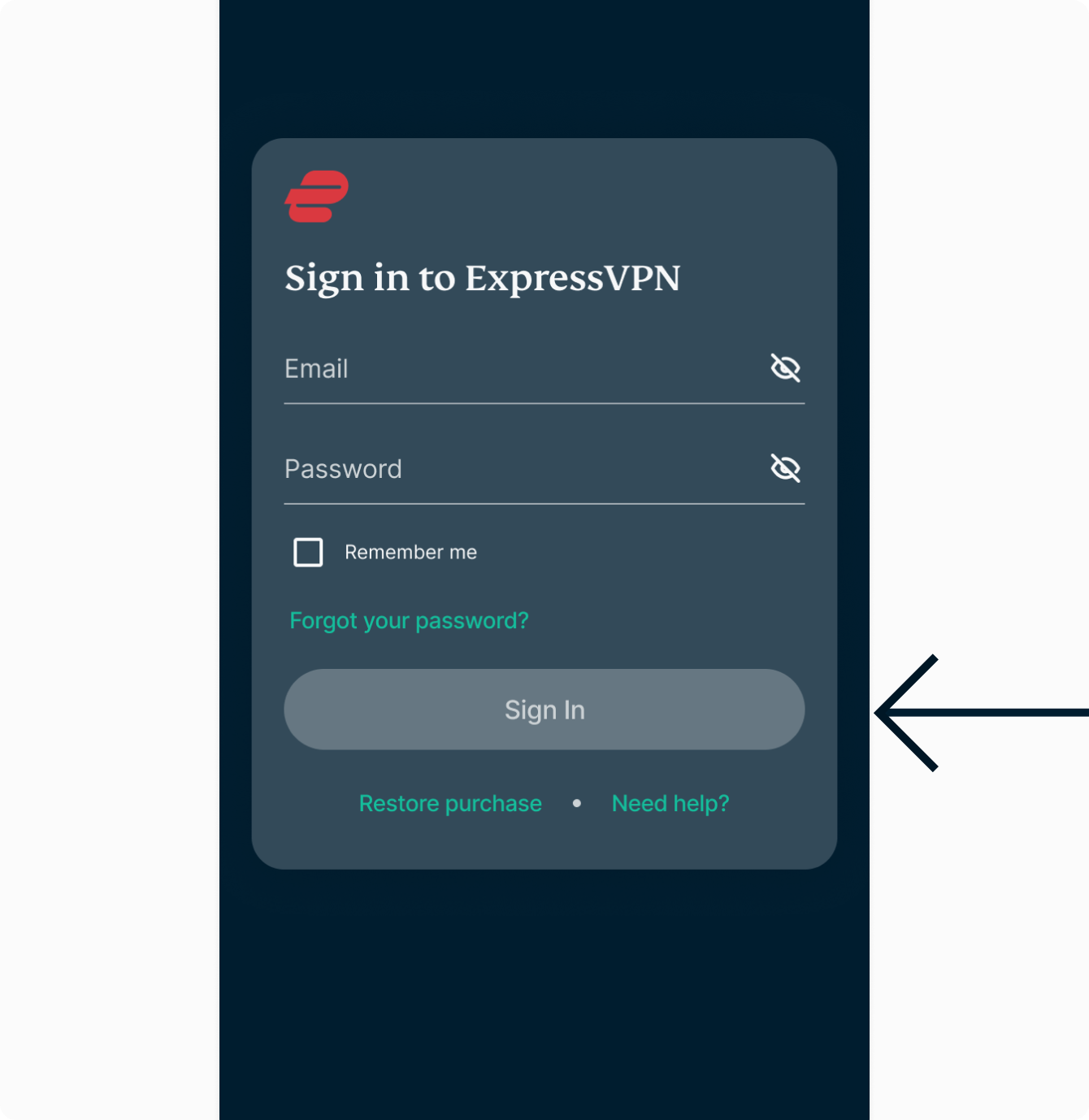
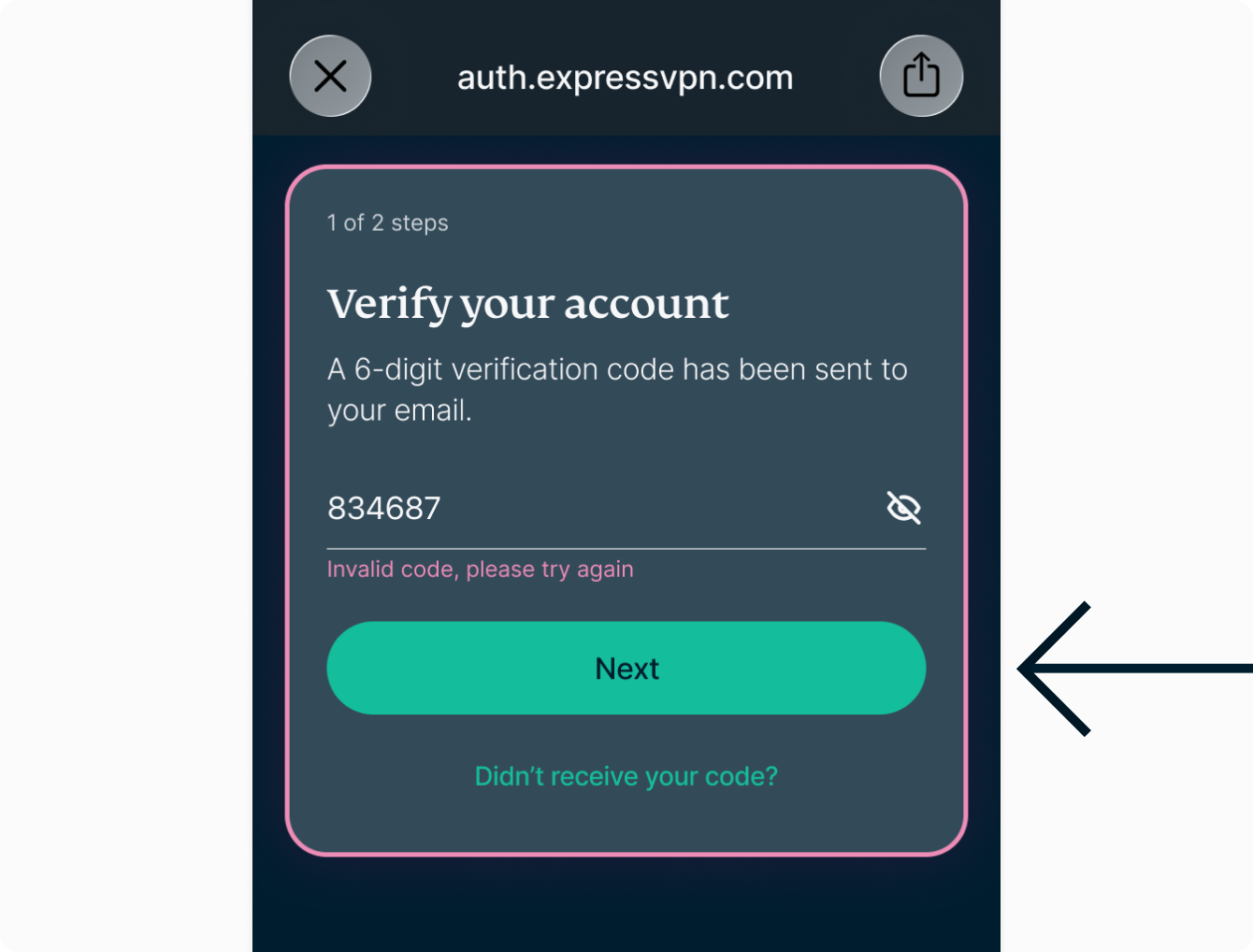
You have successfully signed in to the Identity Defender app.
Need help? Contact the ExpressVPN Support Team for immediate assistance.
Verifying your identity
In order to use the services included in Identity Defender, we need to verify your identity. Identity Defender offers a secure and efficient way to verify your identity.
When confirming your identity, you will need to provide some general personal information about yourself. It only takes a few minutes to complete.
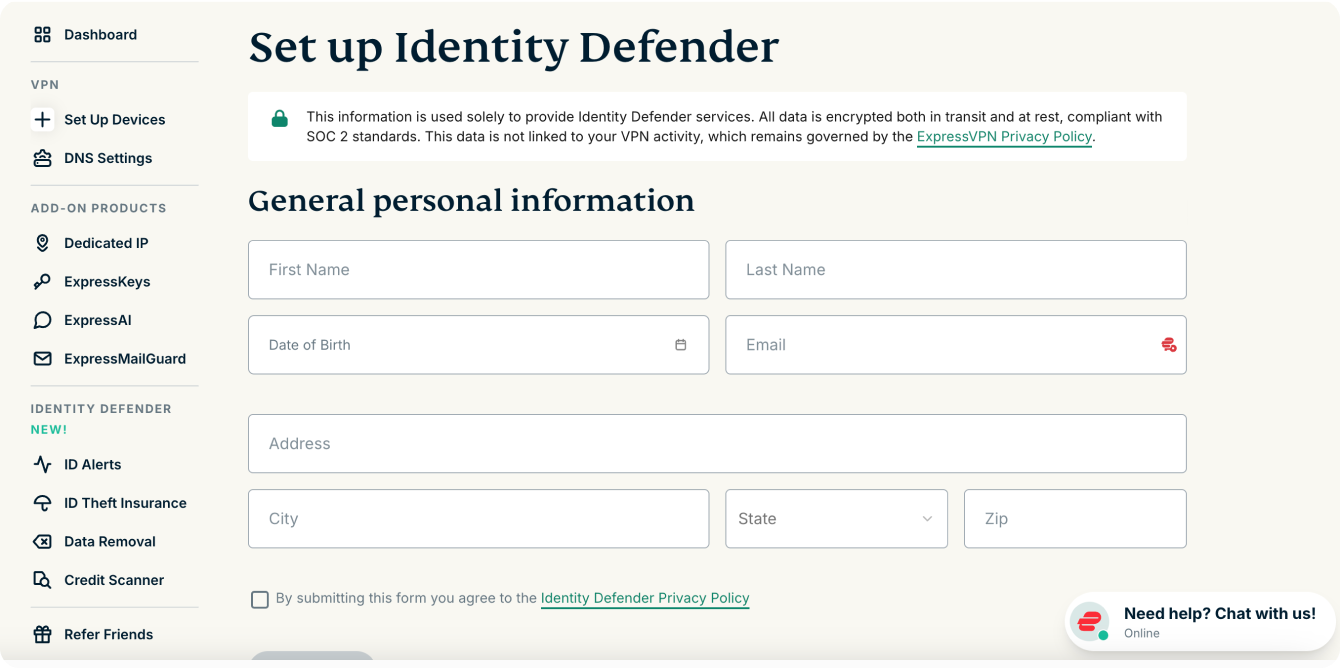
This information is used solely to provide Identity Defender services. All data is encrypted both in transit and at rest, compliant with SOC 2 standards. This data is not linked to your VPN activity, which remains governed by the ExpressVPN Privacy Policy.
There are two ways to confirm your identity:
- via the Identity Defender app
- via the ExpressVPN website
Confirming your identity via the Identity Defender app
To verify your identity:
- Open the Identity Defender app.
- Tap Set Up.
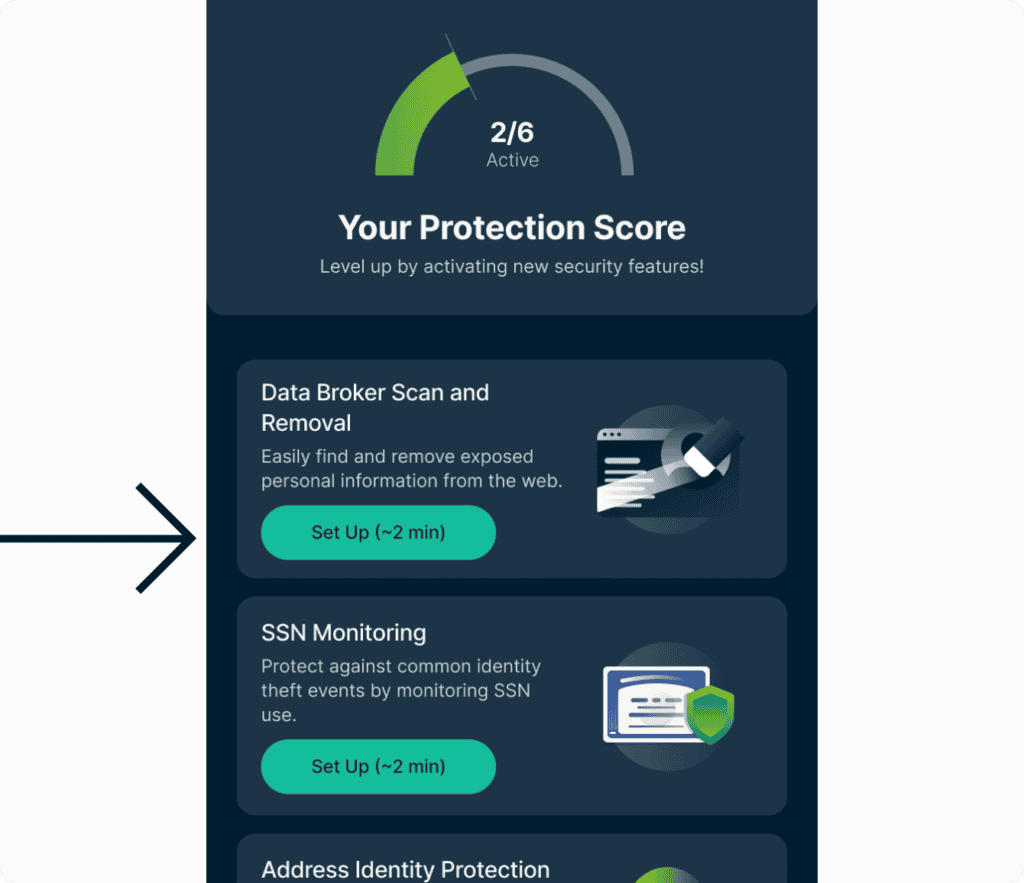

- You will be asked to provide your general personal information. Fill in the following mandatory fields:


- Your first name
- Your last name
- Your date of birth
- Your email address
- Your phone number
- Your social security number
- Your home address, including:
- City
- State
- ZIP code
- To submit your information, you need to agree to the Identity Defender Privacy Policy. When ready, tap the toggle button to agree to the policy.

- Tap Continue to submit your personal information.
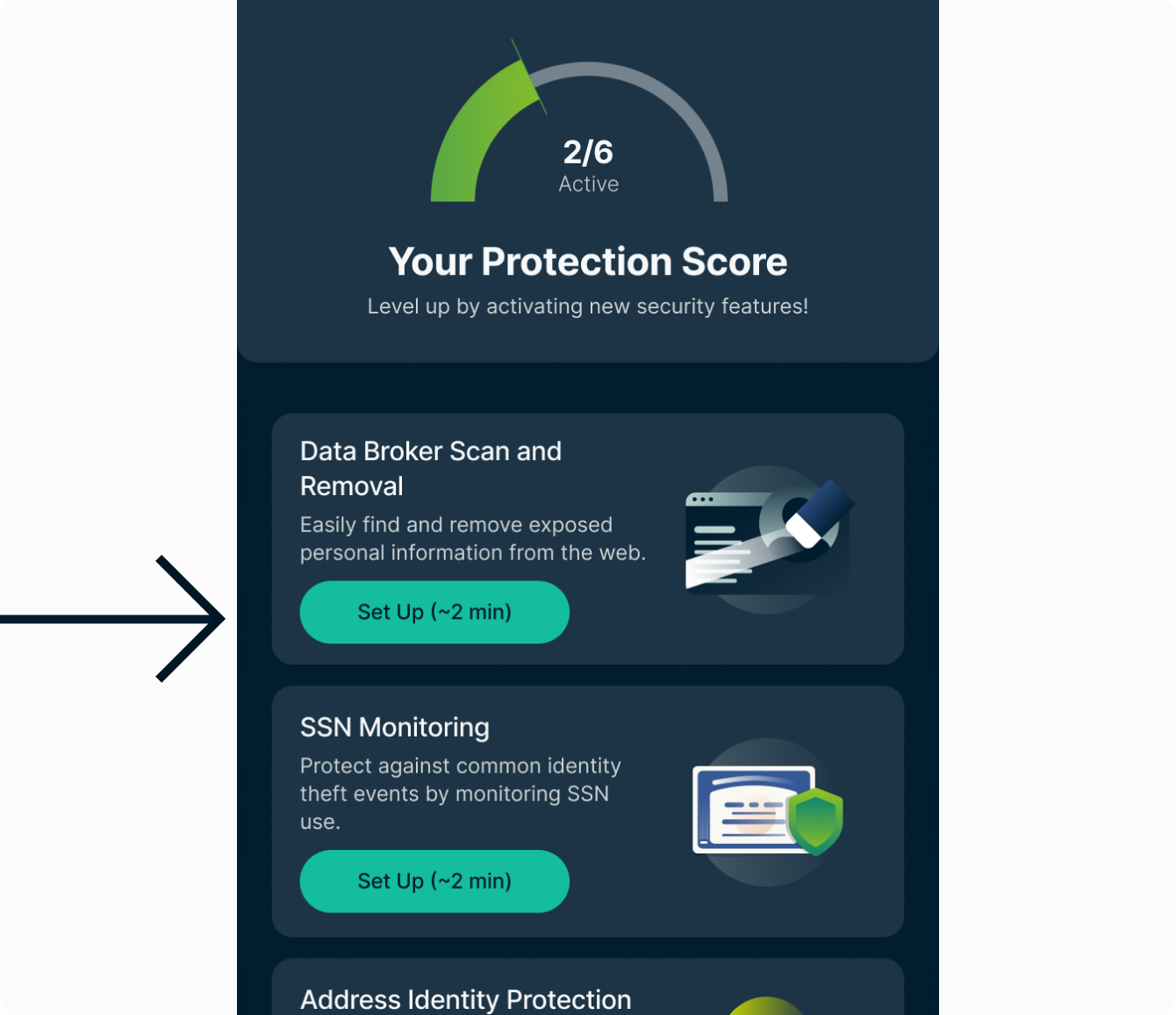
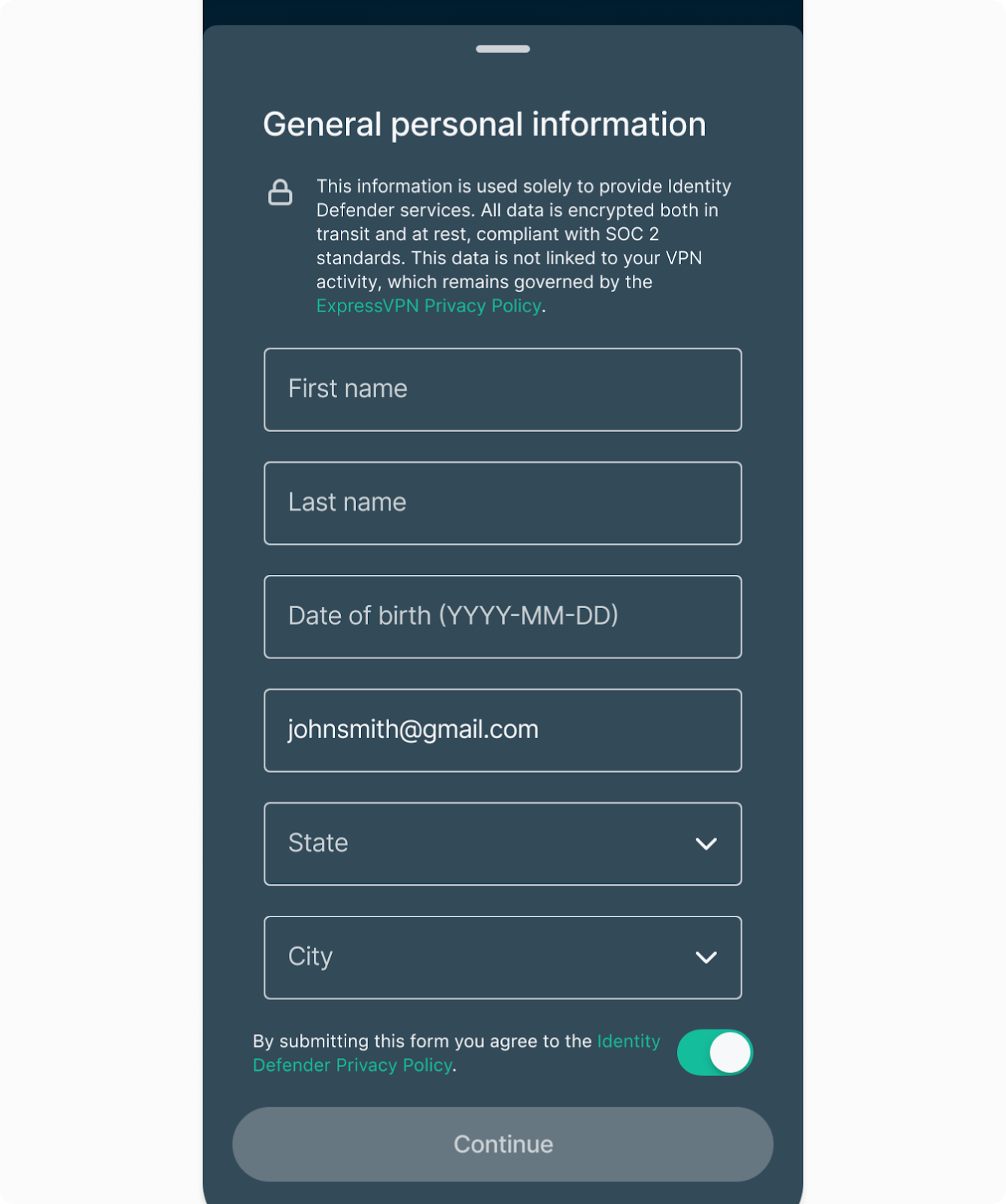
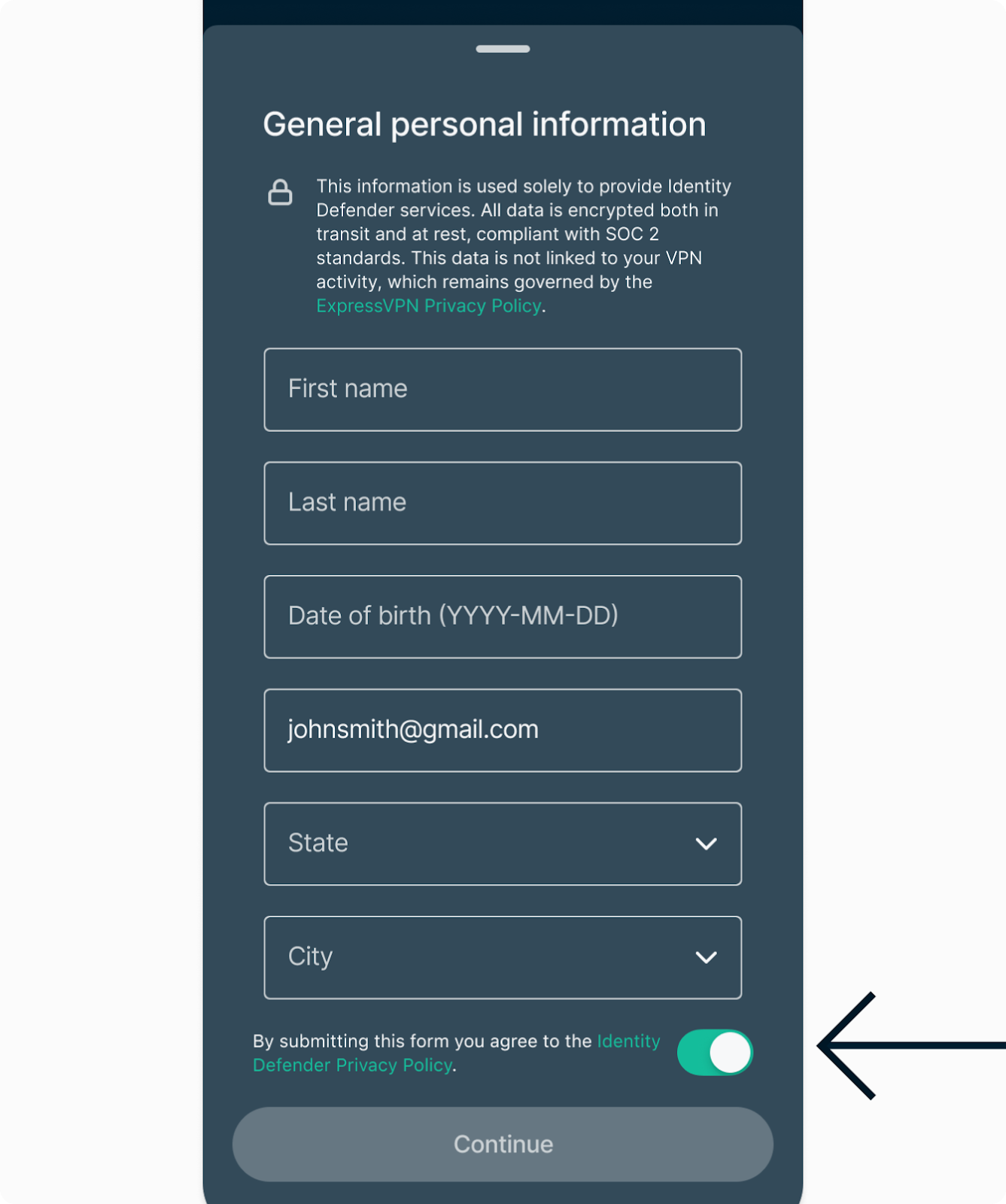
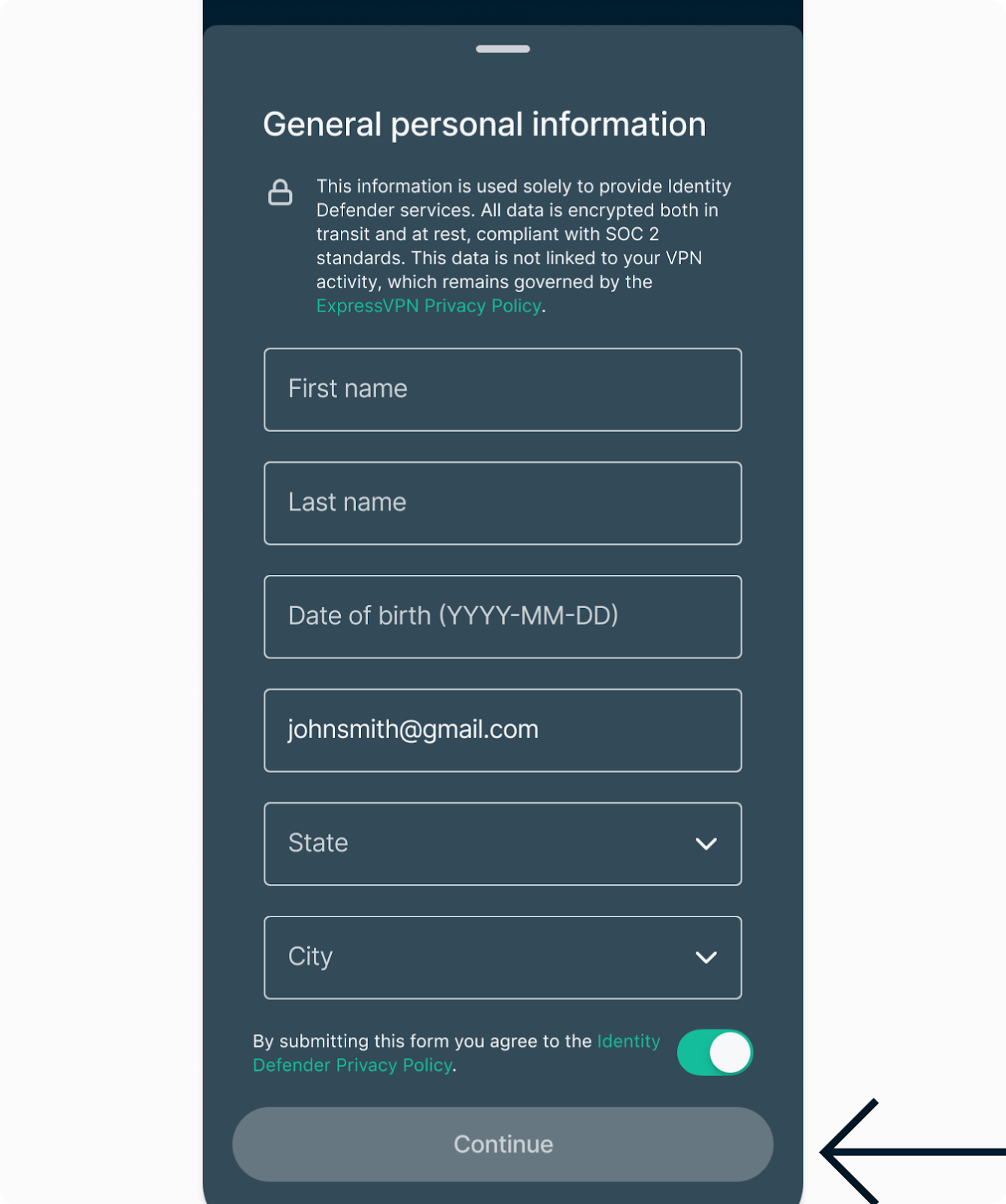
Once submitted, we will confirm your identity. Once confirmed, your Identity Defender account will be all set up—you can start using all the services you have access to on your subscription plan:
- ID Alerts
- Change of Address Monitoring (Advanced and Pro plans)
- SSN Monitoring (Advanced and Pro plans)
- Home Title Monitoring
- Auto Title Monitoring
- Sex Offender Monitoring
- Courts Record Monitoring
- High Risk Transaction Monitoring
- 401(k) Alerts
- ID Theft Insurance (up to $3M USD for Advanced plans / up to $5M USD for Pro plans)
- Credit Scanner and Credit Report
- Data Removal (Advanced and Pro plans)
Confirming your identity via the ExpressVPN website
To verify your identity:
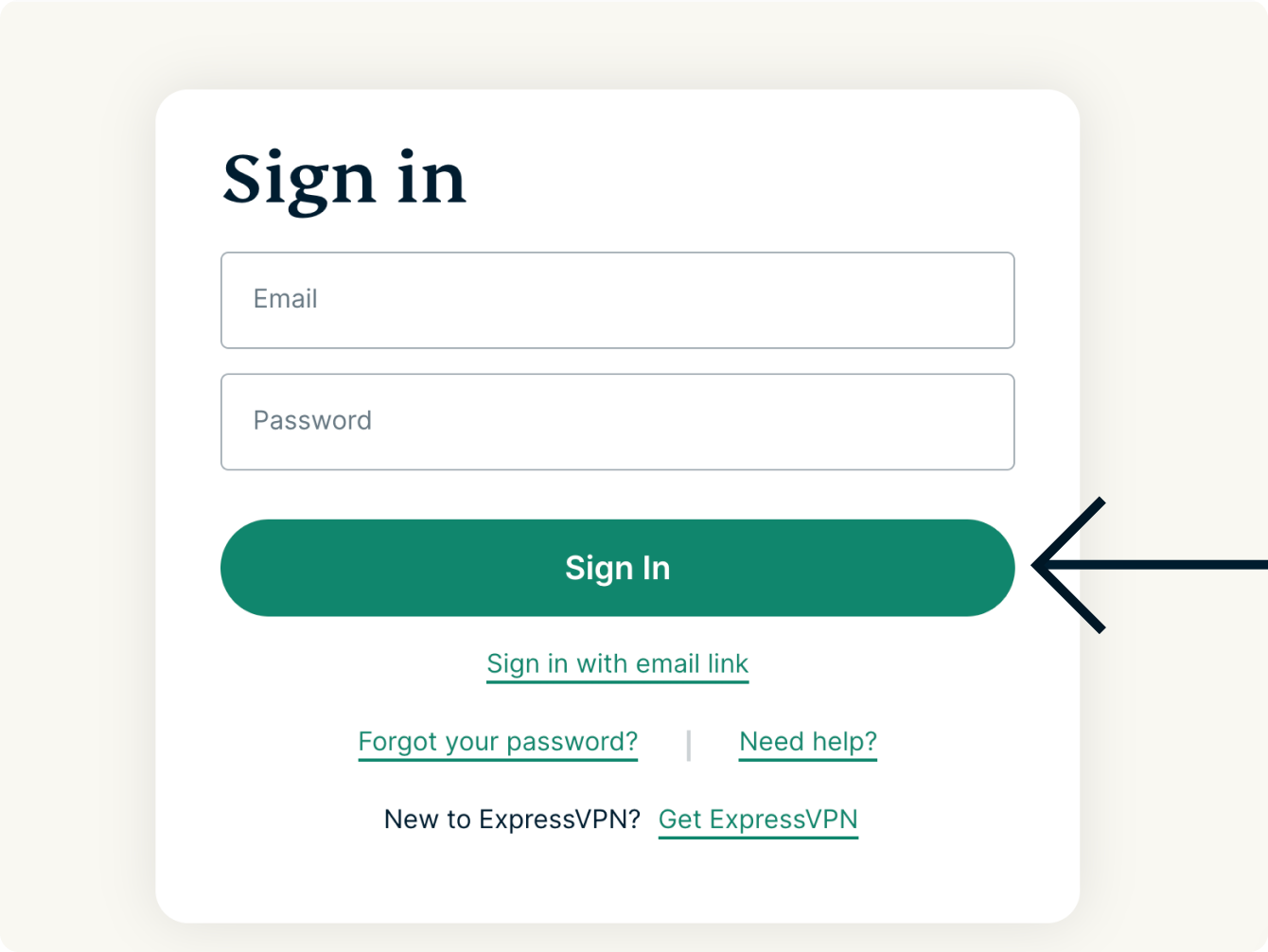
- Go to the ExpressVPN dashboard. If prompted, enter your ExpressVPN credentials and click Sign In.
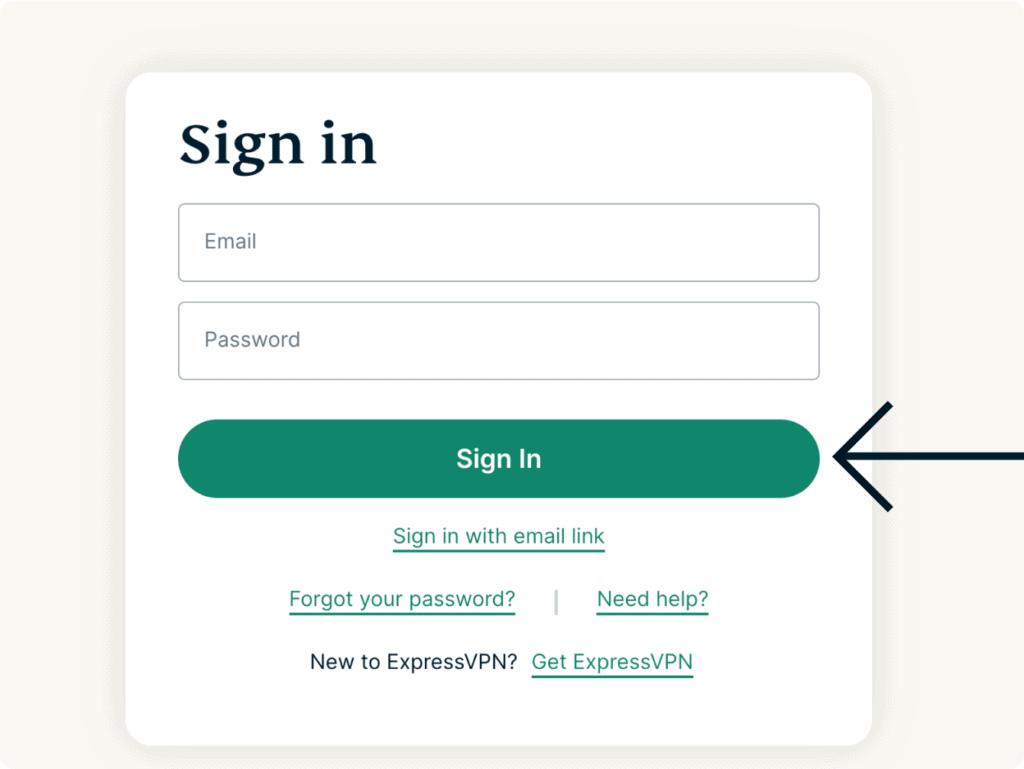

- Enter the verification code that is sent to your email.
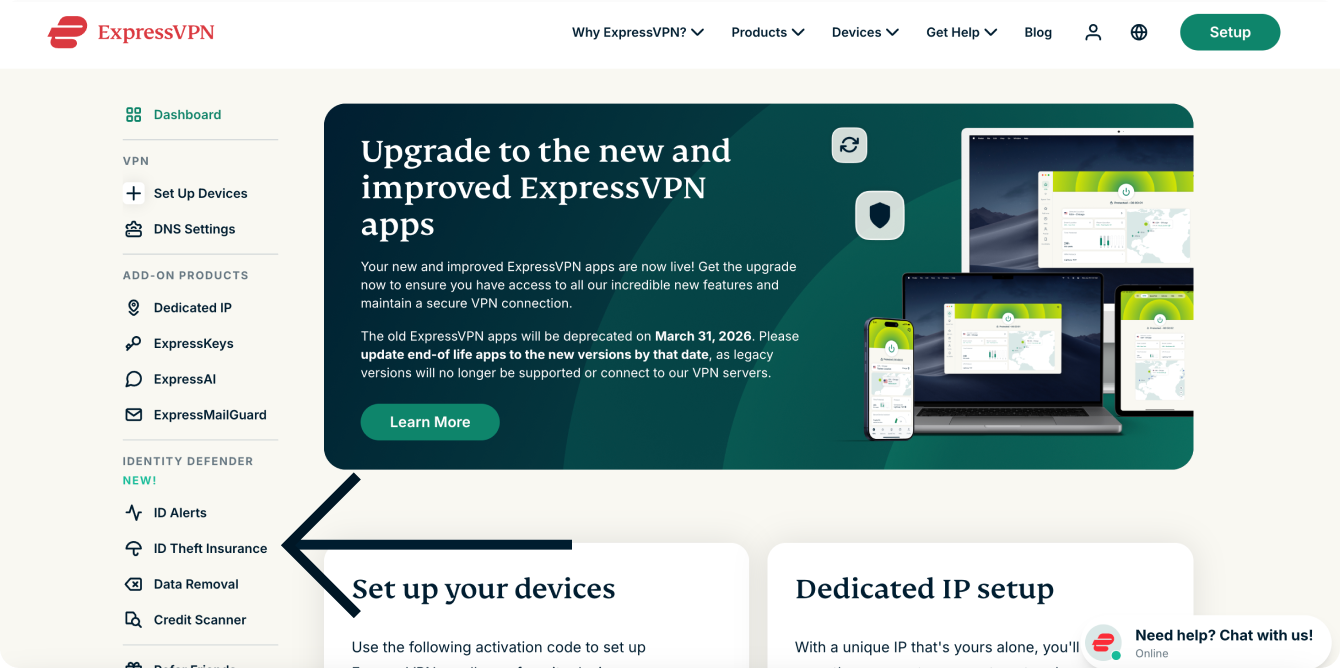
- Under IDENTITY DEFENDER, click either ID Alerts, ID Theft Insurance, Data Removal, or Credit Scanner.
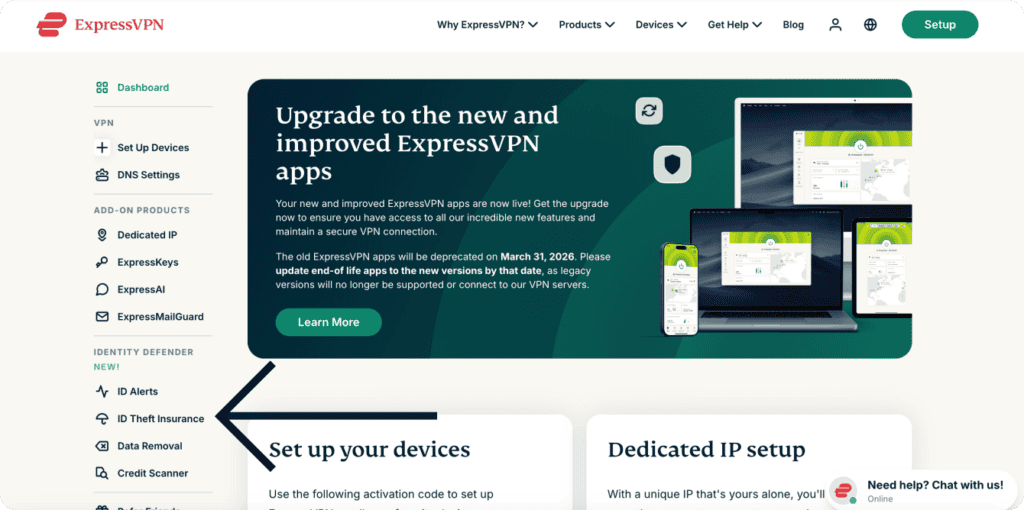

- You will be asked to provide your general personal information. Fill in the following mandatory fields:
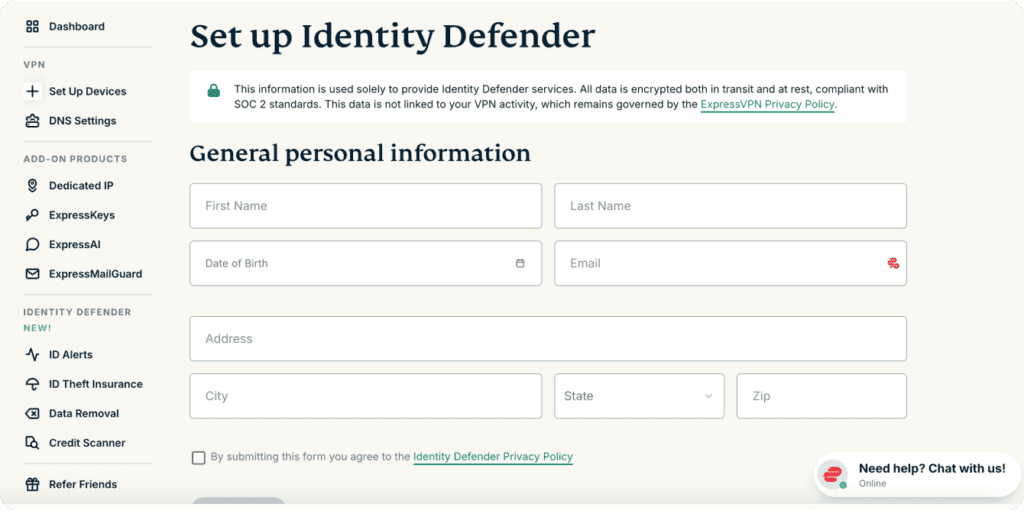
- Your first name
- Your last name
- Your date of birth
- Your email address
- Your phone number
- Your social security number
- Your home address, including:
- City
- State
- ZIP code
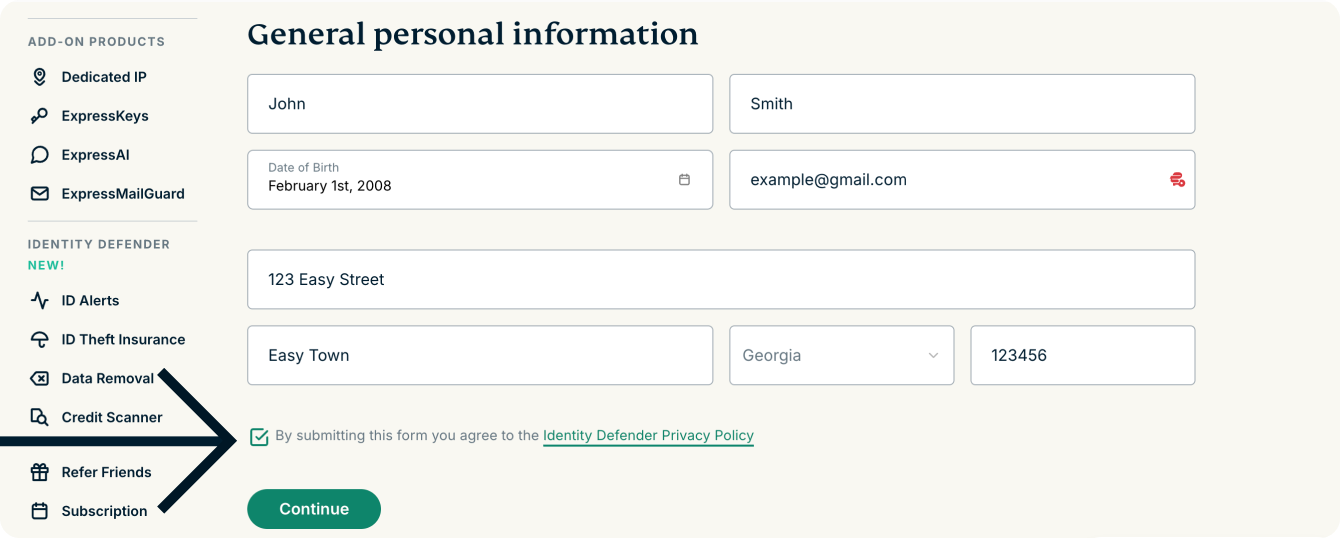
- To submit your information, you need to agree to the Identity Defender Privacy Policy. When ready, tick the checkbox to agree to the policy.


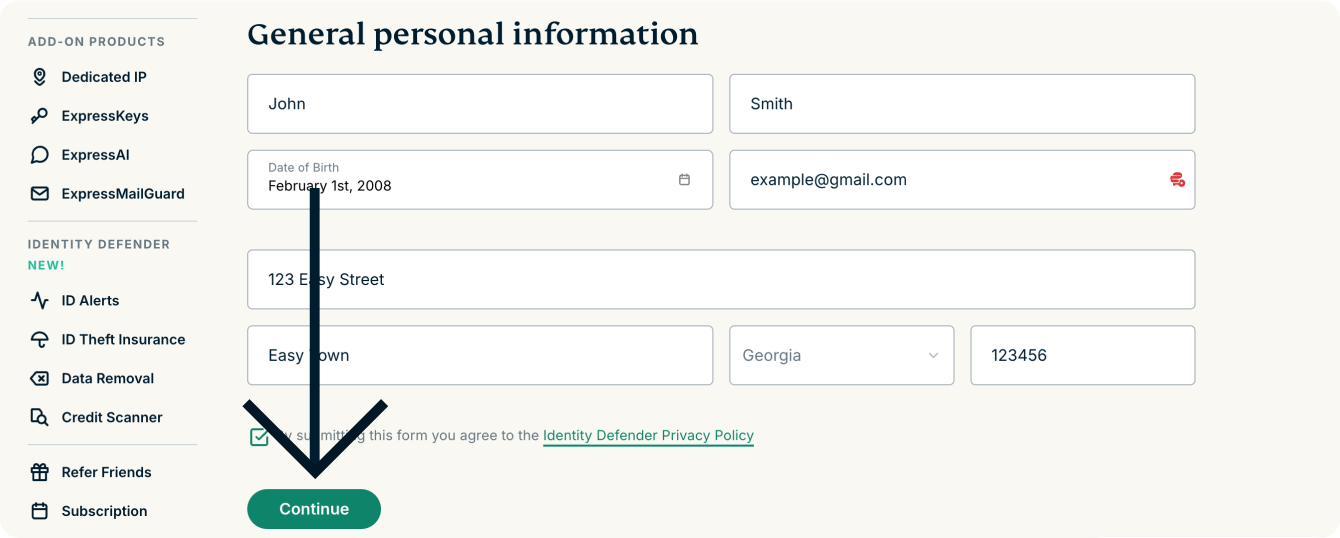
- Select Continue to submit your personal information.
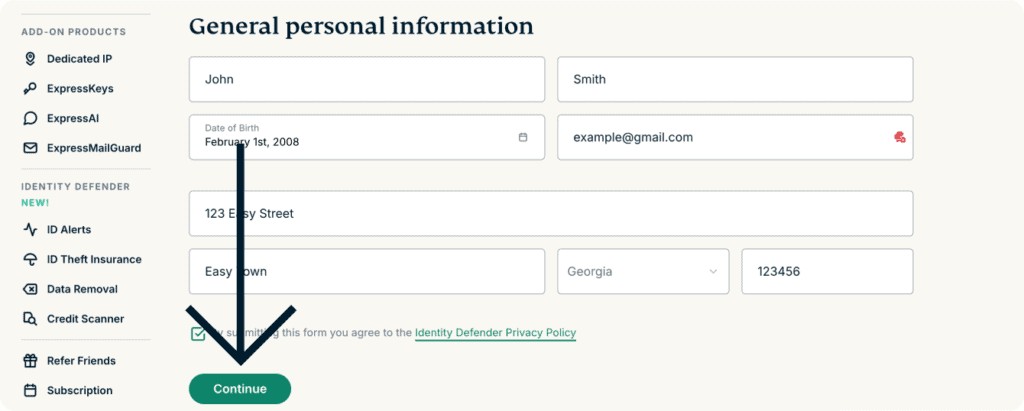
Once submitted, we will confirm your identity. Once confirmed, your Identity Defender account will be all set up and you go ahead and use all the services you have access to on your subscription plan:
- ID Alerts
- Change of Address Monitoring (Advanced and Pro plans)
- SSN Monitoring (Advanced and Pro plans)
- Home Title Monitoring
- Auto Title Monitoring
- Sex Offender Monitoring
- Courts Record Monitoring
- High Risk Transaction Monitoring
- 401(k) Alerts
- ID Theft Insurance (up to $3M for Advanced plans / up to $5M for Pro plans)
- Credit Scanner and Credit Report
- Data Removal (Advanced and Pro plans)
Need help? Contact the ExpressVPN Support Team for immediate assistance.