



You can export your login data from the Passwords app on your iOS device and import it into ExpressKeys.
Note: This method requires iOS 26 or later. With iOS 26, Apple introduced support for the FIDO Credential Exchange Protocol (CXP), which enables secure, end-to-end encrypted transfer of credentials directly between compatible apps. This means you can move your login data without exporting or importing files such as CSVs.
To import your Passwords data using your iOS device:
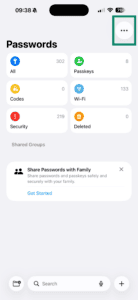
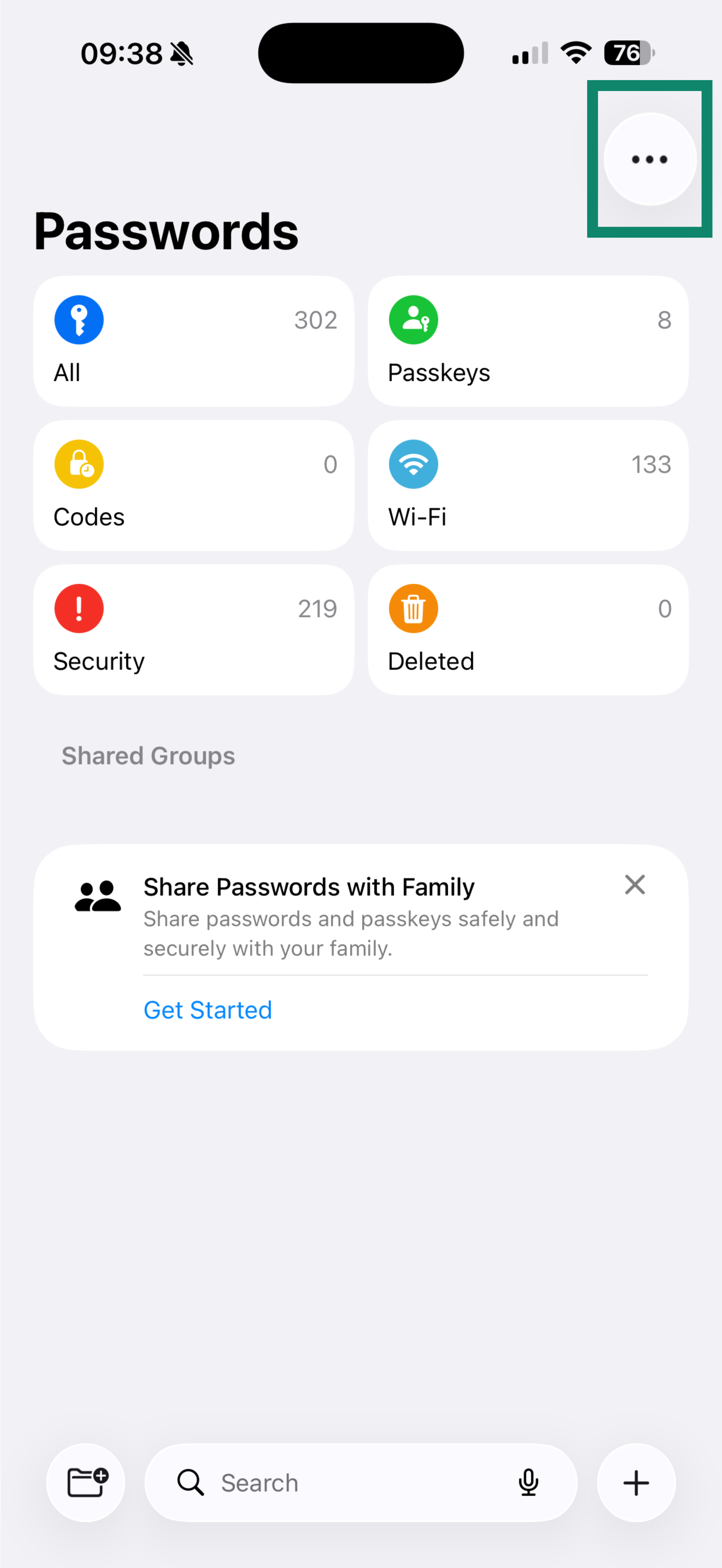
- Open the Passwords app.
- Tap

 .
.

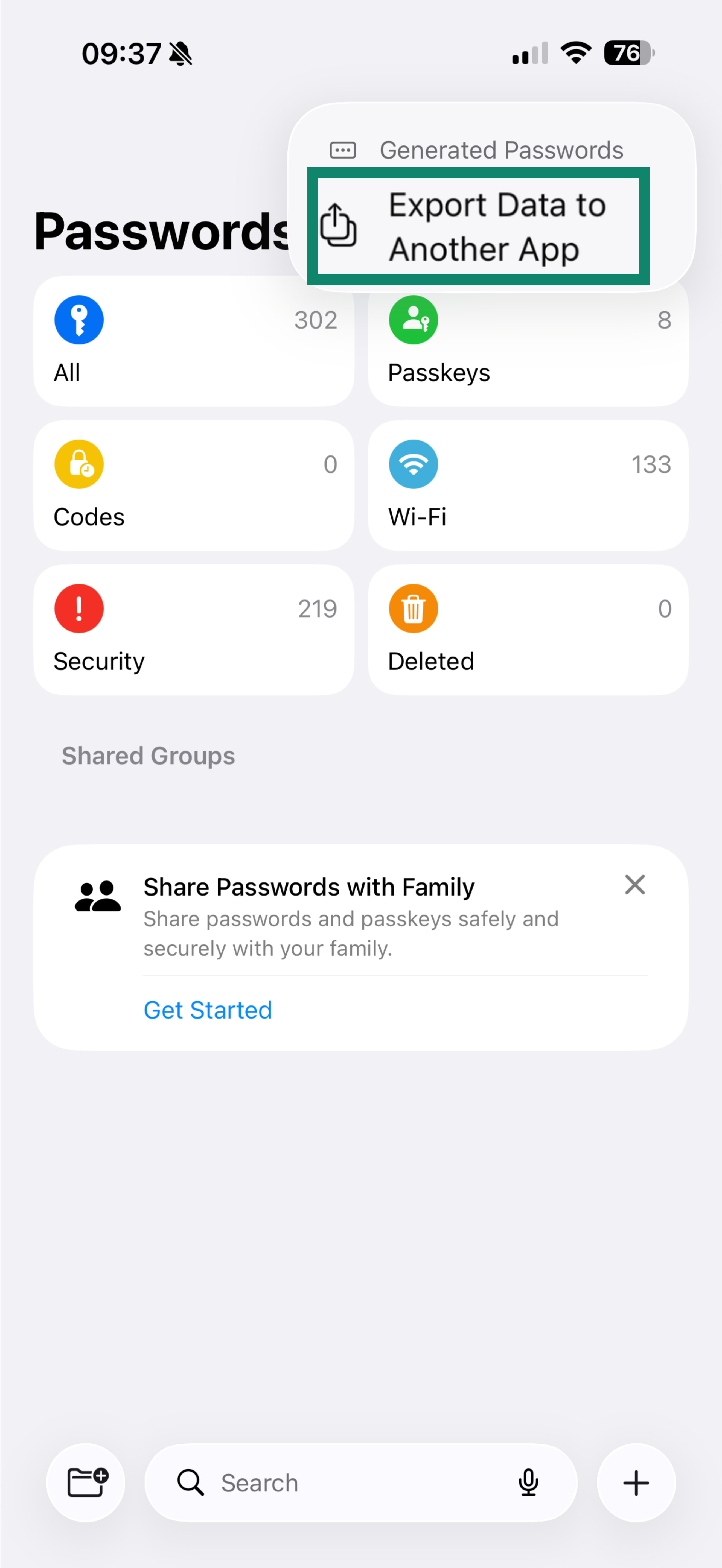
- Tap Export Data to Another App.

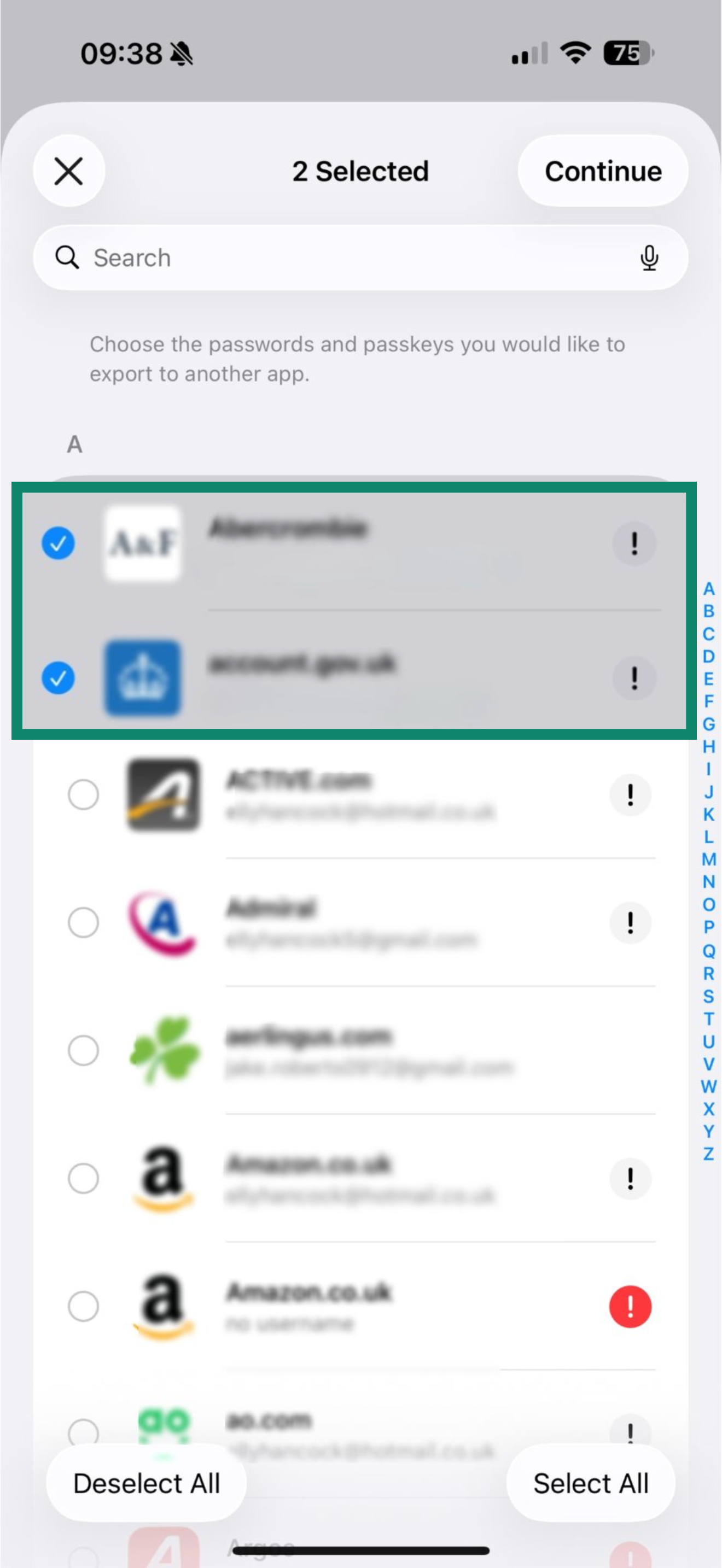
- Select the entries you want to export, or tap Select All to import all passwords.
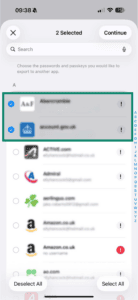
- Tap Continue, then tap Continue again.
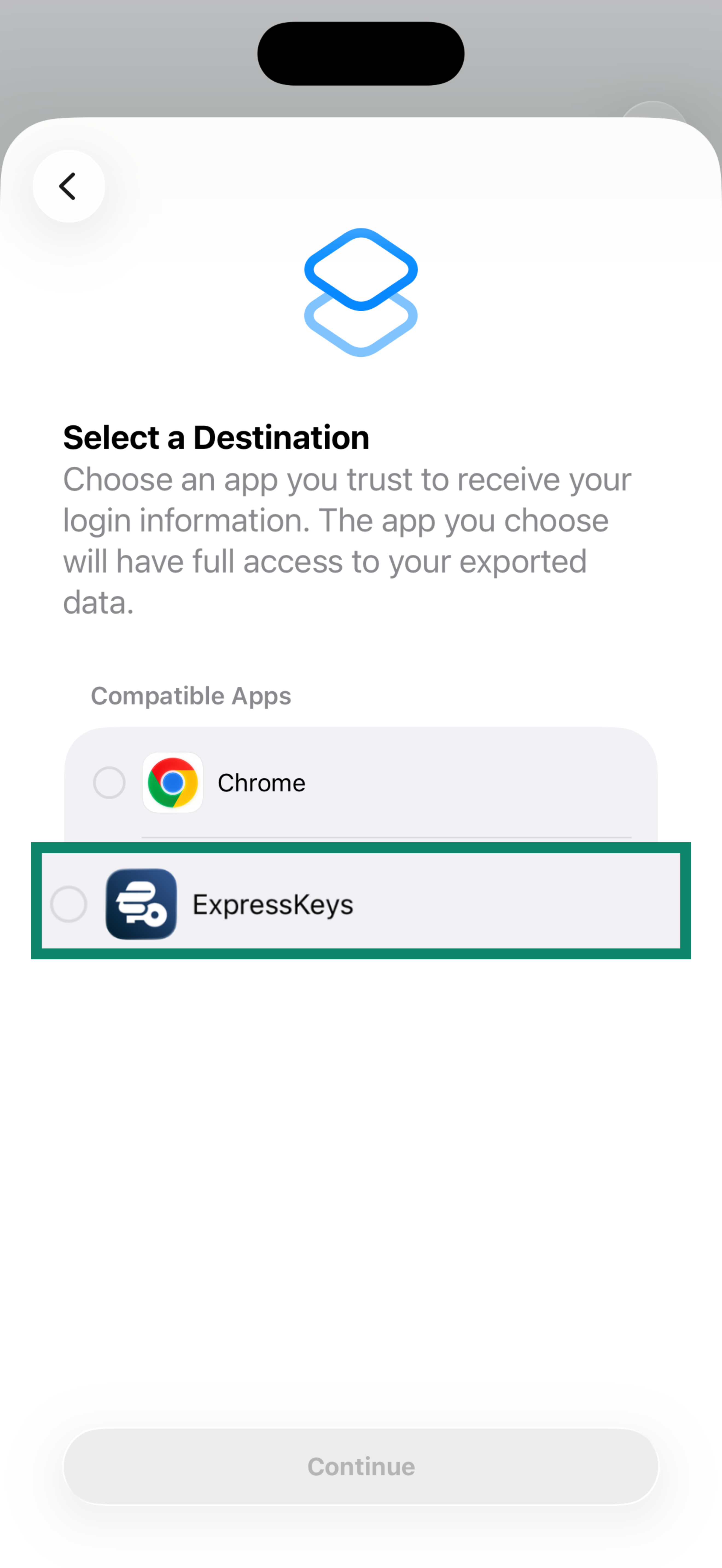
- Select ExpressKeys from the list, then tap Continue.

- Tap Continue in ExpressKeys.
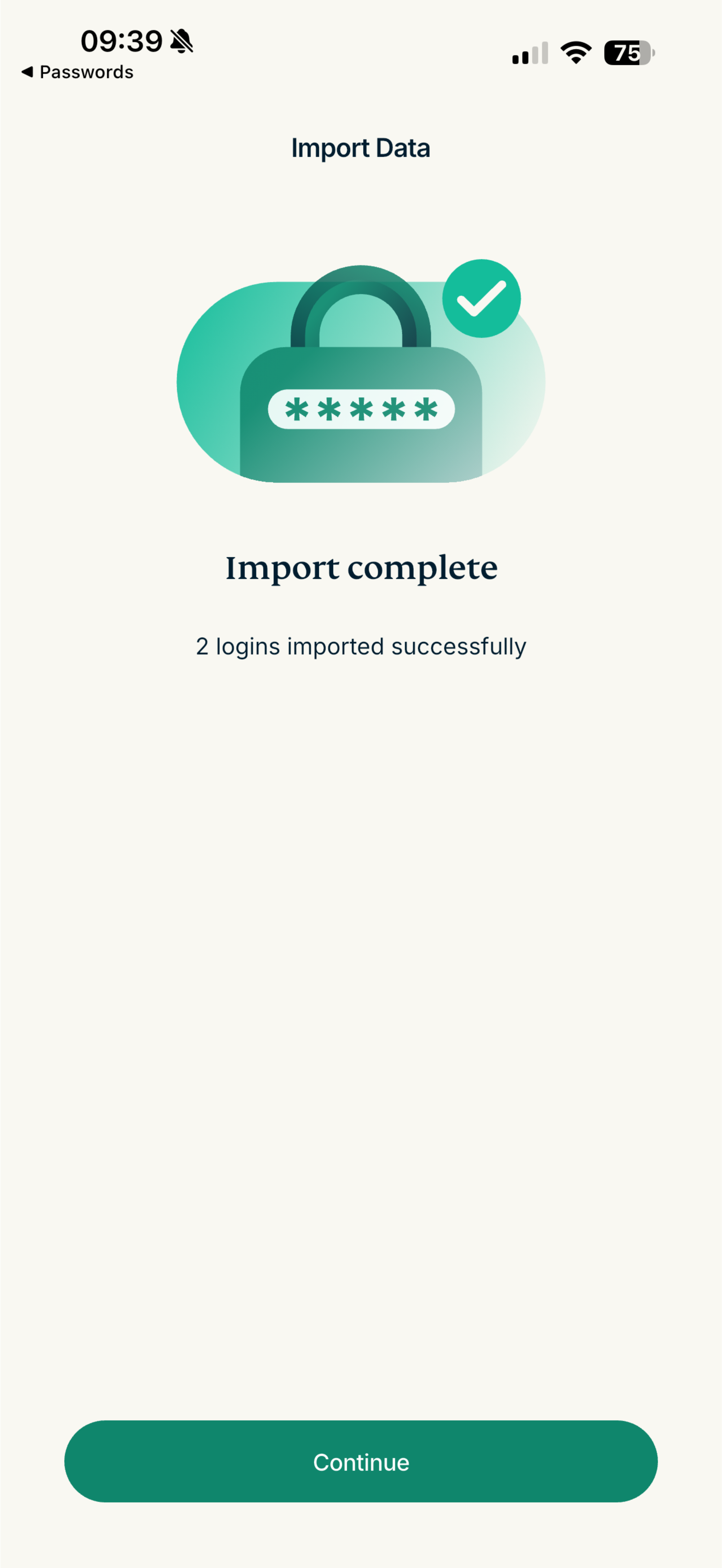
- Wait for the app to import your passwords, then tap Continue.

Once your passwords are imported, you can use ExpressKeys to review your password health, identify weak or reused passwords, and update them to improve your security.
Need help? Contact the ExpressVPN Support Team for immediate assistance.