



This guide will show you how to reset your ExpressAI primary password.
You should only reset your primary password if you cannot remember your primary password and have lost your recovery code. Choosing this option will permanently delete all your saved encrypted chats and files.
If you still have your recovery code, you can use it to unlock your vault and access your saved chats and files. Follow this guide to learn how.
Jump to…
How to reset your primary password on desktop
How to reset your primary password on mobile
How to reset your primary password on desktop
To reset your primary password on desktop:
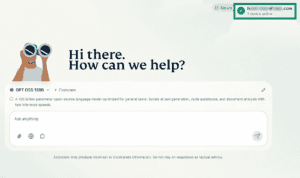
- Click your email address in the top-right.

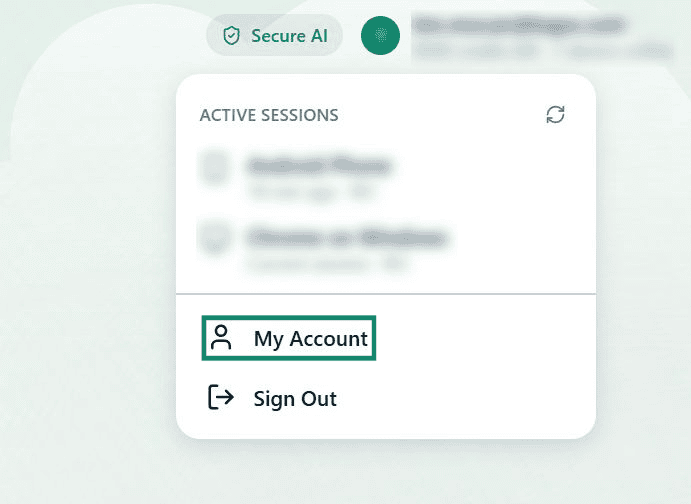
- Click My Account.

- Next to Reset Primary Password, click Reset.
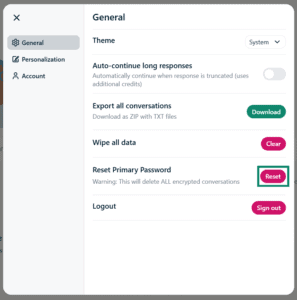


Your primary password has been reset and all your saved encrypted chats and files have been deleted.
To save new encrypted chats and files, you need to create a new primary password.
Need help? Contact the ExpressAI Support Team for immediate assistance.
How to reset your primary password on mobile
To reset your primary password on mobile:
- Tap

 .
.
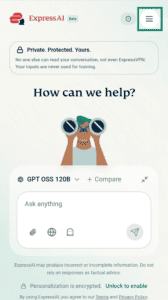

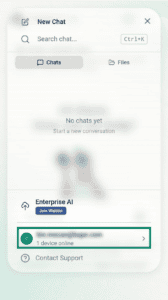
- Tap your email address.

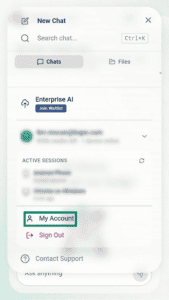
- Tap My Account.

- Next to Reset Primary Password, tap Reset.
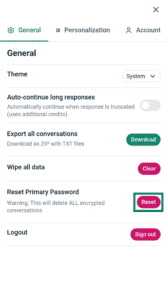


Your primary password has been reset and all your saved encrypted chats and files have been deleted.
To save new encrypted chats and files, you need to create a new primary password.
Need help? Contact the ExpressAI Support Team for immediate assistance.