



This guide will show you how to export aliases in ExpressMailGuard.
To export your aliases as a CSV file:
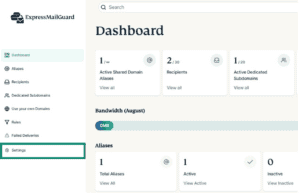
- On the ExpressMailGuard dashboard, click Settings.

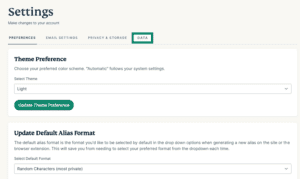
- Click the DATA tab.

- Under Export Aliases, click Export Alias Data.
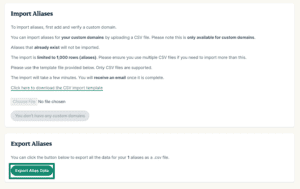


The CSV file will download immediately to your device.
Need help? Contact the ExpressVPN Support Team for immediate assistance.