



This guide will show you how to access ExpressAI.
ExpressAI is available exclusively to users with Express Pro subscriptions for no additional cost.
If you are on a Basic, Advanced, or legacy plan, you need to upgrade to an Express Pro plan to access ExpressAI.
Jump to…
How to access ExpressAI on desktop
How to access ExpressAI on mobile
How to access ExpressAI on desktop
ExpressAI operates as a standalone web app directly in your browser. There are two ways to access ExpressAI on desktop:
Via direct link:
- Open your browser of choice and go to https://app.expressai.com.
- Click Sign in with ExpressVPN.


- Then, log into your ExpressVPN account.

You can now start chatting with ExpressAI. Learn how to start your first chat.
Via ExpressVPN+:
- Go to the ExpressVPN+ portal and log into your ExpressVPN account.
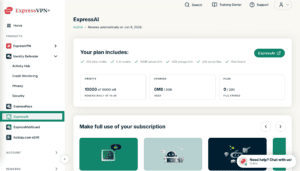
- Click ExpressAI from the menu on the left side.

- Select ExpressAI to launch the app.
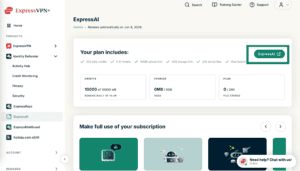


You can now start chatting with ExpressAI. Learn how to start your first chat.
Need help? Contact the ExpressAI Support Team for immediate assistance.
How to access ExpressAI on mobile
ExpressAI operates as a standalone web app directly in your browser. To access ExpressAI on mobile:
- Open your mobile browser of choice and go to https://app.expressai.com.
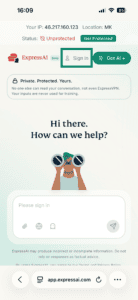
- Tap Sign in.

- Enter your ExpressVPN account email address, then tap Email Sign-In Link.
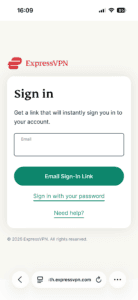
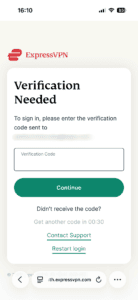
- A verification code will be sent to your email address. Enter the code in the field marked Verification Code, then click Continue.


You can now start chatting with ExpressAI. Learn how to start your first chat.
Need help? Contact the ExpressAI Support Team for immediate assistance.